
Accessibility Audit vs VPAT: Which One Does Your Business Actually Need?
 By David LoPresti May 1, 2026
 A sales rep pings your team late on a Friday. The prospect is serious, procurement is moving fast, and legal has one question before the deal advances: “Can you send your VPAT?”
That request sounds simple until it lands with the wrong team. Product thinks it’s a testing project. Engineering assumes the automated scan already covers it. Legal wants a clean answer. Sales just wants the document in the buyer’s inbox before the weekend.
Many companies falter. They treat accessibility audit vs VPAT as a terminology problem when it’s really a revenue and risk decision. If you sell SaaS, software, or digital services into enterprise, healthcare, higher education, or government, the wrong answer can stall procurement, weaken your credibility, or expose your company when a buyer reviews the details closely.
The legal backdrop matters. ADA lawsuits escalated 181% in a single year and exceeded 4,500 annually by 2022, with a 23% annual rise in litigation. Legal fees alone can exceed $400,000, excluding settlements, according to Deque’s guide to accessibility audits. That’s why accessibility documentation now shows up in sales cycles, security reviews, and vendor due diligence.
The practical question isn’t “Which one is better?” It’s “Which one do we need first, and which one do we need to close deals safely?”
The High-Stakes Question Is Your Product Ready for Procurement
The most common scenario is blunt. A buyer asks for a VPAT because procurement requires it, and your team realizes no one agrees on what that means. Someone sends an automated scan report. Someone else downloads a template and starts filling in “Supports” line by line. Neither solves the underlying problem.
A VPAT request is usually a signal that the buyer is evaluating risk, not just features. They want to know whether your product can survive internal review by procurement, IT, compliance, and sometimes counsel. If you’re selling into public sector workflows, that scrutiny gets tighter. Teams trying to understand how SMEs win government contracts quickly learn that paperwork quality can matter as much as product quality during vendor review.
Why this becomes a business issue fast
When a company answers a VPAT request with weak evidence, three things tend to happen:
- Sales slows down: Procurement asks follow-up questions your team can’t answer clearly.
- Legal risk increases: Unsupported conformance claims can create problems later if a customer or regulator tests the product.
- Engineering gets dragged in late: Developers are asked to defend statements that were never validated through proper testing.
That’s why strong teams separate two jobs. One job is finding accessibility problems. The other is documenting conformance in a format buyers recognize.
A VPAT request doesn’t mean “send us a certificate.” It usually means “show us documentation we can trust.”
If you’re already selling into regulated markets, procurement readiness is not theoretical. It affects whether your company gets shortlisted, how much friction appears during security and compliance review, and how exposed you are if a buyer challenges your claims. A useful example of that operational side is this accessibility procurement readiness work for hardware and software, where documentation and testing have to line up.
What buyers are really asking
They are rarely asking for perfection. They are asking for transparency, specificity, and evidence. They want to know:
- What standard you tested against
- How you tested
- Where the gaps are
- Whether your claims are current enough to rely on
That’s the fork in the road. If your product hasn’t been thoroughly tested, you need an audit. If your product is entering procurement, you likely need a VPAT too. The order matters.
What is a Digital Accessibility Audit The Diagnostic Foundation
An accessibility audit is the technical investigation. It’s the closest thing your product gets to a full medical workup. The goal isn’t to generate a badge or a summary score. The goal is to find real barriers, map them to WCAG, and give your team a remediation path that holds up under scrutiny.
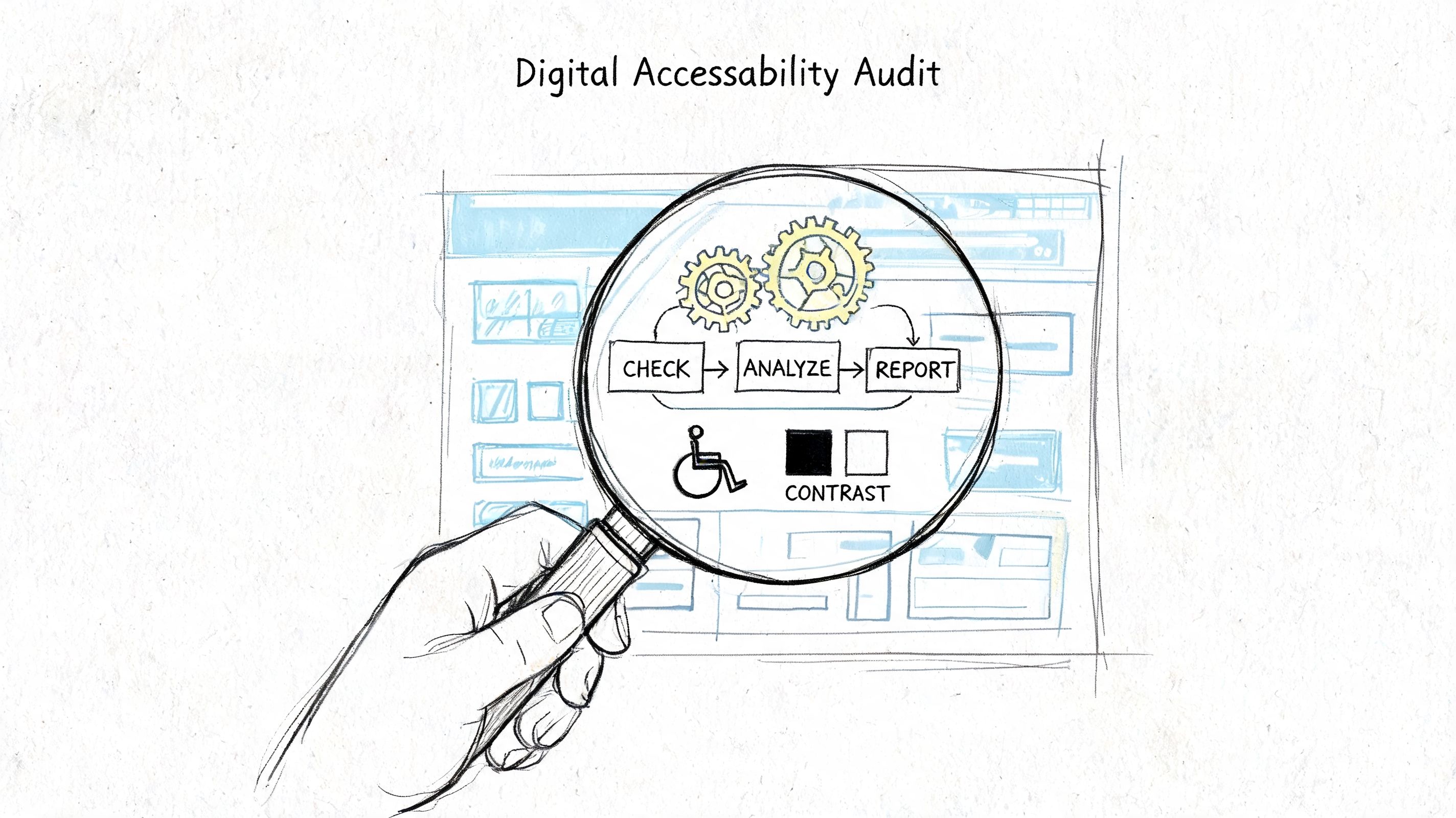
A real audit is not just a browser extension run across a few pages. An accessibility audit is the prerequisite for an accurate ACR, because it identifies WCAG conformance gaps through manual code review and assistive technology testing with NVDA and JAWS — work no scanner performs. W3C WAI is explicit that “no tool alone can determine if a site meets accessibility standards”. The naming matters too: ITI, which publishes the template, defines an ACR as “a version of the VPAT which has been completed for a specific product”. The VPAT is the blank form; the ACR is your filled-in answer, and only an audit can fill it in defensibly.
What a real audit includes
A credible audit usually combines several layers of testing:
- Automated scanning: Useful for catching obvious issues quickly, but limited by design.
- Manual keyboard testing: This surfaces focus order failures, trap states, missing visible focus, and navigation problems.
- Assistive technology testing: Screen readers like NVDA, JAWS, and VoiceOver expose issues that scanners miss.
- Code review: Accessibility failures often come from implementation details such as custom controls, semantic misuse, or ARIA errors.
- Workflow testing: Teams need to test critical user paths such as sign-up, login, checkout, search, account management, and support flows.
A narrow example helps. A scanner may tell you an image is missing alt text. It usually won’t tell you whether a custom date picker becomes unusable for a keyboard-only user or whether a screen reader announces a modal in a way that makes the flow impossible to complete.
For teams making media decisions inside product flows, practical accessibility details matter too. Something as simple as choosing video caption options can affect usability, procurement answers, and remediation scope.
What teams actually get from it
The best audit deliverable is not a spreadsheet of defects with no context. It’s a prioritized plan.
A useful audit report should give your team:
- WCAG-mapped findings: So legal, procurement, and engineering are speaking the same language.
- Severity or priority guidance: So product can sequence fixes intelligently.
- Code-level recommendations: So developers know what to change.
- Examples of affected components or templates: So teams fix patterns, not just isolated screens.
- Re-test criteria: So you can verify that fixes resolved the issue.
Practical rule: If a vendor can’t explain how they tested with assistive technology, you’re not looking at an audit. You’re looking at a surface scan.
This is why I usually advise enterprise teams to treat the audit as the source of truth. The report tells you what’s broken, what’s risky, what’s blocking users, and what must be fixed before anyone starts making formal conformance claims. If you need a deeper view of that process, this digital accessibility audit guide covering ADA, WCAG, and Section 508 is a useful reference point.
What is a VPAT The Compliance Report Card for Sales
A VPAT is a standardized template used to document how a product conforms to accessibility requirements. When completed for a product, it becomes an Accessibility Conformance Report, or ACR. In practice, this is the document procurement teams, vendor managers, and legal reviewers expect to see.
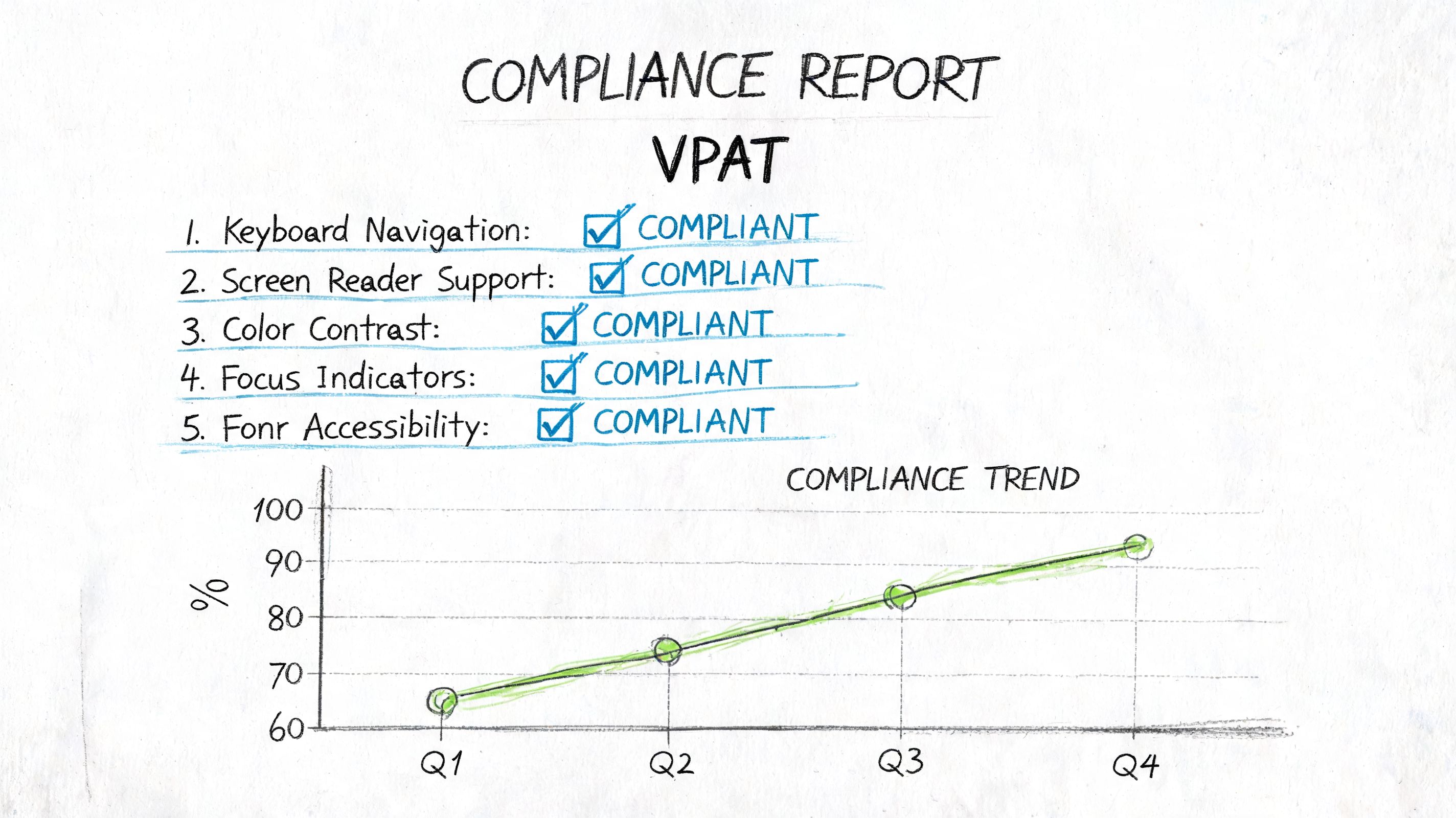
The format exists because buyers need a consistent way to compare products. The VPAT originated in 2001 to address Section 508 for U.S. federal procurement, and it has evolved into a global tool with WCAG, 508, EU, and INT editions tied to standards underlying the ADA, the EAA, and Canadian regulations, according to the VPAT overview on Wikipedia.
Why procurement teams ask for it
A VPAT helps external reviewers answer a practical question: “What does this product support, where are the exceptions, and how clearly is the vendor reporting them?”
That matters in several settings:
- Government sales: Buyers often need a standardized accessibility document for ICT review.
- Enterprise procurement: Security and compliance teams want documentation before approving vendors.
- Cross-jurisdictional sales: One product may need to be discussed against WCAG, Section 508, and EN 301 549 expectations.
The value of the VPAT is consistency. A buyer can review the same structure across multiple vendors and compare how each company reports support, partial support, or non-support.
What a VPAT is not
It is not a certification. It is not the testing process. It is not proof by itself that a product is accessible in real use.
A weak VPAT often has obvious warning signs:
- Claims without testing detail
- Generic remarks that don’t describe product behavior
- Statuses marked too optimistically
- No evidence that the document reflects the current product version
That’s why a VPAT should be treated as a compliance report card for sales, not as the underlying exam. If your team needs help understanding the document itself, this guide to VPAT compliance and the certification process gives the right baseline.
A credible VPAT can absolutely help move deals forward. An unsupported one can do the opposite.
Audit vs VPAT A Head-to-Head Comparison
The fastest way to clear up the confusion is to compare these deliverables by function, not by jargon.
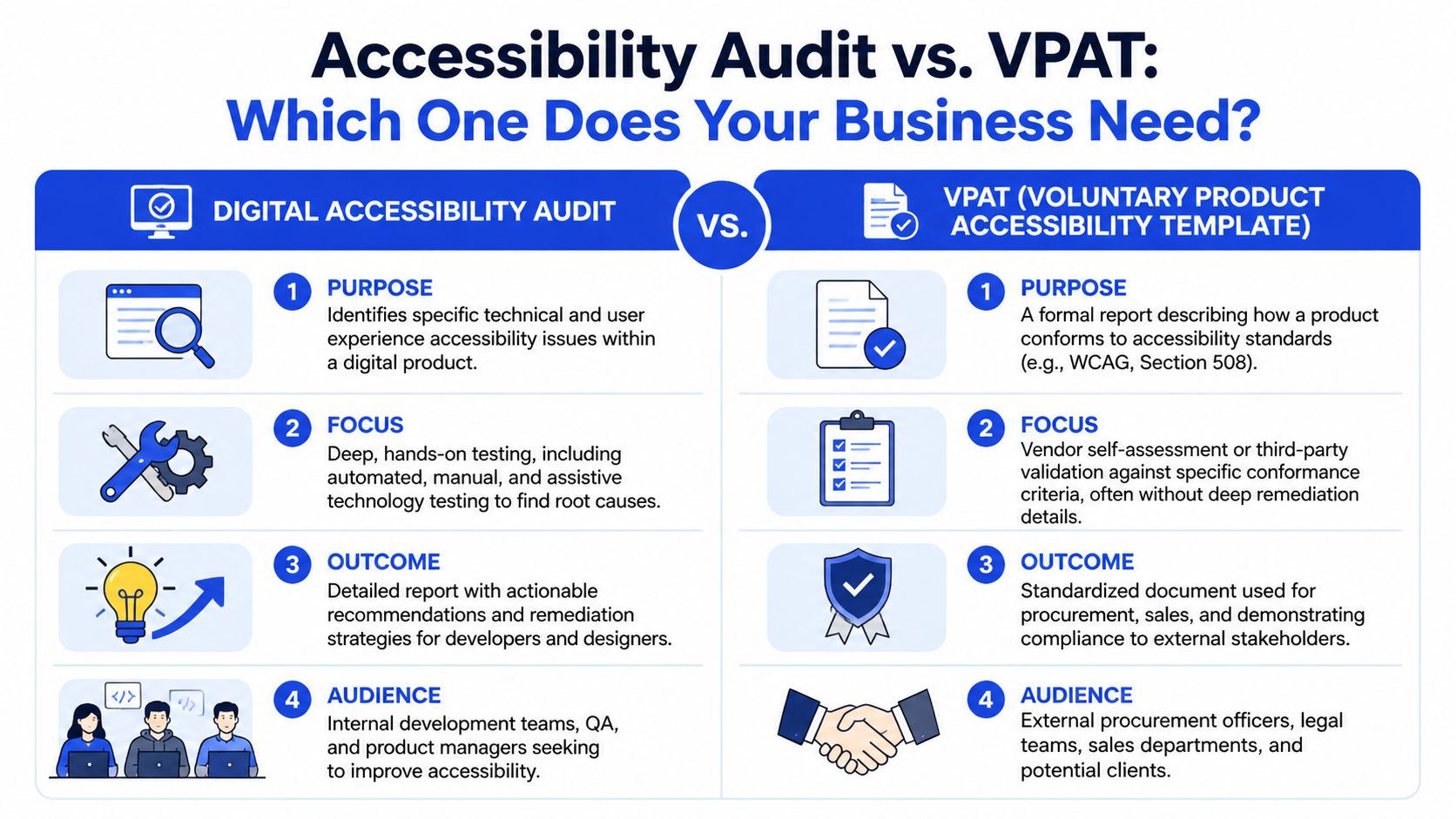
The clearest way to separate them
| Category | Accessibility Audit | VPAT / ACR |
|---|---|---|
| Primary purpose | Diagnose accessibility barriers | Report conformance in a standardized format |
| Main audience | Developers, QA, product, design | Procurement, legal, buyers, vendor review teams |
| How it works | Manual testing, code review, assistive technology checks, workflow validation | Criterion-by-criterion documentation against applicable standards |
| Main output | Findings, priorities, remediation guidance | Formal conformance statement |
| Best use case | Improving the product and reducing exposure before claims are made | Supporting RFPs, sales cycles, and compliance review |
| Shelf life | Useful until the product changes materially | Needs updating when the product, scope, or standards basis changes |
There’s also a hard procurement reality. VPATs or ACRs are mandatory for U.S. federal procurement and are required in 74% of B2B deals, but without an underlying audit they’re prone to failure in vendor reviews. A thorough manual audit is required to substantiate “Supports” or “Partially Supports” claims across WCAG 2.1 AA, Revised 508, and EN 301 549, according to Deque’s VPAT guidance.
Later in the review process, a visual comparison often helps align non-technical stakeholders with technical teams. This overview is useful for that conversation:
Where companies go wrong
The failure pattern is usually predictable.
They treat the VPAT as if it can replace the audit. That creates a document-first process when the business needs an evidence-first process. Procurement may still accept the file initially, but deeper review exposes vague remarks, unsupported statuses, or missing explanations.
If an audit tells you what to fix, a VPAT tells a buyer what state the product is in today. Those are different jobs.
A second mistake is running only an audit and stopping there when sales needs formal documentation. That leaves product and engineering better informed, but it doesn’t give procurement the standardized report they asked for.
The right mental model is simple. The audit is your internal diagnostic engine. The VPAT is your external reporting layer.
Demystifying Costs A 2026 Pricing and Procurement Guide
Cost questions usually show up after a team understands the difference. By then, the issue isn’t “How cheap can we do this?” It’s “What scope will produce a defensible outcome we can use in procurement and remediation?”
The only precise pricing figures supported here are broad audit ranges. Accessibility audits of live sites can cost $150 to $500 per page, based on the verified data tied to the earlier Deque-cited material. Beyond that, the main driver is scope, not a universal sticker price. A simple marketing site, a design system, and a multi-role SaaS platform create very different workloads.
What affects scope and price
A vendor can only price an audit and VPAT responsibly after scoping the product. The biggest variables are usually these:
- Product type: Static websites are usually simpler than authenticated SaaS platforms, dashboards, or mobile apps.
- Template count or screen count: Repeated page patterns lower effort more than raw URL count suggests.
- Complexity of interactions: Custom components, data tables, modals, drag-and-drop interfaces, and dynamic single-page behavior take more time to test.
- Standards coverage: Some engagements need WCAG only. Others need documentation aligned to Revised 508 or EN 301 549 as well.
- Testing depth: Discovery-level audits, full manual audits, assistive technology validation, and re-testing all affect effort.
- Deliverables: An audit report, remediation workshop, and VPAT package require different levels of analysis and documentation.
The procurement mistake I see most often is under-scoping the work. A buyer asks for “website accessibility testing,” but the actual product includes authenticated workflows, embedded third-party tools, PDFs, support flows, and admin experiences. The result is a cheap proposal that doesn’t answer the business need.
Example accessibility project costs in 2026
The table below is intentionally qualitative where precise market-wide figures are not verified. Use it to frame procurement conversations, not as a universal price card.
| Business Profile | Product Type | Typical Scope | Estimated Cost Range (Audit + VPAT) |
|---|---|---|---|
| Small SaaS company | Marketing site plus core app workflows | Key templates, primary user journeys, manual testing, VPAT drafting | Often scoped from per-page audit pricing plus documentation effort |
| Mid-market enterprise | Multi-role web application | Broader workflow coverage, component review, assistive technology testing, re-test cycles, VPAT | Usually requires custom proposal based on application complexity |
| Government contractor | Website, software, or ICT product with procurement requirements | Deep manual audit, conformance mapping, procurement-ready ACR, possible cross-standard reporting | Typically custom-scoped due to documentation depth and review rigor |
How to evaluate proposals without wasting budget
Low-cost proposals often hide the same problems:
- Automated-only testing: Fast, but not enough for defensible reporting.
- No assistive technology coverage: A major red flag.
- No remediation guidance: Engineering gets findings with no path to fix them.
- Template language for the VPAT: That creates procurement friction later.
- No re-test option: You can’t verify whether fixes closed the gap.
A stronger proposal usually includes a scoping conversation, representative user flows, named testing methods, defined deliverables, and some process for validating fixes. If you’re comparing vendors, ask who performs the manual review, which assistive technologies they use, how they document exceptions, and whether they can support both remediation and formal reporting. Providers such as ADA Compliance Pros, Deque, and other specialist consultancies may offer different engagement models, but the useful distinction is always the same: are you buying evidence, or just paperwork?
The Decision Framework Which Do You Need and When
Most companies don’t need an abstract definition. They need a decision rule tied to a business event.
Start with the business trigger
If one of these situations sounds familiar, the next step is usually clear:
- You’re responding to a government or enterprise RFP: Start with the question procurement asked. If they require formal accessibility documentation, you’ll likely need a VPAT. If your team can’t support the claims confidently, start with an audit immediately and build the VPAT from verified findings.
- You just launched or significantly rebuilt a product: Start with the audit. New releases often introduce regressions in forms, navigation, dialogs, tables, and custom controls.
- You received a legal complaint or demand letter: Start with a manual audit and remediation plan. Counsel needs defensible facts, not optimistic summaries.
- Your sales team keeps getting blocked in vendor reviews: Audit first if the product hasn’t been validated recently. Then produce a VPAT that reflects the current state of the product.
- You’re expanding into regulated sectors like healthcare, fintech, education, or public sector: Build both into your operating model. Treat accessibility documentation as part of procurement readiness, not a one-off scramble.
Buy the audit when you need truth. Buy the VPAT when you need a formal way to communicate that truth.
The sequence that works
For most enterprise teams, the sequence is straightforward:
- Audit the product
- Fix the meaningful barriers
- Re-test critical issues
- Produce or update the VPAT
- Repeat after major releases
That’s why the answer to “Accessibility Audit vs VPAT: Which One Does Your Business Need?” is often “both, in the right order.” If you reverse that order, you risk creating procurement documents that your own engineering team can’t defend.
Frequently Asked Questions About Audits and VPATs
How long does a VPAT stay valid
There isn’t a universal expiration date built into the document itself. In practice, a VPAT stays useful only as long as it accurately reflects the product version, supported platforms, and tested functionality. Major releases, UI rewrites, component changes, and new workflows are all common reasons to update it.
Can an automated tool create a reliable VPAT
Not by itself. Automated tools are useful inside an accessibility program, but they do not replace manual review, assistive technology testing, or criterion-level analysis. If the document is based only on a scan, buyers may question the credibility of the claims during vendor review.
Is “Partially Supports” a failing grade
No. In a well-written VPAT, “Partially Supports” is often a sign of transparency. It tells the reviewer there are known exceptions, limitations, or conditions that need explanation. That is far more credible than overstating support and hoping no one checks.
If I only have budget for one, which should I buy first
Buy the audit first unless procurement is actively requiring a VPAT immediately and you already have strong testing evidence. The audit gives you the facts. Without those facts, the VPAT can become a risky document.
Do I need both for private-sector sales
Often, yes. Private buyers increasingly run accessibility review as part of vendor due diligence. Some will ask for a VPAT up front. Others start with questionnaires, then request detailed evidence if your product advances.
If your team needs a defensible path from accessibility testing to procurement-ready reporting, ADA Compliance Pros can help scope a manual audit, support remediation planning, and prepare VPAT documentation that matches the product’s actual conformance state.