

You’re probably dealing with one of two situations right now. A buyer sent an RFP asking for your VPAT, accessibility testing methodology, and a public accessibility statement. Or legal flagged a demand letter and wants to know whether your website can support a credible good-faith compliance position.
In both cases, the same problem shows up fast. Most accessibility statements are too vague to help, too broad to trust, and too thin to survive scrutiny from procurement teams, regulators, or opposing counsel. A generic accessibility statement template can create risk if it claims conformance your team hasn’t validated.
A strong statement does something different. It documents scope, standards, known issues, testing method, feedback channels, and review dates in a way that a real person can understand and a technical reviewer can verify. That makes it useful for ADA risk management, EAA preparedness, and enterprise sales.
Why Your Accessibility Statement Is a Legal and Commercial Asset
A public accessibility statement isn’t a formality anymore. It’s part evidence file, part buyer-enablement document, and part risk-control measure.
The litigation trend explains why. Plaintiffs filed 3,117 website accessibility lawsuits in federal court in 2025, up 27% on the previous year, according to Seyfarth Shaw’s annual count of federal filings — 36% of all ADA Title III cases filed that year. That doesn’t mean a statement prevents claims by itself. It means a statement becomes useful when it reflects real audit work and gives your team a disciplined remediation path.
On the commercial side, enterprise buyers increasingly read this page before they read your legal terms. If your statement says “we strive to be accessible” but doesn’t identify the standard, scope, limitations, or testing approach, it raises questions instead of answering them.
What buyers and legal teams actually look for
A procurement reviewer usually wants fast answers to a short list:
- What standard applies. Usually WCAG alignment, and in EU contexts often EN 301 549 alignment as well.
- What was tested. Website, app, authenticated experience, PDFs, support flows, embedded components.
- How it was tested. Automated scanning alone is weak. Manual testing carries more weight.
- What remains open. Known limitations matter because vague perfection claims are hard to defend.
- Who can contact you. The contact method needs to be accessible and monitored.
Legal teams look for the same fundamentals, but from a different angle. They want a statement that doesn’t overclaim, doesn’t contradict your VPAT or audit, and shows ongoing effort rather than neglect.
Practical rule: If your accessibility statement template is easier to publish than to prove, it’s too generic.
There’s also a market trust issue. Public-sector and regulated buyers expect accessibility documentation to be part of normal diligence. For a broader regional perspective on why accessibility expectations are becoming standard in digital delivery, Ensuring Inclusivity Online is a useful read.
A weak statement can become an exhibit against you. A careful one can support a more credible response when legal or procurement asks hard questions. That’s the same reason many teams also review the cost of ignoring WCAG compliance before they publish anything public.
Anatomy of a Legally Sound Accessibility Statement
The baseline for a strong accessibility statement template comes from regulation and from how accessibility reviews are conducted in the field. For organizations selling into Europe, the European Accessibility Act, Directive (EU) 2019/882, requires accessibility statements for many private sector products and services by June 28, 2025, mirroring public sector requirements under the Web Accessibility Directive tied to EN 301 549 (W3C guidance on accessibility statements).
What the statement must say clearly
Think of the statement as a controlled disclosure document. It needs enough specificity to be credible, but it also needs plain language that non-specialists can understand.
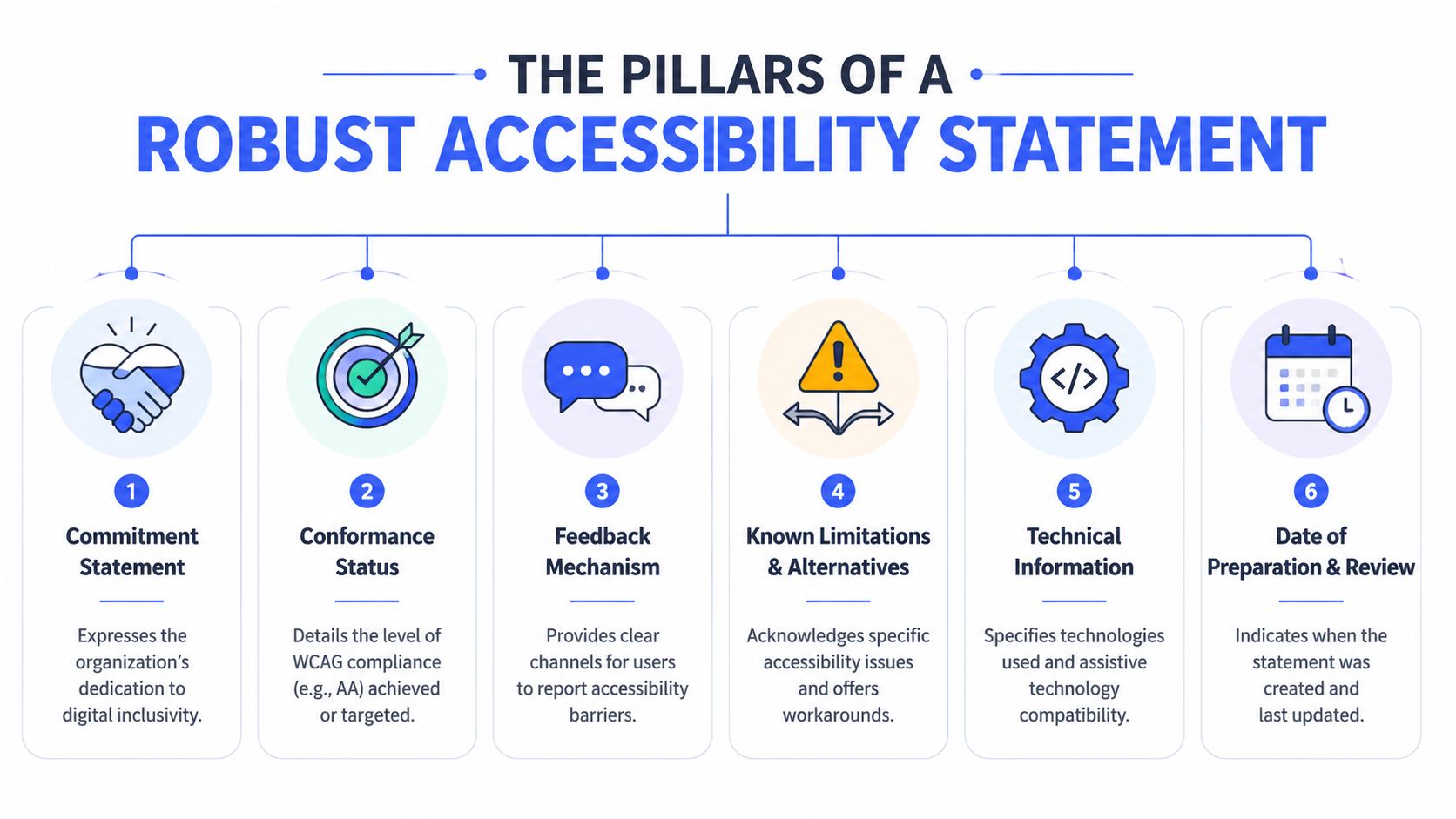
The strongest statements usually include these elements:
| Element | Why it matters | What good looks like |
|---|---|---|
| Commitment statement | Sets the tone without making unsupported legal claims | A clear sentence saying the organization is committed to digital accessibility |
| Conformance status | Tells readers whether you claim full, partial, or non-conformance | Specific reference to WCAG level and, where relevant, EN 301 549 |
| Scope | Prevents overbroad claims | Lists which domains, products, apps, or document types are covered |
| Known limitations | Shows transparency and reduces the risk of deceptive language | Identifies barriers, affected areas, and any workaround |
| Feedback mechanism | Gives users a path to report issues | Accessible email, form, or phone option with ownership inside the business |
| Assessment approach and dates | Creates defensibility | States whether the review was internal, external, manual, automated, or mixed, plus statement dates |
That structure mirrors the way mature teams document other quality attributes. If your product organization already treats performance, security, and resilience as release criteria, it helps to frame accessibility similarly. Rite NRG’s explanation of non-functional requirements is useful context for that discussion with engineering leadership.
What weak statements get wrong
Most weak statements fail in one of three ways.
First, they claim too much. “Our website is fully compliant” is dangerous if the team hasn’t validated that claim across real user flows, assistive technologies, and content types.
Second, they hide the scope. If your statement covers the marketing site but not the logged-in product, that needs to be explicit. Otherwise a buyer will assume the claim applies everywhere.
Third, they skip the testing method. A page generated from a scanner doesn’t answer whether keyboard flows, modal focus management, form error recovery, or screen reader announcements were tested. That’s one reason accessibility statements need to align with the broader legal framework discussed in EAA vs ADA vs WCAG.
Don’t write your statement like ad copy. Write it like a document that a procurement analyst, plaintiff’s attorney, and product engineer could all read and reconcile with the same audit record.
A legally sound statement is specific, bounded, and updated. If one of those elements is missing, it’s usually obvious.
The Accessibility Statement Template You Can Use Today
You can use the template below as a starting point. It’s intentionally conservative. That matters because the biggest drafting mistake is overstating compliance before the audit evidence exists.
Copy and adapt this template
Accessibility Statement
[Company Name] is committed to making its digital services accessible to people with disabilities.
Scope of this statement
This accessibility statement applies to [website URL / product name / mobile app name] and the following areas: [public website], [authenticated application], [support portal], [PDF documents published after a specified date, if applicable].
It does not apply to: [third-party platforms not controlled by your organization], [legacy content if applicable], or [specific excluded properties].Accessibility standard used
We assess this digital service against [WCAG 2.1 Level AA / WCAG 2.2 Level AA] and, where relevant, [EN 301 549].Conformance status
This digital service is currently [fully conformant / partially conformant / not conformant] with the standard listed above.
If partially conformant, use plain language: Some parts of this service don’t yet fully meet accessibility requirements.Assessment approach
The accessibility of this service was evaluated through [manual audit / combined manual and automated testing / internal review / third-party audit].
Testing included [keyboard-only navigation], [screen reader testing], [zoom and reflow checks], [form and error handling review], and [review of key user journeys].Date of assessment and statement review
Last accessibility assessment: [date]
Statement first published: [date]
Statement last reviewed: [date]Known limitations
We know some parts of this service are not yet fully accessible. These include:
- [Issue 1] affecting [page, feature, or document type]
- [Issue 2] affecting [workflow or content area]
- [Issue 3] affecting [component or media type]
Available workarounds or alternatives
Until these issues are resolved, users can:
- [Use an alternate contact method]
- [Request accessible support or alternate format]
- [Use an alternate workflow if one exists]
Compatibility information
We designed and tested this service for use with modern browsers and common assistive technologies, including [list tested browsers] and [list assistive technologies used during testing].Feedback and contact information
If you encounter an accessibility barrier, contact us at [email address], [phone number], or [accessible contact form URL].
Please include:
- the page or feature where the issue occurred
- the assistive technology or browser you were using
- a brief description of the problem
Response and remediation
We review accessibility feedback and use it to prioritize remediation. Where possible, we provide an accessible alternative while a fix is in progress.Approval and ownership
This statement is owned by [team or role] and approved by [responsible leader or function].
How to fill it out without creating risk
Treat the template as a shell. The value comes from the evidence you put into it.
A few drafting rules matter more than is commonly realized:
- Use accurate conformance status. If the audit found open issues, say “partially conformant.” Don’t soften it with vague language.
- Define the scope tightly. Separate your public site, product UI, mobile apps, help center, and downloadable files if they aren’t all at the same maturity level.
- List actual limitations. Name the feature or content type. “Some PDFs may not be accessible” is weaker than identifying the affected document class or workflow.
- Describe the method accurately. If you ran only a scanner, say that. But understand that automated-only assessment is rarely enough for a defensible public statement.
- Keep the feedback route operational. A dead mailbox or inaccessible form defeats the purpose.
Here’s where teams usually stumble. They copy a broad template from a legal page generator, add “WCAG AA compliant,” and publish it without reconciling the text against the audit record, the VPAT, or the backlog. That mismatch is exactly what procurement and legal reviewers notice.
Field note: The strongest statements are written after the audit lead and the product owner compare notes. One knows the defects. The other knows what’s actually shipping and when.
If you’re aligning to European procurement language, it also helps to understand how EN 301 549 compares with WCAG. They overlap heavily, but they aren’t interchangeable labels.
A template also won’t replace a real assessment. If you need statement-ready content, a manual audit is usually the fastest path because it produces the exact inputs the statement needs: scope, findings, severity, workarounds, and test methodology. Providers such as ADA Compliance Pros and other accessibility consultancies typically build those outputs directly into audit deliverables.
How to Draft and Validate Your Accessibility Statement
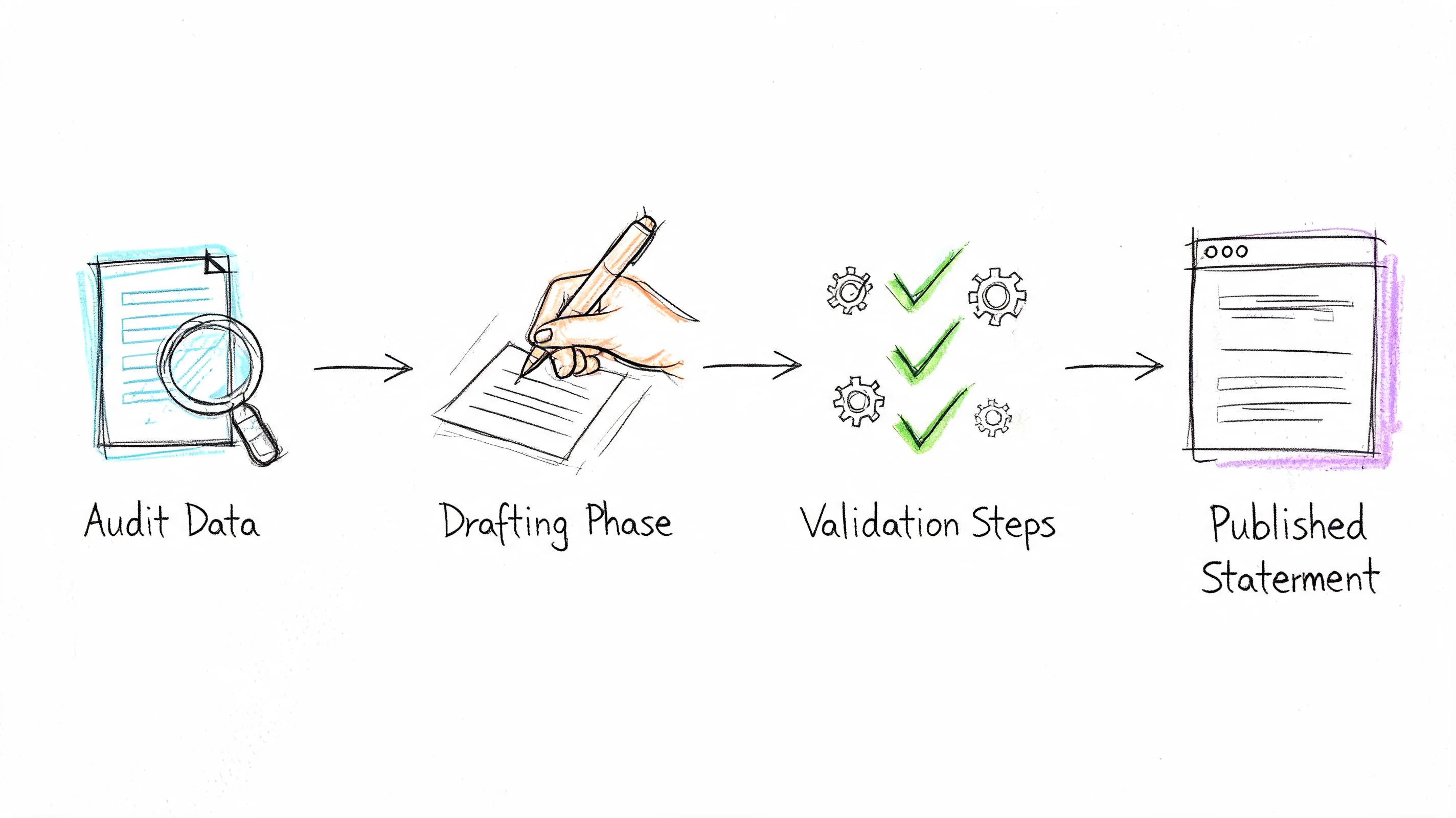
The most defensible process still looks a lot like the UK public-sector model. The UK Government Digital Service provides a sample accessibility statement and requires a process that includes a WCAG 2.1 AA audit, categorization of non-conformities, plain-language drafting, and an enforcement body link. That structured approach improves compliance compared with ad hoc methods (UK GDS sample accessibility statement).
Start with audit evidence, not marketing language
Drafting should begin after testing, not before it. That sounds obvious, but many organizations write the statement first and then try to make the audit fit the wording later.
A practical workflow looks like this:
- Audit the user experience Review key templates and user journeys. Include keyboard access, focus order, screen reader behavior, form validation, dialogs, dynamic updates, and document accessibility where relevant.
- Use manual testing for the parts scanners miss Automated tools help catch obvious issues, but they won’t validate reading order, meaningful labels in context, announcement timing, or whether a user can complete a task. That’s why a checker should support, not replace, a hands-on review. If your team is starting with tools, this guide on using a WCAG compliance checker to audit your website is a good baseline.
- Map findings to the statement
Every public claim should trace back to a finding, a test note, or an approved scope decision.
Document exceptions carefully
Not every inaccessible element belongs in the same bucket. Teams need to separate true defects, temporary exceptions, third-party dependencies, and content outside scope.
Use categories that decision-makers can act on:
- Confirmed accessibility defects. Real failures against the standard that your team owns.
- Third-party constraints. Embedded tools, payment platforms, or externally hosted components you don’t fully control.
- Exempt or legacy content. Only where a legal or policy basis clearly applies.
- Planned remediation items. Defects that are known, accepted, and scheduled.
A statement becomes more credible when it admits known limitations and explains the current workaround.
If you claim an exemption or burden-based exception, document the reasoning outside the public statement too. Reviewers may ask for the underlying record, not just the short public summary.
Publish it where users and reviewers expect to find it
A hidden statement isn’t much use. Put the link in the footer and keep the URL stable. Buyers, auditors, and users look there first.
Then set review triggers. Don’t wait for an annual ritual if the product changed last week. Review the statement after major releases, design-system changes, replatforming, large content migrations, and any substantial remediation effort. The statement should track the product you have, not the product you had six months ago.
Beyond Publication Integrating Your Statement into Business Operations
An accessibility statement matters most after it’s published. That’s where many teams stop too early.
In procurement, the statement now functions as a screening document. GSA data from 2024 says 85% of US federal agencies require a VPAT or ACR, often with a public accessibility statement, in technology RFPs. A 2026 IDC report also noted that 42% of enterprise procurement deals faced delays because statements were incomplete or unaudited (discussion of procurement requirements and statement gaps). That makes the statement a sales asset as much as a compliance artifact.
Use it in procurement and sales workflows
When a buyer asks accessibility questions, your team shouldn’t scramble across Slack, Jira, legal email, and old PDFs. Build a repeatable packet.
A practical procurement pack usually includes:
- Public accessibility statement that matches the current scope and status
- VPAT or ACR for the relevant product version
- Audit summary with methodology and major findings
- Remediation roadmap for known issues
- Named owner for follow-up questions from legal or procurement
This is also where vendor management enters the picture. If your product depends on third-party services, your own statement will be stronger if your procurement process asks those vendors for equivalent documentation. A structured accessibility vendor questionnaire helps expose weak spots before they flow into your own product.
Turn it into an operating document
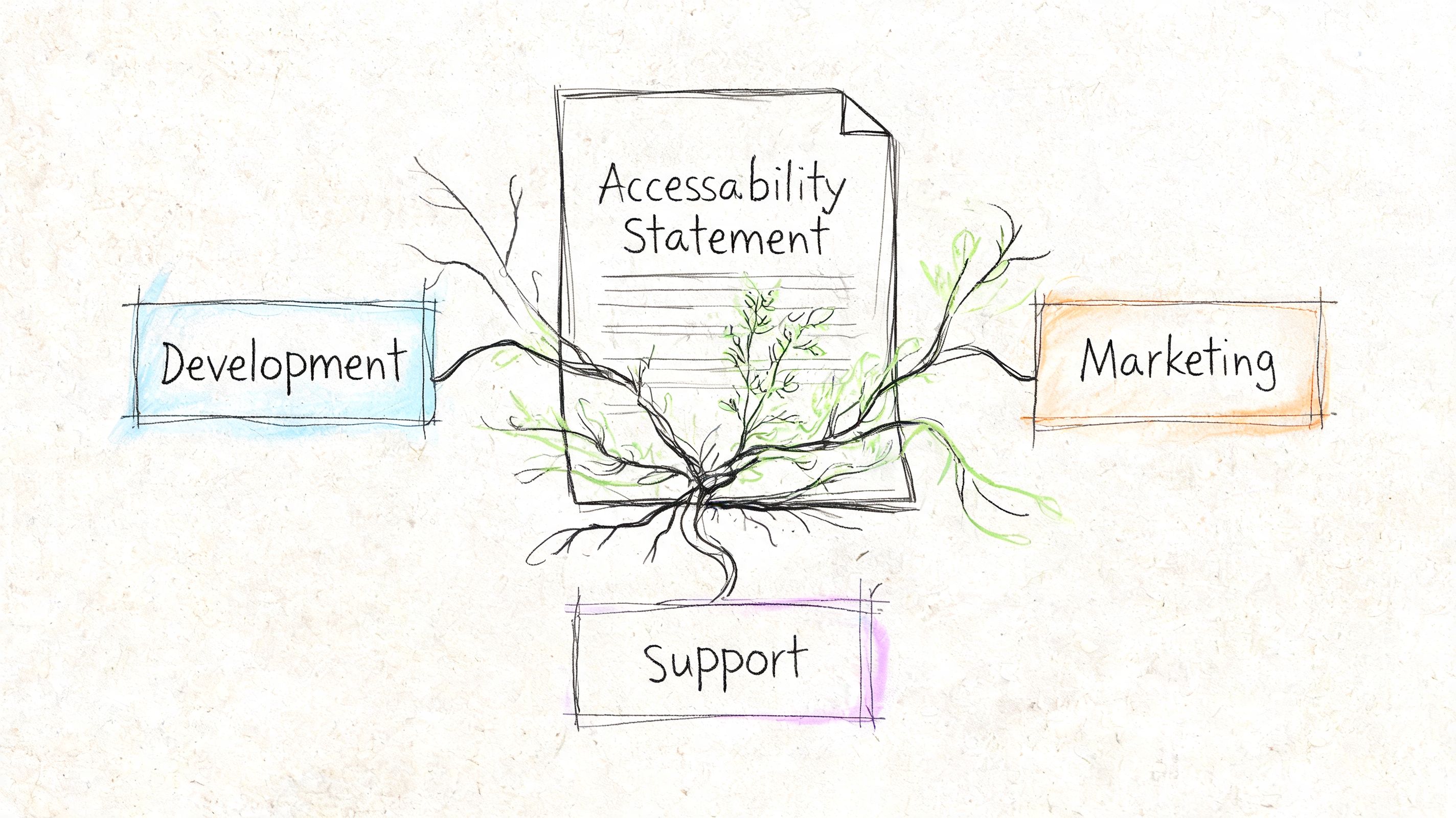
The companies that get value from their accessibility statement treat it like part of release governance.
That usually means:
- Product uses it to confirm what’s in scope and what remains open
- Engineering reconciles the public limitations list with the remediation backlog
- Sales uses approved language in security and compliance reviews
- Support knows how to route accessibility reports quickly
- Legal and compliance review updates before publication when the statement materially changes
A stale statement creates friction because different teams start telling different stories. A maintained statement reduces that friction. It gives everyone one approved source of truth.
If your sales team answers accessibility questions one way, your VPAT says another, and your public statement says a third, the buyer will trust none of them.
Frequently Asked Questions About Accessibility Statements
Is an accessibility statement legally required in the US
For many private-sector US websites, there isn’t a single universal rule that says every site must publish one. But under the ADA, a public statement is still useful because it documents your efforts, gives users a feedback path, and supports a good-faith compliance posture. It’s best understood as supporting evidence, not as a substitute for remediation.
Can I use an automated accessibility statement generator
You can use a generator as a drafting aid. You shouldn’t rely on it as the source of truth.
Automated generators usually don’t know your real scope, your third-party dependencies, your tested assistive technologies, or which defects remain open in production. If the generated statement overclaims accessibility, it can hurt you more than it helps. The same caution applies to quick-fix products. If your statement is based on superficial scanning or overlay tooling, review the risks covered in accessibility overlay widgets and compliance risk.
What’s the difference between an accessibility statement and a VPAT
They serve different audiences.
A VPAT is a structured procurement document used to report conformance against a standard such as Section 508 or WCAG. Buyers, procurement teams, and accessibility reviewers use it during vendor assessment.
An accessibility statement is a public-facing disclosure. It explains your commitment, scope, conformance status, limitations, contact path, and maintenance approach in plain language.
You often need both. The VPAT answers formal conformance questions. The accessibility statement shows transparency and operational maturity.
How often should we update our accessibility statement
Update it whenever there’s a material change to scope, product behavior, audit status, or remediation progress. Major releases, migrations, redesigns, and new document libraries are common triggers. At minimum, make sure the review date and ownership are current.
If you need an accessibility statement template that can stand up to ADA, EAA, Section 508, and procurement review, ADA Compliance Pros can help with manual audits, WCAG-mapped findings, VPAT support, and statement-ready documentation that reflects the actual state of your website, app, or digital product.