

A familiar procurement problem lands on the CTO’s desk. The product team loves a vendor demo. Security has signed off. Legal is close. Then someone asks the question that should have appeared much earlier: “What’s their accessibility posture, and can we defend this purchase if the product blocks users with disabilities?”
That’s where an accessibility vendor questionnaire stops being paperwork and starts becoming a control. It gives procurement, legal, engineering, and compliance a shared way to test whether a vendor has real accessibility capability or just polished language, a stale VPAT, and a promise to “address issues over time.”
For first-time buyers, the hardest part isn’t writing a few questions. It’s building a repeatable system: what to ask, how to score the answers, which claims to verify, and when to walk away. That system matters most when the vendor is strategic, the implementation is expensive, and the contract will outlast the memory of the sales cycle.
Why a Standard Questionnaire is Crucial for Risk Mitigation
The biggest procurement mistake is treating accessibility as a post-award remediation issue. By then, your bargaining power is gone. You’ve already selected the vendor, committed budget, and tied delivery dates to a product that may create support burden, legal exposure, and internal rework.
A standard questionnaire solves a governance problem. It forces every vendor through the same gate, with the same evidence expectations, before enthusiasm from sales calls and feature comparisons starts distorting judgment.
Procurement has changed
In enterprise and government buying, the ACR is no longer a nice-to-have. The Accessibility Conformance Report has become a gating factor, and a vendor without a current, accurate one is increasingly screened out before a demo is ever booked. It helps to be precise about the two words buyers use interchangeably. ITI, which publishes the template, defines the relationship plainly: “A version of the VPAT which has been completed for a specific product is an ACR.” The current template is VPAT 2.5Rev, released April 2025, in four editions — 508, WCAG, EU (EN 301 549) and INT — so asking a vendor which edition they filled out is a fair first question.
That matters because many teams still evaluate accessibility informally. They ask for a VPAT late. They accept broad claims like “WCAG aligned.” They don’t ask who created the report, when it was last updated, or whether the vendor can demonstrate accessibility in the live product. A standard process closes those gaps.
What the questionnaire protects you from
A useful accessibility vendor questionnaire reduces risk in several directions at once:
- Contract risk: It exposes whether the vendor can document obligations clearly enough to survive legal review.
- Delivery risk: It shows whether accessibility is built into release practices or left to ad hoc bug fixing.
- Reputation risk: It helps you avoid launching customer-facing experiences that exclude users and trigger executive escalation.
- Remediation cost: It reveals whether your team will inherit accessibility debt after implementation.
Practical rule: If a vendor can’t explain its accessibility process in plain language, it probably can’t execute that process reliably under deadline pressure.
The same logic applies in adjacent trust reviews. Teams that already streamline AI compliance for SaaS know that questionnaires work best when they’re standardized, evidence-based, and tied to a downstream review, not treated as a self-attestation box.
Standardization beats vendor charm
A polished sales engineer can make a weak accessibility program sound mature. A standard questionnaire makes charm less relevant. It gives your team a durable record of what the vendor claimed, what evidence they provided, and what they avoided answering.
That record becomes especially important when exceptions are requested. If a business sponsor wants to proceed with a risky vendor anyway, the questionnaire lets you document exactly where the gaps are and what remediation or contract language must follow.
The Core Components of an Effective Accessibility Questionnaire
Most weak questionnaires fail for the same reason. They mix strategic, technical, and operational questions into one flat list. Vendors respond with broad statements, procurement checks a box, and nobody learns whether the company can ship an accessible product.
A stronger accessibility vendor questionnaire is built around four pillars. Each pillar answers a different risk question.
Policy and commitment
This pillar tests whether accessibility has executive backing or lives as an informal effort inside design or QA. You’re looking for evidence that the vendor has documented expectations, internal ownership, and a stated conformance target.
A policy section isn’t about collecting mission statements. It’s about figuring out whether accessibility survives roadmap pressure, team turnover, and release deadlines.
Process and governance
At this point, many vendors start to wobble. They may care about accessibility in principle but have no repeatable process for intake, triage, remediation, and signoff.
Good governance answers practical questions. Who owns accessibility defects? How are teams trained? When does product review happen? What triggers escalation? If a vendor can’t describe that workflow, you should assume results depend on individual heroics.
Technical and product capabilities
This pillar moves from company intent to product reality. It should test keyboard access, screen reader support, semantic structure, PDF practices, media handling, mobile patterns, component libraries, and release discipline.
The point isn’t to turn procurement into an audit team. The point is to find out whether the vendor speaks concretely about accessible engineering or hides behind generic compliance language.
Testing and validation
Testing separates mature vendors from vendors that only document ambition. Ask how they test, who performs the work, whether assistive technology is involved, and how results feed back into releases.
Questionnaires tell you how a vendor describes itself. Validation tells you whether the description matches the product.
When these four pillars are kept distinct, the answers become easier to compare. You can spot a vendor with a strong policy and weak execution, or a technically capable team with poor documentation discipline. That’s much more useful than a stack of unchecked yes-or-no answers.
The Complete Accessibility Vendor Questionnaire Template
Most vendors know how to answer superficial questions. Ask better ones. Make them show process, ownership, and evidence. That’s the only way this document becomes useful in an RFP or final-stage review.
The background failure rate in the market is a big reason to be rigorous. The 2026 WebAIM Million detected WCAG 2 failures on 95.9% of the top one million home pages, at an average of 56.1 errors each — up from 94.8% and 51 errors the year before. In practice, that means you should assume risk until a vendor proves otherwise.
Ask for narrative answers and supporting artifacts. A one-word “yes” should never receive full credit.
For teams that need supporting documentation alongside the questionnaire, request vendor accessibility guidance and procurement-ready documentation as part of the same submission package.
Policy and commitment
- Accessibility standard Which accessibility standards does your product target today, and how do you define conformance internally?
- Written policy Provide your current digital accessibility policy or internal standard. Who approved it, and who is accountable for enforcement?
- Leadership ownership Which executive, director, or functional lead owns accessibility outcomes for the product being evaluated?
- Accessibility statement Do you maintain a public accessibility statement? If yes, include it and explain how often it is reviewed.
- Procurement readiness Provide your current VPAT or ACR. State the template version used, the evaluation scope, and the date of the latest update. If your team needs a refresher, this guide on VPATs and ACRs is a useful baseline.
Process and governance
- Development lifecycle Describe how accessibility is integrated into design, development, QA, and release approval.
- Defect management How are accessibility issues logged, prioritized, assigned, and closed? Identify the systems and teams involved.
- Training Which roles receive accessibility training, and how do you keep developers, designers, QA staff, and product managers current?
- Design system controls Do you maintain accessible components, patterns, or content guidance for internal teams? Explain how those assets are governed.
- Third-party dependencies Identify any embedded third-party tools, widgets, document viewers, payment flows, or media players that affect accessibility.
- Change management When you ship a significant UI change, what accessibility review is required before release?
Technical and product capabilities
- Keyboard operation Describe how users can complete core tasks using only a keyboard or non-mouse input.
- Screen reader support Which screen readers and browsers does your team test with, and which workflows are considered critical?
- Forms and errors Explain how your product handles labels, instructions, validation errors, focus movement, and confirmation messaging.
- Dynamic content How do you manage modal dialogs, single-page application updates, alerts, and other dynamic UI changes for assistive technology users?
- Media accessibility Describe your process for captions, transcripts, audio description support, and accessible media controls.
- Documents and exports If your product generates PDFs, reports, or downloadable files, how do you ensure those outputs are accessible? Buyers dealing with document-heavy systems should also review this guide on how to make a PDF accessible step by step.
- Mobile and responsive behavior Explain how accessibility is handled across mobile web, native apps, responsive layouts, zoom, and orientation changes.
- Known limitations List known accessibility limitations in the current product and explain which user groups or workflows are affected.
Testing and validation
- Testing methods Describe your combination of automated testing, manual testing, and assistive technology testing.
- Testing cadence At what stages do you test accessibility: component, feature, regression, release candidate, or post-release?
- Independent review Has the product undergone independent accessibility testing or review? If yes, summarize the scope and what changed as a result.
- Severity model How do you classify accessibility issues by severity, and what makes an issue release-blocking?
- Remediation roadmap For current known issues, provide target remediation dates, ownership, and communication process.
- Customer escalation If a customer reports an accessibility barrier, what happens next? Include acknowledgment, triage, fix path, and communication expectations.
- Demonstration readiness Are you prepared to provide a live demo showing key workflows with screen reader use and keyboard-only navigation?
A vendor that answers these questions well usually has a real operating model. A vendor that avoids specifics usually doesn’t.
A Practical Scoring Rubric for Evaluating Vendor Responses
Procurement teams often collect strong documentation and then ruin the process with weak evaluation. One reviewer likes the vendor. Another dislikes the tone of the response. A third only cares whether a VPAT exists. The result is inconsistency.
Use a simple four-level rubric instead. It won’t replace expert review, but it will make decisions more defensible.
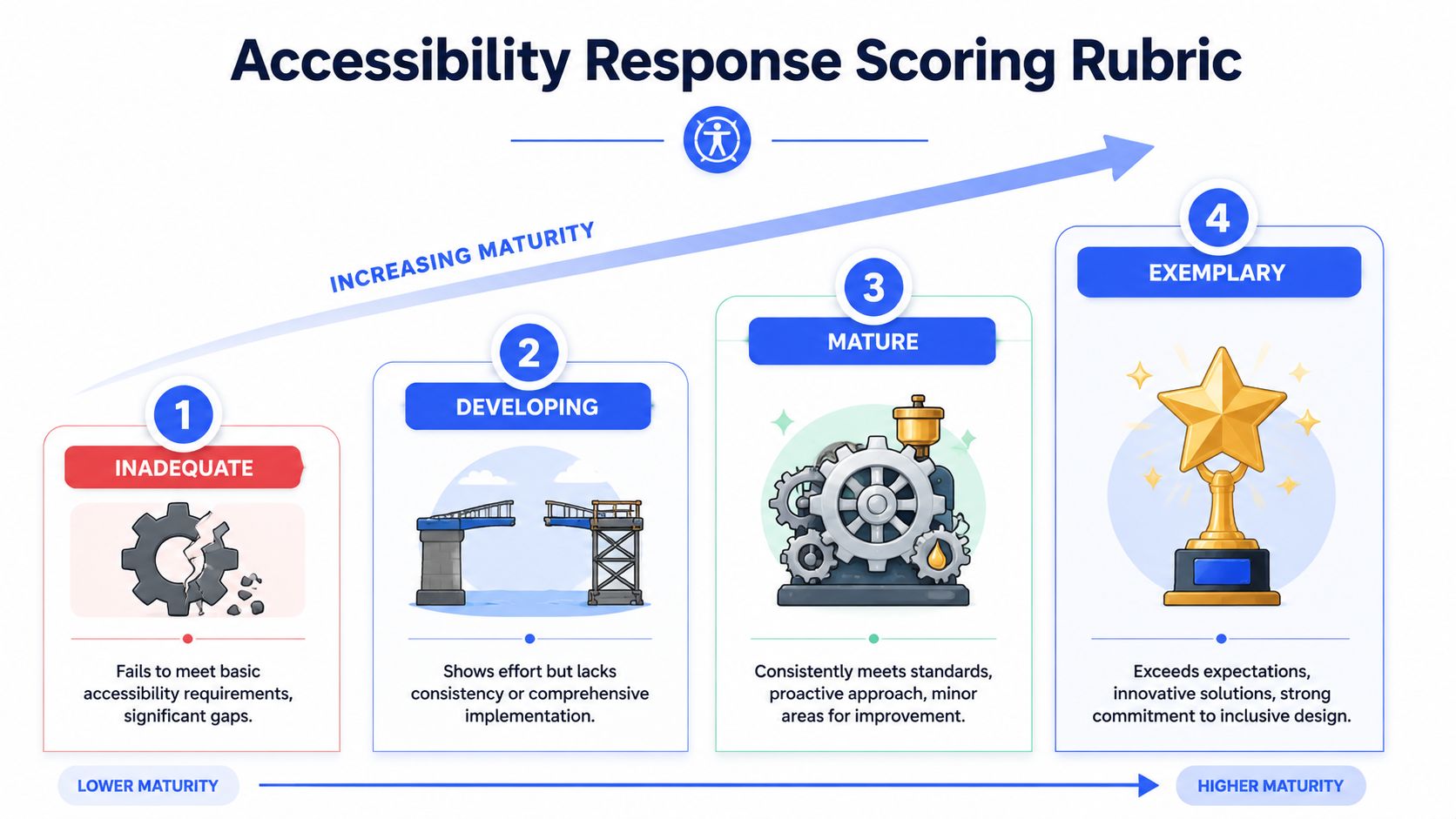
How to score answers consistently
Score each question from 1 to 4. Then score each pillar as a whole. Don’t average everything blindly. A vendor with serious gaps in testing shouldn’t be rescued by a polished policy section.
A practical way to use the rubric is to require a minimum threshold in each pillar, plus mandatory pass items such as current ACR submission, known-issues disclosure, and demo readiness.
What each maturity level looks like
| Score | Level | What it usually looks like |
|---|---|---|
| 1 | Inadequate | Vague claims, missing documentation, no named owner, no testing detail, no timeline for known issues |
| 2 | Developing | Some policy language and limited process, but evidence is inconsistent and product-specific details are thin |
| 3 | Mature | Clear ownership, current documentation, defined workflows, product-aware answers, and credible remediation planning |
| 4 | Exemplary | Strong evidence across policy, engineering, testing, and accountability, with clear demonstration capability and transparent limitations |
Use the scoring notes below to keep reviewers aligned:
- Score 1 when: the vendor relies on marketing language, avoids direct answers, or submits stale and generic documentation.
- Score 2 when: the vendor shows intent and partial process but cannot prove consistency.
- Score 3 when: the vendor provides clear process descriptions, names accountable roles, and explains how known issues are managed.
- Score 4 when: the vendor provides evidence that accessibility is embedded across the product lifecycle and can be demonstrated live.
A mature answer usually names people, artifacts, triggers, and dates. An immature answer usually names values.
One more rule matters: don’t let one impressive artifact outweigh contradictory evidence. A polished VPAT paired with weak testing answers should lower confidence, not raise it.
Decoding Vendor Responses Good vs Bad Examples
Reviewing an accessibility vendor questionnaire gets easier when you stop asking whether an answer sounds positive and start asking whether it is usable. Good answers help your team make a decision. Bad answers create ambiguity and transfer risk back to you.
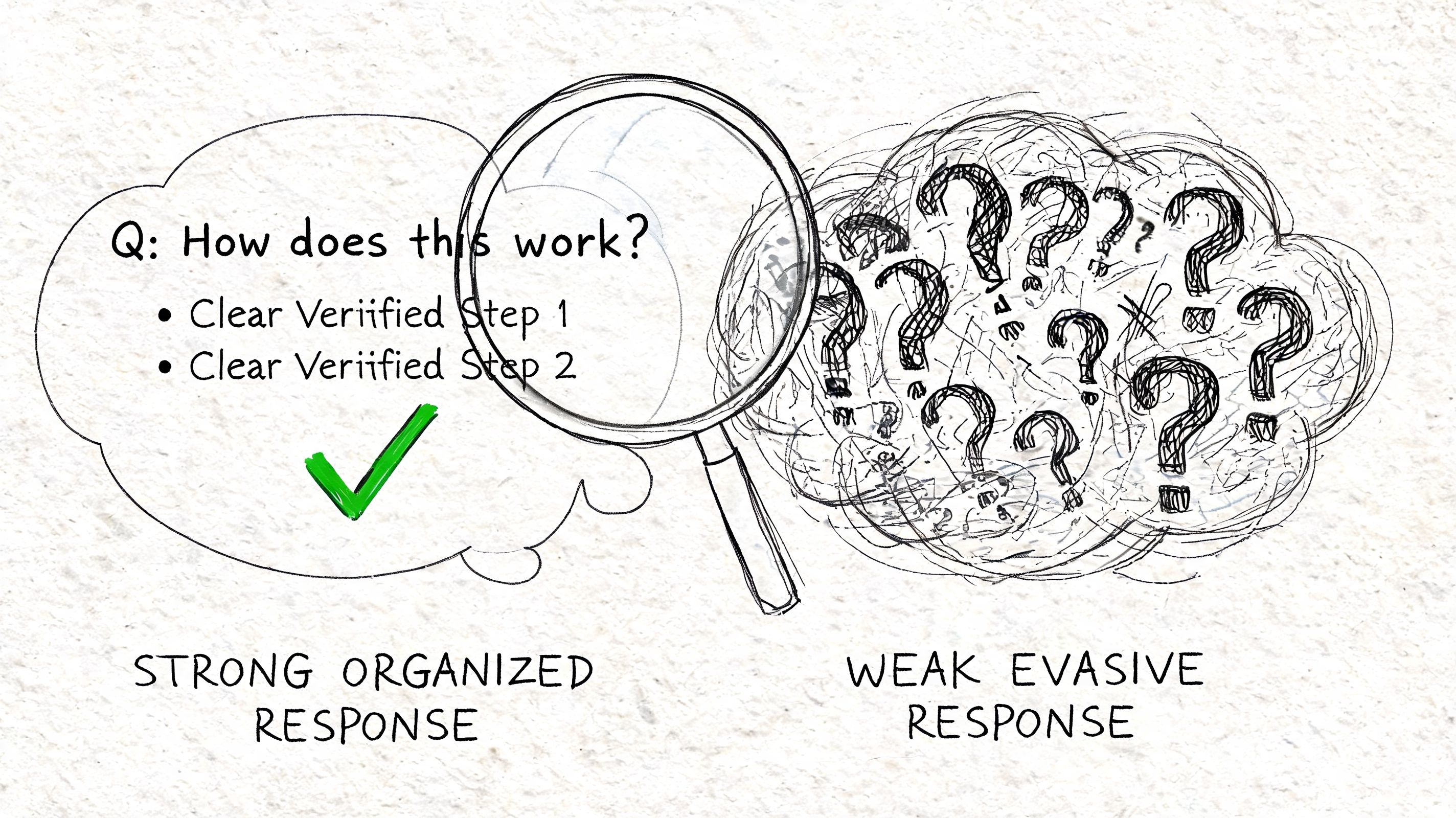
Question one remediation process
Question: Describe how accessibility defects are triaged and remediated.
Good answer:
“We log accessibility defects in the same engineering tracker as functional defects. Product and engineering assign severity during triage. Critical issues affecting core workflows are release-blocking. Each issue is mapped to a ticket owner, target release, and retest requirement.”
Bad answer:
“We take accessibility seriously and fix issues as they are identified.”
The weak answer isn’t wrong. It’s just unusable. It doesn’t tell you who acts, how severity works, or whether the process survives deadline pressure.
Question two VPAT and ACR quality
Question: Provide your current VPAT or ACR and explain how it was prepared.
Good answer:
“This ACR reflects the current production version of the product. It identifies known limitations by feature area and includes remarks for partially supporting criteria. Our team can walk through the report line by line and show the relevant workflows in a live session.”
Bad answer:
“Attached is our VPAT. We are compliant with accessibility standards.”
A standalone document means very little if the vendor can’t explain scope, assumptions, version coverage, and limitations. Buyers often need help reading these reports properly. This guide on how to read a VPAT or ACR created by SaaS and software providers is useful when responses look polished but unclear.
A short walkthrough can help your team hear how accessibility practitioners evaluate this kind of documentation in real procurement settings:
Question three testing with assistive technology
Question: How do you test with assistive technologies before release?
Good answer:
“We test key workflows with keyboard-only input and screen readers before release approval. We also document known issues that remain open and include them in the product accessibility record reviewed by product and engineering leads.”
Bad answer:
“We use automated accessibility scanning tools throughout development.”
Automation is helpful, but this answer should lower confidence if that’s all the vendor offers. It usually means they can catch obvious code-level failures but may miss workflow, focus order, reading order, labeling context, and dynamic behavior problems.
The strongest responses acknowledge limitations. Vendors that pretend there are no known issues are often harder to trust than vendors that disclose them clearly.
One more signal matters. Good answers are usually stable across documents, demos, and conversations. Bad answers tend to change depending on who from the vendor is speaking.
Red Flags and How to Spot Deceptive Vendor Claims
Some vendors don’t lie outright. They use language that sounds precise until you ask for evidence. That’s more common than most procurement teams expect, especially when accessibility review happens late and the vendor senses pressure to close.
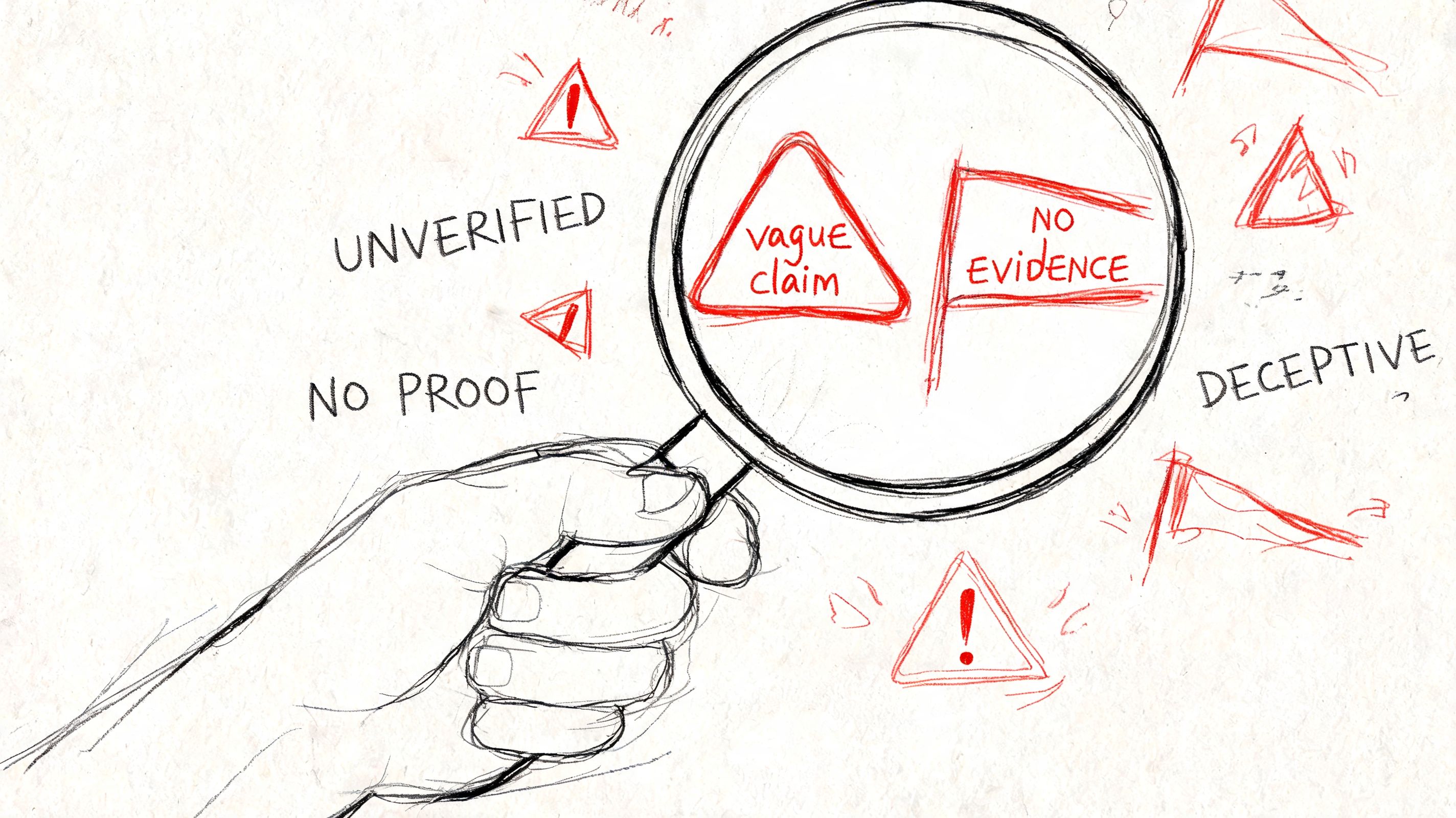
Claims that sound strong but mean very little
Watch for patterns like these:
- “We follow WCAG” without naming version, level, scope, or test method.
- “Our platform is accessible” with no discussion of limitations, exceptions, or release process.
- “We use AI or automated scans” as if scanning equals conformance.
- “We have a VPAT” without saying who prepared it, when it was updated, or whether it reflects the current product.
- “We can fix issues after launch” without contract terms, ownership, or dates.
Another common red flag is an accessibility overlay or widget being presented as the accessibility strategy. That usually signals the vendor is trying to layer over product defects instead of remediating code, interaction patterns, and content structure.
What verification should look like
The underlying problem is self-reporting. A questionnaire can uncover useful information, but it can also collect polished fiction. Massachusetts guidance explicitly states that the Digital Accessibility Questionnaire and an Accessibility Conformance Report do not always provide a complete representation of a vendor’s digital accessibility capabilities and recommends demonstrations and independent testing as part of vetting, as noted in this accessibility expertise and QA gaps summary.
That should change how you review claims. Ask vendors to do three things:
- Show the product live: Keyboard navigation and screen reader behavior reveal far more than a PDF attachment.
- Disclose known issues: A vendor that won’t document limitations is forcing your team to absorb uncertainty.
- Accept verification: For high-risk products, consider a professional audit before contract signature.
If you need outside review, one option is ADA Compliance Pros, which provides manual audits, WCAG-mapped findings, and procurement-ready VPAT or ACR documentation based on hands-on testing rather than overlays or black-box summaries.
Integrating the Questionnaire into Your Procurement Workflow
The questionnaire works best when it’s introduced early enough to influence vendor selection but late enough that only serious contenders complete it. Send it too early and you create noise. Send it too late and the business team will treat accessibility findings as a deal obstacle rather than a selection input.
A workable procurement sequence
A practical sequence looks like this:
- Initial screening: Require basic accessibility documentation in the RFI or early RFP stage.
- Shortlist review: Send the full accessibility vendor questionnaire only to viable finalists.
- Evidence review: Collect the questionnaire, VPAT or ACR, accessibility statement, and known-issues list together.
- Live validation: Run a vendor demo focused on core workflows, keyboard use, and assistive technology behavior.
- Contract controls: Add remediation commitments, delivery dates, and notice requirements for unresolved issues.
Teams that already use structured vendor due diligence in other domains often find the transition easier. This broader guide to choosing a technology partner is useful for aligning procurement, technical, and business evaluation without reducing the process to a feature checklist.
Who should review what
Don’t leave this entirely to procurement. Accessibility risk crosses functions.
- Engineering or architecture: Reviews technical plausibility and integration impact.
- Product or UX: Evaluates workflow risk and user impact.
- Legal or compliance: Checks documentation quality, contract language, and disclosure sufficiency.
- Procurement: Manages consistency, deadlines, and score normalization.
Massachusetts guidance sets a high bar for confidence. High-confidence vendor selection requires documented evidence of established accessibility practice, a dedicated lead, demonstrated track record, and zero critical or serious accessibility violations in the procured product, with lesser issues tied to a remediation roadmap, according to the Massachusetts vendor digital accessibility questionnaire guidance.
For teams that need formal purchasing support, Section 508 procurement support can help align documentation review, demo criteria, and contract expectations.
Frequently Asked Questions About Vendor Accessibility
What is the difference between a VPAT and an accessibility vendor questionnaire
A VPAT or ACR is primarily a product conformance document. It describes how a specific product aligns with accessibility criteria. An accessibility vendor questionnaire evaluates the vendor’s broader operating model: governance, testing process, staffing, remediation practices, and transparency.
You need both. If you’re procuring into enterprise or government environments, this guide on how to get a VPAT certification that passes enterprise and government procurement helps clarify what buyers usually expect.
Can I rely on an accessibility overlay or widget
No. A widget isn’t a substitute for accessible code, correct semantics, keyboard support, meaningful labels, or effective assistive technology behavior. If a vendor presents an overlay as the primary solution, treat that as a warning sign and ask for product-level evidence instead.
What if a critical vendor fails the questionnaire
That doesn’t always mean “reject immediately.” It means classify the risk clearly. If the product is hard to replace, require a corrective action plan, specific remediation dates, named owners, and contract language that ties accessibility obligations to delivery milestones. If the vendor resists those terms, the risk is probably higher than the business sponsor thinks.
When should we ask for a VPAT or ACR
Ask early enough that it affects the shortlist, not after verbal selection. The document should also be current and tied to the version you’re buying. If your team is comparing documentation-heavy vendors, the same discipline used when vetting marketing agencies for business growth applies here too: don’t reward presentation quality over evidence quality.
If you need help reviewing a vendor’s accessibility claims, validating a VPAT or ACR, or building a procurement-ready questionnaire and scoring process, consider talking with ADA Compliance Pros. They help buyers evaluate accessibility documentation, run manual audits, and turn vendor claims into evidence you can use in procurement.