
Accessibility Regression Testing: Implement Accessibility
 By David LoPresti May 13, 2026
 Your team ships a routine frontend update on Friday. By Monday, a core flow is broken for keyboard users, form labels no longer announce correctly in a screen reader, and support has a problem that engineering didn’t catch in QA. Nothing “crashed,” so the release looked healthy. But from an accessibility and compliance standpoint, the product regressed.
That’s the operational problem accessibility regression testing solves. It adds automated WCAG checks to the same delivery pipeline that already protects you from visual bugs, unit failures, and deployment mistakes. It gives engineering leadership a way to stop new accessibility debt from entering production even when older debt still exists.
For CTOs, product leaders, and compliance teams, this isn’t a nice-to-have testing enhancement. It’s a release control. It reduces the chance that a pull request introduces fresh barriers into high-risk workflows like login, checkout, account creation, or claims submission. It also creates a cleaner path for audit readiness, VPAT support, and ongoing remediation discipline.
Why Accessibility Regressions Are a Silent Risk
A regression doesn’t need to be dramatic to matter. A refactor that removes a form label association, a design-system update that drops focus visibility, or a modal change that traps keyboard users can turn a previously usable flow into a barrier. Those issues often slip through because standard QA is focused on whether the feature works, not whether it still works accessibly.
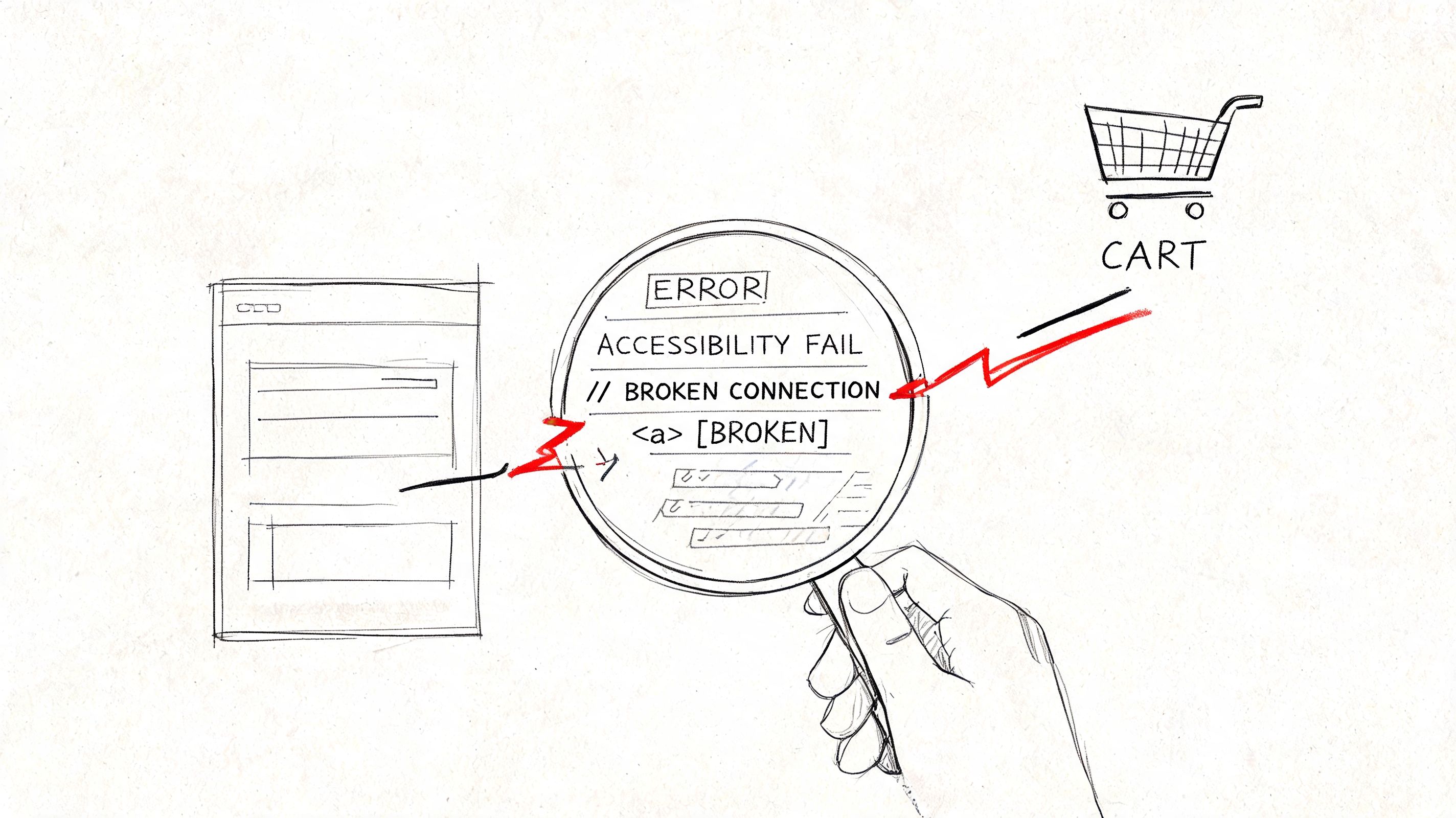
What a regression looks like in practice
Teams often don’t set out to ship inaccessible changes. They inherit pressure from release timelines, component churn, and inconsistent ownership between design, frontend, QA, and compliance. That’s why regressions usually arrive through ordinary work:
- A reusable component changes: A button, dialog, dropdown, or input gets updated in the design system and the problem spreads across multiple screens.
- A “small” UI improvement lands: Placeholder text replaces a visible label, or a contrast-safe token is swapped for a brand color that fails in production.
- State handling shifts: Error text appears visually but never reaches assistive technology because the live region or ARIA relationship was lost.
If your organization still treats accessibility as a periodic audit exercise, regressions accumulate between audits. That’s how accessibility debt grows. For teams that need a broader foundation, this overview of what accessibility testing covers across websites, apps, and devices is a useful baseline.
Why this becomes a business issue fast
The web is already failing users at scale. The WebAIM Million found detectable WCAG 2 failures on 95.9% of the top one million home pages in its 2026 scan — up from 94.8% a year earlier, reversing six years of small improvements. If your release process doesn’t prevent regressions, your product will keep drifting toward that same default.
Practical rule: If a change can break checkout, onboarding, payments, claims, or account access for keyboard or screen reader users, it belongs in CI, not in a spreadsheet for the next audit.
From a leadership perspective, the risk isn’t only legal exposure. Regressions create avoidable support tickets, remediation thrash, delayed launches, and credibility problems with enterprise buyers who ask for VPATs or accessibility evidence during procurement. They also make future audits harder because each release adds uncertainty about whether the issue is old debt or newly introduced failure.
Establishing Your Scope and Accessibility Baseline
The hardest part for many teams isn’t running the first scan. It’s deciding what “pass” means when the product already has known issues. If you try to make your entire application perfectly clean before enabling regression checks, the program stalls. If you baseline everything without any policy, you normalize defects.
A workable baseline is a governance decision, not just a tooling setting. It needs to reflect release reality, known debt, and the business importance of specific workflows.
Start with current state, not fantasy state
For a new product or a greenfield component library, the baseline can be close to an ideal state. You scan stories or pages, fix what appears, and establish that version as the standard future changes must preserve.
Legacy products need a different approach. The practical model is current-state baselining. Scan the components or flows as they exist now, record existing violations, and configure your process to fail on new or worsened issues, not on every historical defect. That’s the same baseline-driven logic behind modern regression workflows.
This is also where compliance pressure matters. The accessibility testing market was projected at USD 642.29 million in 2026, with North America holding a 40.60% revenue share, according to Mordor Intelligence’s accessibility testing market report. That growth reflects regulatory and procurement pressure, not just engineering preference.
For enterprise planning, it helps to define baseline coverage the same way you define release scope. Teams that already use structured requirements work often borrow ideas from AI-ready specifications for feature gaps so accessibility coverage is tied to product decisions instead of being bolted on after implementation.
What belongs in the first baseline
Don’t start with every page in the estate. Start with the places where failure creates user harm, legal risk, or operational friction.
A first-wave baseline usually includes:
- Authentication and account access: Login, password reset, MFA prompts, registration, and session timeout patterns.
- Forms with legal or financial consequences: Checkout, payment, claims, applications, consent, health intake, and profile updates involving personal data.
- Shared system components: Buttons, modals, form fields, tabs, accordions, alerts, tables, date pickers, and navigation primitives from the design system.
- Customer support and self-service flows: Contact forms, chat launchers, ticket creation, order tracking, billing pages, and cancellation paths.
- Documents tied to procurement or compliance: Public-facing evidence paths that affect audits, vendor reviews, or contract discussions.
Baseline what users rely on most and what regulators, auditors, or buyers are most likely to inspect first.
A CTO should also decide which assets are treated as strict gates and which are monitored first. That distinction matters. A strict gate might apply to design-system stories and net-new features. A monitored lane might apply to older templates where the organization needs time to remediate inherited debt.
A solid scope statement answers four questions:
- Which journeys are release-blocking if they regress?
- Which components are reused broadly enough to justify mandatory checks?
- Which WCAG issues can automation reliably flag in your stack?
- Who owns the baseline when a component changes, design system or product team?
If those answers are fuzzy, your pipeline will become noisy, and noisy pipelines get ignored.
For teams that need outside validation before setting the baseline, a formal accessibility testing engagement can help separate inherited debt from release-critical controls.
Integrating Automated Checks into Your CI/CD Pipeline
Accessibility regression testing works best when it runs where developers already expect feedback. That means pull requests, component previews, and test jobs in CI. Not a separate monthly report. Not an afterthought in staging. The closer the signal is to the code change, the more likely the issue gets fixed correctly.
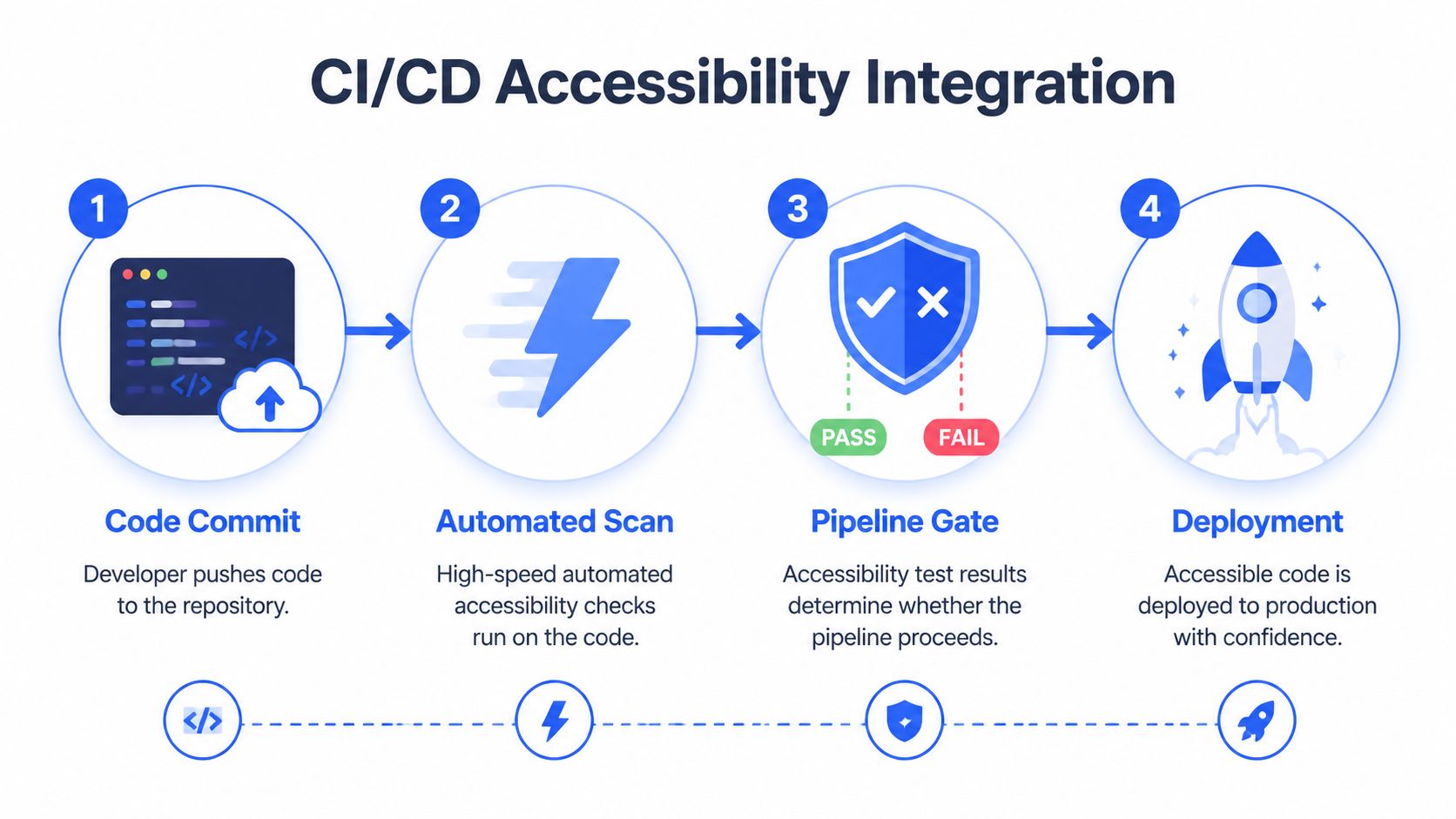
Use components as the control point
A reliable pattern is to run axe-core checks against isolated UI states in Storybook, then compare those results against a saved baseline. When a pull request changes a component, the affected stories are re-scanned and only new or worsened issues are flagged. According to Chromatic’s overview of accessibility regression testing, this approach can catch 30-50% of regressions automatically when used this way.
That number matters less than the operating model behind it. Component-level checks give teams stable, repeatable targets. They also reduce the noise you get from full end-to-end flows where backend timing, seeded data, or third-party dependencies create false alarms.
A practical stack often looks like this:
- Storybook for isolated component states
- axe-core or a wrapper such as jest-axe for automated WCAG rule checks
- Playwright or a similar browser automation layer for rendering and interaction
- GitHub Actions or GitLab CI for pull request enforcement
- Chromatic or a comparable baseline-aware service for regression comparison
If your team is still maturing its overall automation practice, this guide to automating regression testing is useful context because many of the same principles apply. Keep tests deterministic, isolate high-value coverage, and make failures easy to act on.
How to wire the pipeline without blocking delivery
The most common mistake is failing the build on all existing accessibility violations from day one. That sounds rigorous. In practice, it trains developers to dismiss the job because they can’t tell what they introduced.
Use a staged setup instead:
- Create the baseline Scan your existing Storybook stories or selected app states and store the results as the last known acceptable reference point.
- Run checks on pull requests Trigger accessibility scans only for affected components or changed paths when code is pushed.
- Compare against baseline Report only new issues, severity changes, or issue count increases on the changed artifact.
- Require disposition before merge A developer or reviewer should either fix the issue, document why it’s a false positive, or explicitly accept a temporary exception with an owner and due date.
Here’s the operational point: the build gate should enforce change control, not punish the team for historical debt.
For teams evaluating tools, many misunderstand the line between scanning and compliance. A checker can tell you there’s likely a missing label, invalid ARIA use, or contrast problem. It can’t tell you whether the user journey is understandable, whether focus order makes sense, or whether the screen reader output is usable. That distinction is covered well in this comparison of manual vs automated accessibility testing.
A short implementation sketch might look like this in practice:
- On component change: run Storybook build, identify impacted stories, execute axe checks
- On PR: post comments with rule, affected node, and story link
- On failure: block merge only if the issue is new or measurably worse than baseline
- On merge: update baseline if the branch is approved and no unresolved regression remains
This walkthrough is worth watching before you build your own job design:
What the pipeline should fail on
Not every accessibility issue deserves the same release treatment. Mature teams define classes of response.
A useful policy is:
- Fail immediately for critical shared components: Design-system inputs, navigation elements, modal infrastructure, and reusable form primitives.
- Fail for high-risk flows: Payment, authentication, healthcare intake, application submission, or anything with legal or financial consequences.
- Warn for lower-risk legacy surfaces: Older templates under active remediation where the short-term goal is visibility and trend control.
A green pipeline means one thing only. Your automated checks did not find new machine-detectable failures in the scoped surfaces.
If you need help deciding what your tool can and can’t validate, this guide on using a WCAG compliance checker to audit your website gives the right frame. Use automated tooling aggressively. Don’t mistake it for full conformance evidence.
Creating Your Remediation and Verification Workflow
Tooling finds candidates. Process determines whether the organization gets safer releases. The teams that struggle with accessibility regression testing usually don’t fail at scanning. They fail at triage, ownership, and verification.
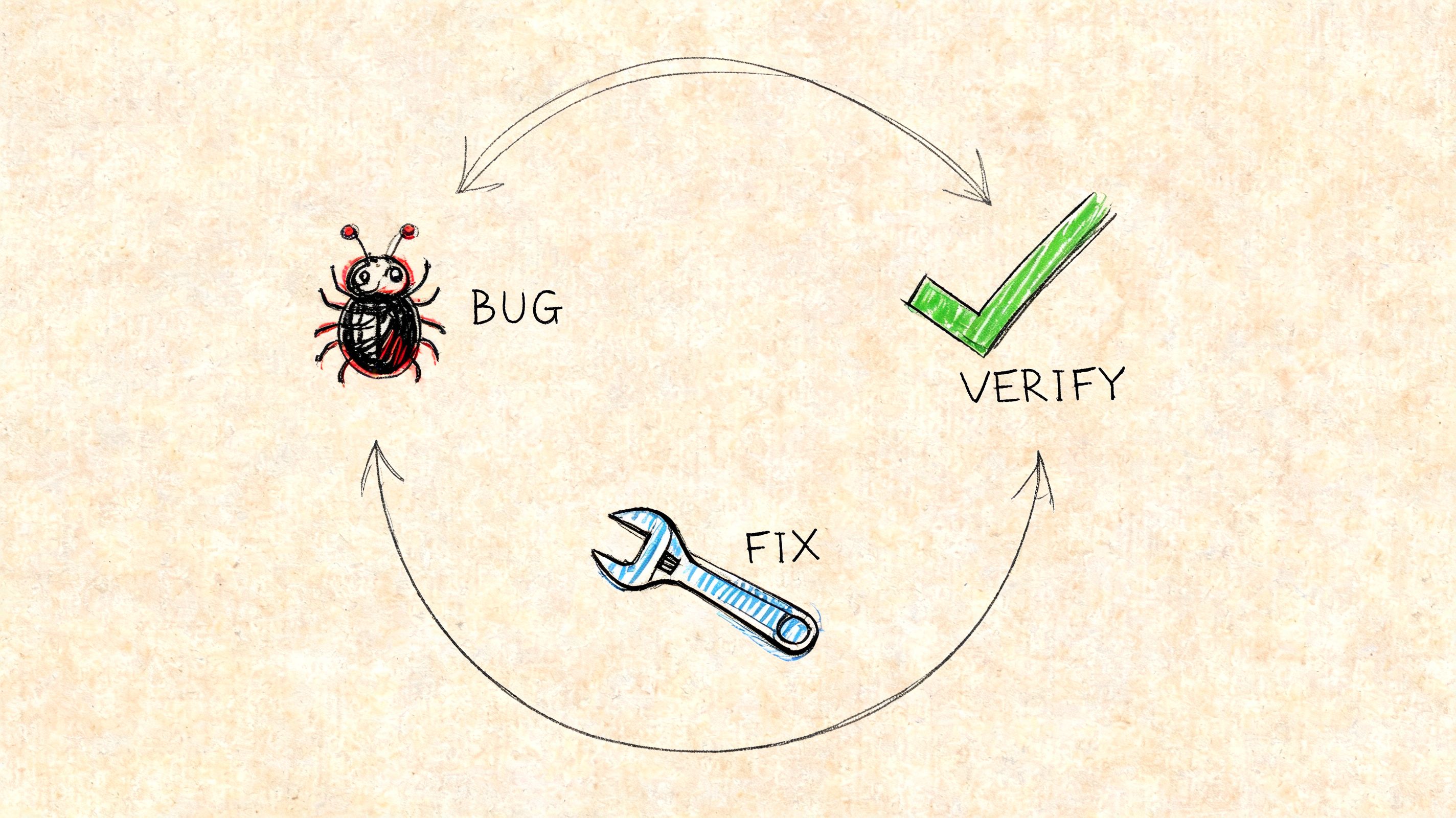
Triage first, then fix
When a regression appears in a pull request, the first job is classification. Is it a true issue, a false positive, a known debt item resurfacing because the DOM changed, or a symptom of a broader component defect?
A workable Triage, Assign, Remediate, Verify flow looks like this:
- Triage the finding: Confirm the rule, affected component, user impact, and whether the issue is net new.
- Assign to the right owner: Shared component defects should go to the design-system or platform team. Product-specific markup issues should go to the feature team that introduced the change.
- Remediate with context: The fix ticket should include the failing rule, the DOM target, the expected accessible behavior, and screenshots or story links where relevant.
- Verify independently: Re-run the automated check, then perform targeted manual validation if the issue affects focus, semantics, announcements, or interactive behavior.
That last point is where many teams cut corners. They treat a passing re-scan as proof the problem is solved. Sometimes it is. Often it only proves that one rule no longer fires.
Verification must be separate from detection
Accessibility fixes can create new accessibility bugs. A developer may satisfy one rule by adding an ARIA label while also hiding visible context, duplicating announcements, or producing confusing screen reader output. That’s why verification needs a human step for meaningful issues.
Use manual verification when the regression touches:
- Keyboard interaction: focus order, traps, skip behavior, interactive state changes
- Announcements and semantics: alerts, form errors, dynamic content, role changes
- Complex widgets: date pickers, comboboxes, drag-and-drop controls, tables, trees
- User-critical workflows: any path where failure blocks completion or causes legal risk
Good remediation closes the issue in code and confirms the user experience in context.
This workflow also improves your documentation quality. If you later need to support a VPAT, internal audit, or customer due diligence review, verified remediation records are far more defensible than raw scan exports. Teams that haven’t seen what actionable documentation should look like can review this accessibility audit report example to understand the level of specificity needed.
A bug report should be precise enough that a frontend engineer can act without guessing. This accessibility bug report template is a good model because it ties technical detail to user impact and expected behavior.
One more operational rule is worth making explicit: don’t let exception approvals disappear into chat or PR comments. If a regression is deferred, record the owner, rationale, affected user flow, and target remediation window in the same system where engineering tracks other release risks.
KPIs and Reporting for Accessibility Health
Executives don’t need another dashboard full of raw rule counts. They need to know whether releases are getting safer, whether teams are containing new debt, and whether critical user journeys remain protected. That’s the reporting job for accessibility regression testing.
The trap is obvious. A team adds scans, the dashboard turns green, and leadership assumes the product is covered. It isn’t. The W3C accessibility conformance guidance notes that 60-80% of accessibility issues require manual or exploratory testing, and it recommends blending automated outputs with manual verification and user testing to avoid a false sense of security in reporting, as described in the W3C accessibility conformance challenges resource.
Measure release hygiene, not just issue volume
Issue counts by themselves can be misleading. A team that scans more surfaces may appear worse than a team that scans almost nothing. Better KPIs focus on control and response.
Useful measures include:
- New issues per release: Shows whether your CI gate is containing fresh accessibility debt.
- Regression escape rate: Tracks how many accessibility issues still reach production after code review and pipeline checks.
- Mean time to remediation for regressions: Shows whether owners resolve release-introduced defects quickly.
- Coverage of critical flows: Tells leadership whether your highest-risk journeys are included in automated and manual testing scope.
- Verification completion rate: Measures whether fixes receive both re-scan confirmation and, where needed, human validation.
A mature program pairs these with qualitative reporting. Which components create the most repeat failures? Which teams need design-system support? Which exceptions are repeatedly extended? Those answers drive budget and governance decisions better than a single pass/fail score.
Key Performance Indicators for Accessibility Regression Testing
| KPI | Description | Audience |
|---|---|---|
| New issues per release | Counts net-new machine-detectable accessibility failures introduced by code changes | CTO, Engineering leadership |
| Regression escape rate | Tracks issues that were not caught in CI and were later found in QA, production, or audit | QA leaders, Product leadership |
| Mean time to remediation | Measures how long confirmed regressions stay open before verified fix | Engineering managers, Compliance officers |
| Critical flow coverage | Tracks whether high-risk workflows are included in the regression suite and manual validation plan | CTO, Product, Legal |
| Verification completion | Shows whether fixes were both re-tested automatically and manually reviewed where needed | Accessibility leads, QA |
| Reopened accessibility defects | Identifies weak fixes, unclear requirements, or recurring component-level defects | Platform teams, Design systems |
A useful dashboard separates signal, risk, and proof:
- Signal: what automation found in current delivery
- Risk: what remains uncovered or manually unverified
- Proof: what was fixed, re-tested, and documented
That framing helps leadership understand why automation is necessary but incomplete. It also pairs well with ongoing accessibility monitoring practices, especially for products with frequent releases and multiple contributing teams.
Report accessibility the same way you report security or reliability. Focus on exposure, containment, and response.
Frequently Asked Questions
Is accessibility regression testing enough for ADA or Section 508 compliance
No. It’s a release safeguard, not a complete compliance program. It helps prevent new detectable WCAG failures from being introduced during development, but it doesn’t replace manual auditing, assistive technology testing, policy decisions, remediation governance, or documentation such as a VPAT or ACR.
What if we already have a large backlog of accessibility issues
That’s exactly where baseline-driven regression testing helps. You don’t need to clear the full backlog before adding CI checks. Baseline the current state of priority components and flows, then block new or worsened issues while you remediate older debt on a planned schedule.
This approach works best when the organization explicitly separates legacy debt from release-introduced defects. If you mix them together, developers won’t trust the pipeline.
Should every failed automated check block a release
No. Build gates should reflect user impact and business risk. A defect in a shared form control or checkout flow should be treated very differently from a lower-risk issue on a legacy marketing page already scheduled for remediation.
A better policy is to define blocking rules for critical components, net-new features, and high-risk workflows. Everything else should still be tracked, but not every issue needs identical release treatment.
Do we still need manual audits if CI is running axe checks
Yes. Automated checks are excellent at catching a defined set of code-level problems. They are not good at judging whether a process is understandable, whether focus order is logical, whether a custom widget behaves correctly with assistive technology, or whether the overall task can be completed by a disabled user without friction.
That’s why strong teams use both. CI protects the delivery pipeline. Manual audit work validates real usability and defensible conformance.
If you’re building the program from scratch, keep the division of labor simple:
- Use automated regression checks for fast feedback on every change.
- Use manual review for complex interactions, critical journeys, and conformance evidence.
- Use audit documentation to support remediation planning, VPAT work, procurement reviews, and legal defensibility.
The companies that do this well don’t frame accessibility as a one-time cleanup. They treat it like release quality with compliance consequences.
If your team needs help setting a baseline, auditing critical flows, or producing procurement-ready documentation, consider working with ADA Compliance Pros. They help organizations test websites, apps, and ICT products against WCAG, ADA, Section 508, EN 301 549, and EAA requirements with hands-on validation, remediation guidance, and VPAT support.