
ARIA Live Region: A Guide to Accessible Notifications
A common accessibility failure in modern products sounds trivial until it blocks a transaction. A user submits a form, adds an item to a cart, applies a filter, or triggers a background action. Sighted users see the page update immediately. A screen reader user hears nothing.
That silence creates more than UX friction. It can break critical flows, trigger WCAG failures, and expose the business to avoidable ADA risk. If your app relies on JavaScript-driven updates, an ARIA live region is often the mechanism that tells assistive technology, “something changed, announce it now.”
For engineering leads, this topic matters because live regions are deceptively easy to misuse. Teams add aria-live and assume they’re done. In practice, announcements often fail in React, Vue, or Angular because the region is mounted too late, replaced instead of updated, or used for content that never should have been announced in the first place. That’s why silent notifications routinely survive automated scans and still fail in production.
The upside is that this problem is fixable with a few disciplined implementation patterns, strong manual testing, and a reusable design-system approach. If you’re already weighing the cost of unresolved accessibility defects, the financial impact of WCAG non-compliance makes the business case plainly.
The Business Risk of Silent UI Updates
A silent UI update can turn a working interface into a failed task. If a checkout error appears visually but isn’t announced, the user may think the button didn’t work. If a session timeout warning isn’t spoken, the user may lose work. If search results refresh without feedback, the page feels unstable and unpredictable.
For compliance teams, these aren’t edge cases. They’re the exact kinds of dynamic behaviors that make modern applications harder to evaluate and easier to get wrong. A static page can be accessible on paper while the user’s journey in practice still fails once JavaScript starts mutating the interface.
Practical rule: If the page changes without moving focus and the user needs to know about it, you need a deliberate announcement strategy.
The operational importance of the aria live region becomes apparent. It bridges the gap between visual change and spoken feedback. Done well, it supports functional access to errors, confirmations, asynchronous updates, and background task status. Done poorly, it creates either silence or noise, and both are damaging.
The business impact is straightforward:
- Revenue impact: Failed form submissions, abandoned carts, and blocked account flows cost conversions.
- Compliance impact: Dynamic updates that aren’t communicated can contribute to WCAG failures during an audit.
- Legal impact: Broken critical journeys increase ADA exposure because the product may not be usable for people relying on assistive technology.
- Support impact: Users who can’t tell what happened generate avoidable tickets, escalations, and rework.
Development leads should treat live regions as part of application infrastructure, not an optional enhancement. If your product ships dynamic components at scale, the quality of your announcement pattern affects accessibility, QA effort, and defensibility during audits.
What Is an ARIA Live Region
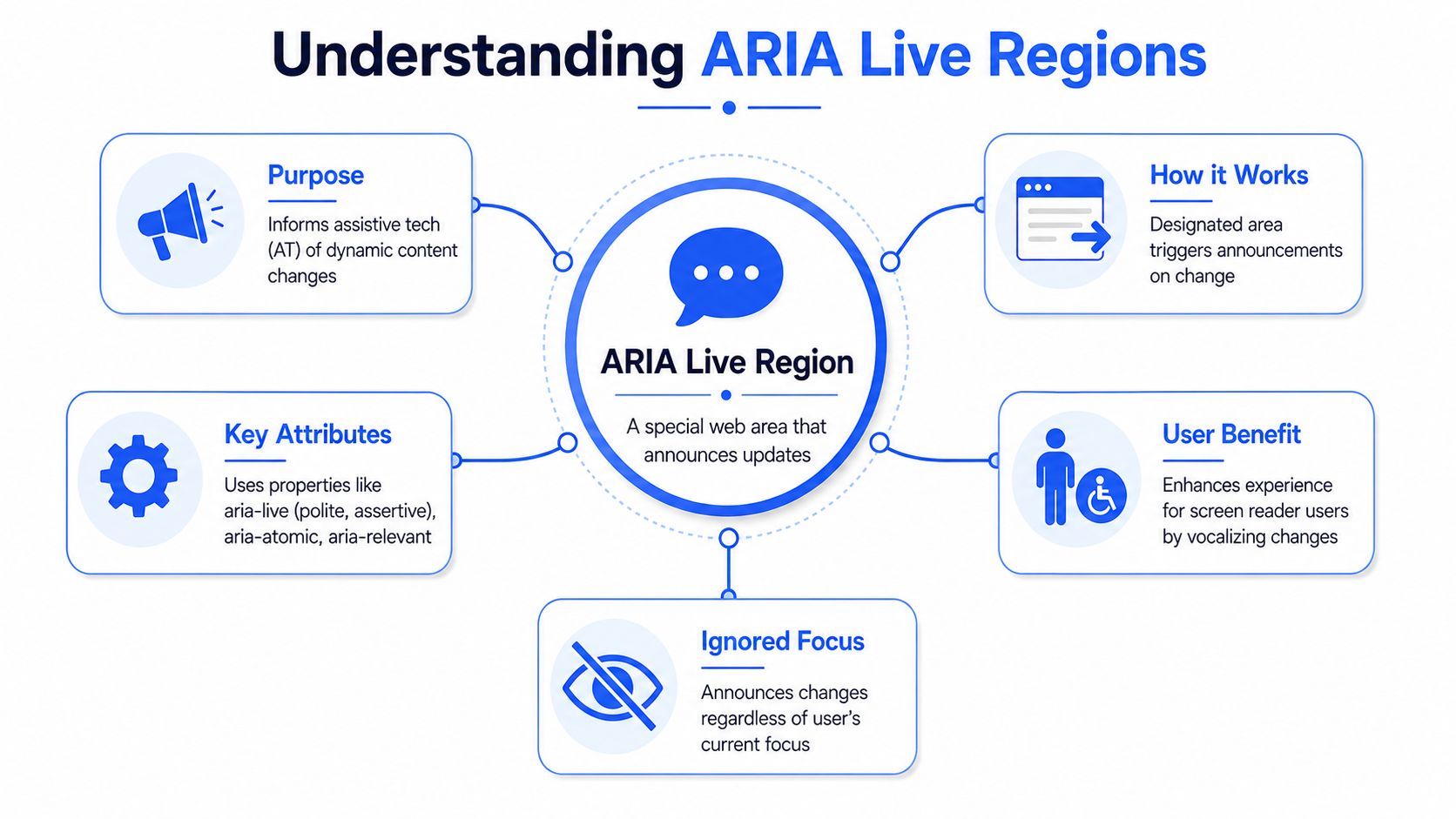
An ARIA live region is a part of the page that tells assistive technologies to announce content changes even when keyboard focus is somewhere else. In practical terms, it’s how a screen reader user learns that a form error appeared, a chat message arrived, or results updated without a full page reload.
ARIA live regions were standardized in the WAI-ARIA model for dynamic interfaces, and the core controls are aria-live, aria-atomic, aria-relevant, and aria-busy, with specialized roles such as alert, status, and log for common announcement behaviors, as described in this overview of ARIA live regions.
Why dynamic interfaces need it
Traditional page loads gave assistive technology a clear signal that content had changed. Single-page applications don’t work that way. The URL may stay the same, focus may remain on the same button or field, and yet meaningful content may change in the background.
That creates a communication problem. Screen readers don’t automatically announce every DOM mutation, and they shouldn’t. Teams need to mark specific areas as live so updates in those areas are treated as intentional notifications.
A simple way to think about it is this: the live region acts like a routing layer for spoken updates. It doesn’t move the user’s cursor. It doesn’t make a component interactive. It just says, “when this content changes, announce it.”
If you need a refresher on the ARIA model itself, the ARIA best practices guide is a useful companion reference.
The core attributes that matter
The aria-live attribute serves as a common starting point. It sets the announcement priority.
aria-live=“polite”tells assistive technology to wait for a natural pause.aria-live=“assertive”signals that the update is urgent enough to interrupt.
Two other attributes often matter just as much:
aria-atomiccontrols whether the screen reader announces the entire region or only the changed part.aria-relevanthelps define what kinds of changes should be announced.aria-busycan indicate that updates are still in progress.
A live region is for dynamic, non-interactive status communication. It is not a substitute for correct focus movement, dialog behavior, or semantic structure.
That distinction matters in audits. Teams sometimes use live regions to compensate for broken interaction design. If a modal opens, for example, you still need proper focus management. A spoken notification alone doesn’t solve the accessibility problem.
Choosing the Correct Live Region Pattern
A team ships a polished SPA checkout flow. Visual toasts appear, inline errors render, session warnings pop up on time. Screen reader users still miss key updates because every message was routed through the same live region pattern, or worse, announced with the same urgency. That is how live regions create business risk. Users abandon tasks, support tickets rise, and defects slip through because the UI looked correct in a visual QA pass.
Choosing the right pattern starts with consequence. Ask one question first: what happens if the user hears this update late, or hears it too often?
Polite versus assertive
The aria-live property is a priority signal. polite updates wait until the current speech finishes. assertive updates can interrupt, as explained in DigitalA11Y’s guidance on aria-live properties.
That choice should follow task impact, not developer preference or component defaults.
- Use polite for updates that help the user stay oriented but do not require immediate action.
- Use assertive for updates tied to failure, risk, or a blocked step.
In practice, assertive should stay rare. Teams often overuse it in toast systems because they want to guarantee the message is heard. The result is announcement fatigue. Users get interrupted for low-value updates, then tune out the messages that matter.
Polite usually fits:
- Search results count updates
- “Item added to cart” confirmations
- Background process completion notices
- Non-blocking status text
Assertive usually fits:
- Form submission errors
- Session expiration warnings
- Failed payment or authentication messages
- Task-blocking system errors
A useful governance check is to review your design system or component library. If one generic toast component handles confirmation messages, validation failures, and security warnings with the same live region settings, the semantics are too coarse for production use.
To see the difference in action, this short walkthrough is useful:
ARIA Live Region Decision Matrix
| Use Case | Urgency | Recommended Pattern | Example Code |
|---|---|---|---|
| Search filters updated | Low | role=“status” | <div role=“status”>12 results found</div> |
| Item added to cart | Low | aria-live=“polite” | <div aria-live=“polite”>Added to cart</div> |
| Chat transcript updates | Ongoing | role=“log” | <div role=“log”>New message from support</div> |
| Form validation after submit | High | role=“alert” | <div role=“alert”>Email is required</div> |
| Session about to expire | High | aria-live=“assertive” | <div aria-live=“assertive”>Your session is about to end</div> |
Roles can simplify the code
Use the built-in roles when they match the user need. They are easier to review in audits, easier to standardize across teams, and harder to misconfigure than ad hoc combinations of ARIA attributes.
role=“status”fits advisory updates that should be announced politely.role=“alert”fits high-priority messages that need immediate attention.role=“log”fits appended, time-ordered updates such as chat messages or activity feeds.
This matters in framework-based applications. Once a component is wrapped in abstractions, a generic div with several ARIA attributes becomes hard to inspect and easy to misuse. A clearly named component such as StatusMessage, AlertMessage, or ActivityLog gives developers and QA a pattern they can apply consistently.
The other reason to be selective is user overload. Not every changing number, badge, spinner state, or animation deserves announcement. If the update is already obvious from focus movement, page title changes, or a visible state change tied to the user’s current control, adding a live region can create duplicate speech with no usability gain.
Implementation Patterns and Common Pitfalls
A product team ships an AJAX save flow, sees the success banner appear on screen, and closes the ticket. Then a screen reader user submits the same form and hears nothing. The UI changed. The assistive technology never got the message.
That failure shows up often in React, Vue, Angular, and other SPA architectures because announcement behavior depends on timing, not just markup. Teams inspect the DOM, confirm that aria-live is present, and assume the feature works. In practice, live regions fail to announce updates when the container is mounted at the same moment the message appears, when components re-render in the wrong order, or when CSS removes the region from the accessibility tree.
The SPA failure teams hit most often
The pattern below looks harmless:
\{showMessage &&
<div aria-live="polite">Saved successfully</div>
\}
It is also one of the most common reasons announcements never fire. The region and the text arrive together, so some screen reader and browser combinations do not treat that change as an update worth announcing.
The safer pattern is boring, and that is why it works. Keep the live region mounted from the start. Change its text later.
If a team says, “The attribute is there, so why didn’t it announce?”, the first thing to check is whether the live region existed before the message changed.
A reliable announcer pattern
For larger products, use a shared announcer near the app root instead of letting each feature team invent its own version.
<div id="sr-announcer" role="status" aria-atomic="true" class="visually-hidden"></div>
Then write application logic that updates that node for advisory messages such as save confirmations, filter results, or background completion states.
For urgent interruptions, keep a separate channel:
<div id="sr-alert" role="alert" class="visually-hidden"></div>
That separation matters. Once polite updates and urgent failures share one region, message priority becomes unpredictable, QA gets inconsistent results, and users hear interruptions that were never intended.
A pattern like this holds up better in production:
- Pre-render the container. Do not wait for the event to create the region.
- Update text on the existing node. Replacing the whole element is less dependable than changing
textContentor the framework equivalent. - Keep the region exposed to assistive technology.
display: none,hidden, oraria-hidden=“true”will prevent announcements. - Clear and re-send repeated messages carefully. If the same text can appear twice, some setups ignore the second update unless the content changes or is briefly reset.
- Centralize the API. A design system
announce()utility or announcer component reduces duplicate patterns and cuts review time.
This is one of the places where manual validation pays for itself. Teams that rely only on DOM inspection miss the runtime behavior that determines whether users hear anything. If your QA process still treats “attribute present” as a pass, compare that with a manual and automated accessibility testing workflow before you standardize the pattern.
Framework-specific mistakes that cause silent failures
A few implementation choices create repeat defects across SPA codebases:
- Conditional mounting for toasts or inline messages. The message appears visually, but the region was not available early enough.
- Hydration mismatches or delayed client rendering. The server sends one structure, the client replaces it, and the announcement timing breaks.
- Portal-based notifications with poor ordering. The toast system works for sighted users but bypasses the expected live region behavior.
- Aggressive state batching. Multiple updates collapse into one render cycle, and the spoken message never lands cleanly.
- Hidden utility classes with the wrong CSS. A visually hidden pattern is fine. A fully hidden pattern is not.
These are engineering issues, not edge cases. If the notification model is inconsistent, support tickets rise, accessibility defects linger through release cycles, and remediation costs more because teams have to debug behavior across multiple components instead of fixing one shared pattern.
When not to use a live region
Overuse creates a different problem. Users start hearing a stream of low-value announcements, then miss the message that matters.
Do not announce every spinner change, badge count, price refresh, or dashboard fluctuation. A live region should carry information the user would otherwise miss, not narrate the entire interface. If focus already moved to the updated content, if the user triggered a control and the next state is obvious in context, or if the update happens constantly, extra speech usually adds noise.
Avoid live regions for patterns like:
- Rapid timers
- Streaming metrics
- Carousel or marketing copy changes
- Minor visual state changes that follow focus naturally
Do not use a live region as a patch for broken interaction design either. If a modal does not move focus correctly or tabs do not expose the selected state, fix the widget first. Related implementation patterns are covered in ARIA basics and best practices, accessible modal dialog focus management, accessible tabs, and accessible accordions and disclosures.
The trade-off is simple. Too few announcements and users miss critical changes. Too many announcements and they stop trusting the signal. Good live region implementation gets both parts right.
How to Test ARIA Live Regions Effectively
A release goes out. QA signed off. The scanner found aria-live in the markup. Then a customer submits a payment form, the request fails, and their screen reader says nothing. That is the failure teams miss with live regions. The attribute exists, but the announcement never reaches the user in the actual flow.
What automation can and cannot verify
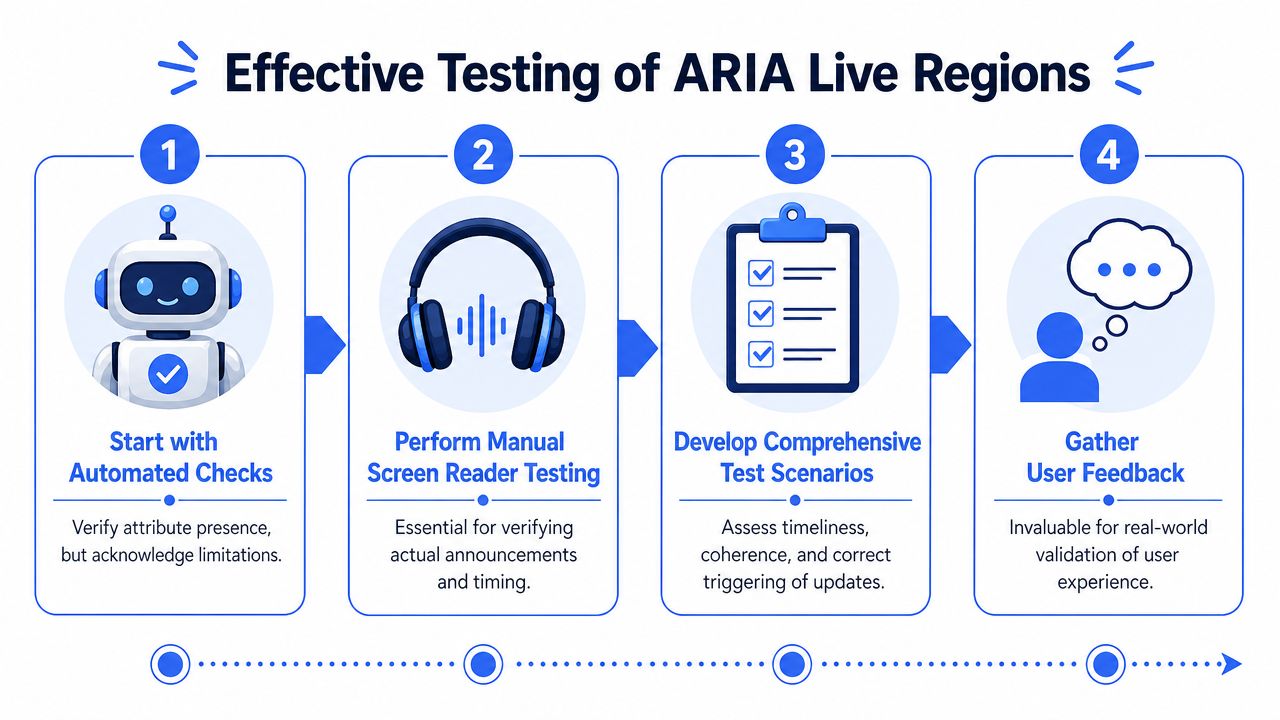
Automated tools are still useful. They catch missing attributes, invalid roles, and some obvious markup errors. They do not verify timing, announcement order, repeat behavior, or whether a framework render cycle replaced the node before assistive technology could announce it.
That gap shows up constantly in React, Vue, and similar SPA stacks. A component mounts and unmounts too quickly. A message is inserted into a region that did not exist early enough. State updates fire twice in development and differently in production. A visual toast appears, but the live region text is cleared before a screen reader processes it. Static scanning will still report that the right ARIA attribute is present.
A passing scan does not prove the user heard the message.
Teams that need to explain that distinction internally should review the practical differences between manual and automated accessibility testing.
A repeatable manual test workflow
Use a workflow your QA team can run on every critical journey, not just on a demo page with a single test button.
- Start with task-based flows
Test checkout errors, login failures, saved changes confirmations, search result updates, and session timeout warnings. Live regions fail in context, so test them in context. - Keep focus stable when you trigger the update
If focus moves into the changed content, you are testing focus management instead of live region behavior. Trigger the update while focus stays on the button, input, or surrounding interface. - Listen for timing and priority
Polite messages should wait for a natural pause. Assertive messages should interrupt only when the update is time-sensitive or blocks progress. If every message interrupts, users stop trusting the signal. - Check whether the message stands on its own
Announcements are often heard without nearby labels or headings. “Error” is vague. “Card number is incomplete” gives the user something they can act on immediately. - Repeat the action
Trigger the same update twice. Dismiss and retrigger if the pattern allows it. Many broken implementations announce once and then go silent because the DOM node never changes in a way assistive tech detects. - Test with real screen readers on supported browser combinations Use the combinations your customers rely on during production workflows. A code sample that works in one pairing can still fail in the stack your product supports.
Include one more check for modern front-end apps. Open the browser devtools and watch whether the live region node is being replaced, hidden, or emptied during rerenders. In many audits, the bug is not the ARIA setting itself. The bug is component lifecycle behavior.
What a good test result looks like
A good result is boring. The right message is announced once, at the right moment, in plain language, without extra chatter before or after it.
A failed result usually looks like one of these patterns:
- no announcement after an async update
- duplicate announcements after rerender
- stale text from a previous message
- an assertive interruption for a low-priority update
- a message that only makes sense if the user can see the screen
If your organization needs procurement-ready evidence or a defensible remediation record, a structured manual audit becomes more than a QA task. Accessibility consultancies, including ADA Compliance Pros, document these flows with WCAG-mapped findings, remediation guidance, and re-test verification rather than relying on one-time scans.
A Prioritized Remediation Plan for Your Team
When an application has broken live regions across multiple flows, don’t treat every defect as equal. Start where silence causes direct task failure.
Fix the highest-risk failures first
Use a simple triage model:
- High priority
Failed payment notices, form submission errors, account lockout warnings, session timeout alerts, and anything that blocks completion of a core task. - Medium priority
Cart confirmations, filter result updates, background processing messages, and status changes that don’t block the user but still affect comprehension. - Low priority
Messages that technically announce but are poorly timed, repetitive, or unnecessarily verbose.
This prioritization helps engineering and product teams align remediation with legal and operational risk. A noisy but functional announcement is still a defect. It just isn’t the same class of defect as a silent payment error.
Standardize the pattern
The lasting fix is architectural, not just tactical. Build one reusable announcer component for your design system, define when teams should use polite versus assertive, and document when they shouldn’t use a live region at all.
Include these controls in your internal standard:
- approved roles and attributes
- message-writing guidance for concise announcements
- framework-specific implementation rules
- QA scripts for manual verification
- ownership between engineering, design, and accessibility review
That approach reduces rework. It also makes audits faster because evaluators can test one standardized pattern instead of reverse-engineering a different notification system in every feature.
Frequently Asked Questions About ARIA Live Regions
A live region that works in a demo can still fail in production. The usual pattern is familiar. A React component mounts, the message appears on screen, QA sees it visually, and no one notices that a screen reader never announced it.
Should I use role alert or aria-live assertive
Use role=“alert” for messages that need immediate interruption, such as payment failures, destructive action errors, or session timeout warnings. It gives you a standardized alert pattern with assertive announcement behavior and atomic reading built in.
Use aria-live=“assertive” when you need that urgency on a custom container and you understand the side effects. Assertive announcements interrupt speech. Overuse it, and users start hearing your UI fight itself.
Do live regions replace focus management
They do not. If a dialog opens, focus still needs to move into the dialog. If a form field fails validation, the field still needs an accessible name, error association, and a usable keyboard path back to the problem.
Live regions handle announcement. Focus management handles interaction. Teams that blur those two responsibilities usually ship flows that sound active but remain hard to complete.
Can automated tools validate announcements
Only part of the problem.
Automated checks can catch missing attributes, invalid ARIA usage, or obvious structural mistakes. They cannot confirm whether a screen reader announced the message at the right moment, skipped it because the node was mounted too late, or read it twice because the framework re-rendered the container. That requires manual testing in real task flows.
Should every toast message use an aria live region
No. Announcing every toast creates announcement fatigue fast, especially in SPAs that trigger multiple background updates in a short session.
Announce information the user needs in order to act, recover, or understand a state change that is not otherwise obvious. Skip promotional messages, duplicate confirmations, and low-value updates that add noise without helping completion.
Why do live regions fail in React or Vue even when the code looks correct
Because screen readers react to DOM changes, not framework intent. If the live region is inserted and filled in the same render pass, some assistive technology combinations miss it. If the component unmounts and remounts during state changes, announcements become inconsistent.
The safer pattern is a persistent live region container that exists from initial load, with text updated in place after the container is already present. In production teams, this usually means one shared announcer component at the app shell level instead of feature teams each building their own version inside conditional UI.
Is a visually hidden live region acceptable
Yes, if it is implemented correctly and the message is still useful. Many teams keep a persistent visually hidden role=“status” or aria-live container near the root of the application for system messages.
The mistake is hiding the region with techniques that remove it from the accessibility tree, or sending messages that duplicate visible text the user is already focused on.
How do I know a message should be spoken at all
Ask one question. If a screen reader user would miss a meaningful change without an announcement, speak it. If the answer is no, do not add one.
That discipline prevents a common failure in enterprise apps. Teams fix silence by announcing everything, then create a different accessibility defect because users cannot keep up with the queue.
If your team needs to validate notification behavior across real user flows, ADA Compliance Pros provides manual accessibility audits, WCAG-mapped remediation guidance, VPAT and ACR support, and re-test verification for web apps, enterprise products, and procurement-driven accessibility programs.