
Digital Accessibility Program: Your Roadmap to Compliance
Teams don’t decide to build a digital accessibility program because they love governance. They do it because something breaks. A demand letter lands. A government contract introduces accessibility requirements. Procurement asks for a VPAT. A product team ships a redesign and support starts hearing about keyboard traps, missing labels, or a checkout flow that won’t work with assistive technology.
That’s the moment when informal ownership stops working.
A sustainable digital accessibility program gives you a way to assign responsibility, document decisions, prioritize remediation, and show that accessibility isn’t being handled as a last-minute patch. It also reduces legal risk because you can demonstrate process, evidence, and follow-through instead of scrambling to explain why no one owned the problem.
The practical challenge isn’t understanding what accessibility is. It’s running accessibility across product, content, engineering, QA, procurement, and compliance in a way that survives deadlines, org changes, and new releases.
Establish Governance and Define Accessibility Policy
If no one owns accessibility, everyone assumes someone else does. That’s how risk accumulates.
The trigger is often external. The DOJ’s ADA Title II rule requires state and local governments to meet WCAG 2.1 Level AA, and its interim final rule of April 20, 2026 (91 FR 20902) set the deadlines at April 26, 2027 for entities serving 50,000 or more people and April 26, 2028 for everyone else, including special district governments. Even for private organizations, that kind of regulatory clarity changes the conversation. Leadership stops asking whether accessibility matters and starts asking who runs it.
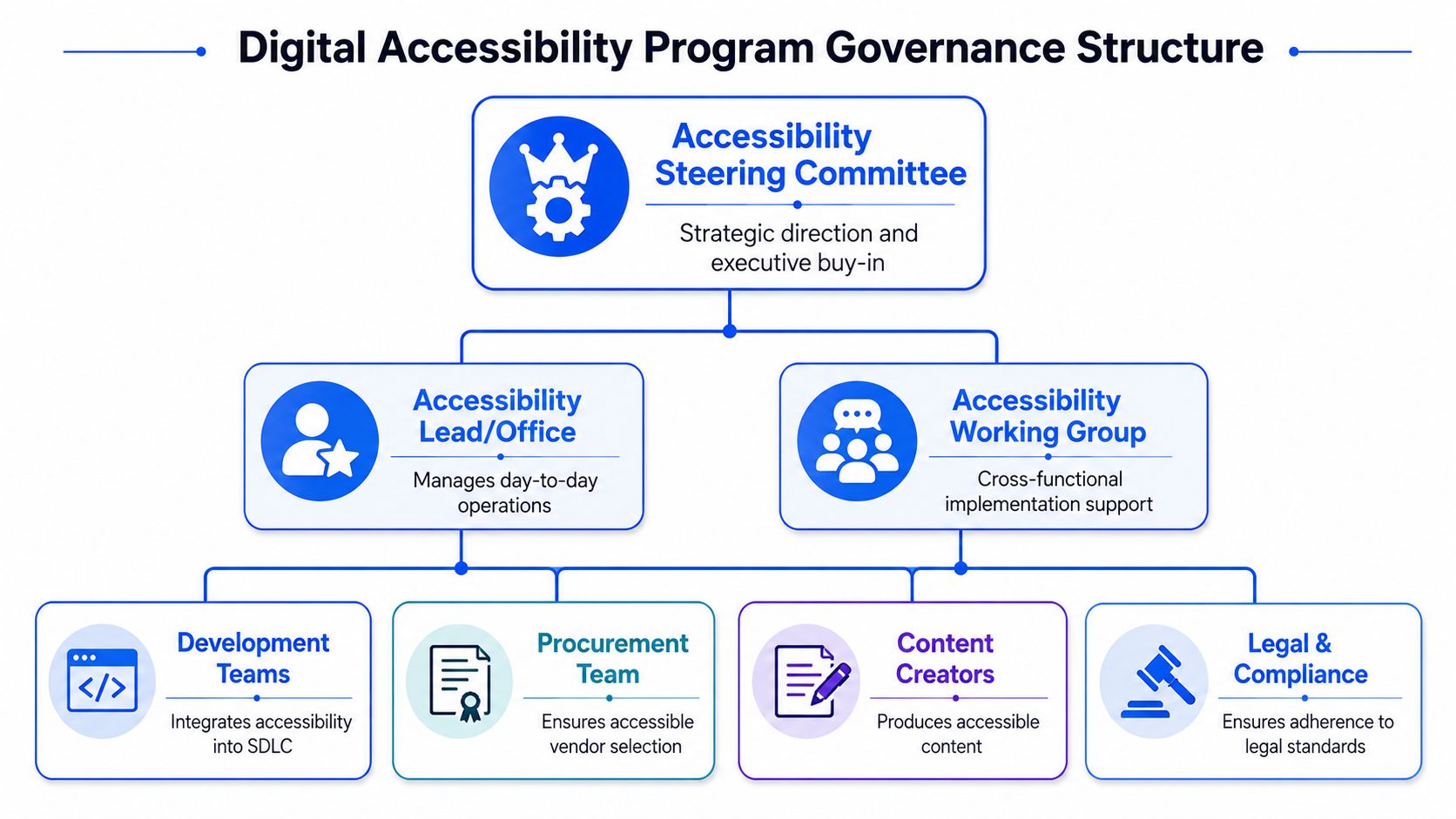
Start with named ownership
A working program usually needs three layers of responsibility.
- Executive sponsor. This person removes roadblocks, approves policy, and gives accessibility enough authority to cross department lines.
- Program lead. This role manages the actual operating model. Intake, prioritization, audit coordination, issue tracking, status reporting, and escalation all need a home.
- Department champions. Product, design, engineering, QA, content, procurement, and legal each need someone who can translate policy into day-to-day decisions.
That structure matters because accessibility failures rarely come from one team alone. A designer may choose a weak pattern, a developer may implement it incorrectly, QA may not test keyboard behavior, and procurement may bring in a third-party widget with known barriers. Without governance, those failures look isolated. With governance, you can trace them to process gaps and fix the root cause.
Practical rule: If your accessibility owner can’t influence release criteria, procurement standards, and training plans, they don’t own the program. They own a complaint queue.
Write the policy your teams will actually use
The policy should be short enough to read and specific enough to govern decisions. It shouldn’t be a vague statement about inclusion.
At minimum, define:
| Policy element | What it should say | Why it matters |
|---|---|---|
| Scope | Which websites, web apps, mobile apps, documents, and internal systems are covered | Prevents teams from claiming their product is out of scope |
| Standard | The target standard, such as WCAG 2.1 AA or WCAG 2.2 AA, plus any applicable legal framework | Gives product and legal teams one reference point |
| Ownership | Which team governs the program and who approves exceptions | Stops accountability gaps |
| Delivery rules | When accessibility review is required in design, development, QA, and launch | Moves accessibility upstream |
| Procurement rules | What evidence vendors must provide and how claims are validated | Reduces inherited third-party risk |
| Monitoring | How issues are tracked, retested, and closed | Creates defensible records |
A good policy also states how exceptions work. Not every legacy system will be remediated on the same schedule. That’s normal. What matters is documenting why an exception exists, what interim mitigation is in place, who approved it, and when it will be reviewed.
Use one standards document as your source of truth. Then make every downstream artifact align with it. Design checklists, Definition of Done criteria, procurement language, QA scripts, and remediation templates should all point back to the same requirement set. If you need a starting point, these web accessibility policy best practices are a useful model for drafting language teams can apply.
The strongest policy is the one product managers, counsel, and engineers can all use without translating it into three different versions.
Conduct a Baseline Audit and Asset Inventory
Most organizations underestimate how much digital surface area they own. Public websites are only the visible part. Customer portals, authenticated flows, mobile apps, embedded documents, design systems, support forms, internal platforms, and third-party tools all create accessibility exposure.
You can’t prioritize what you haven’t inventoried.
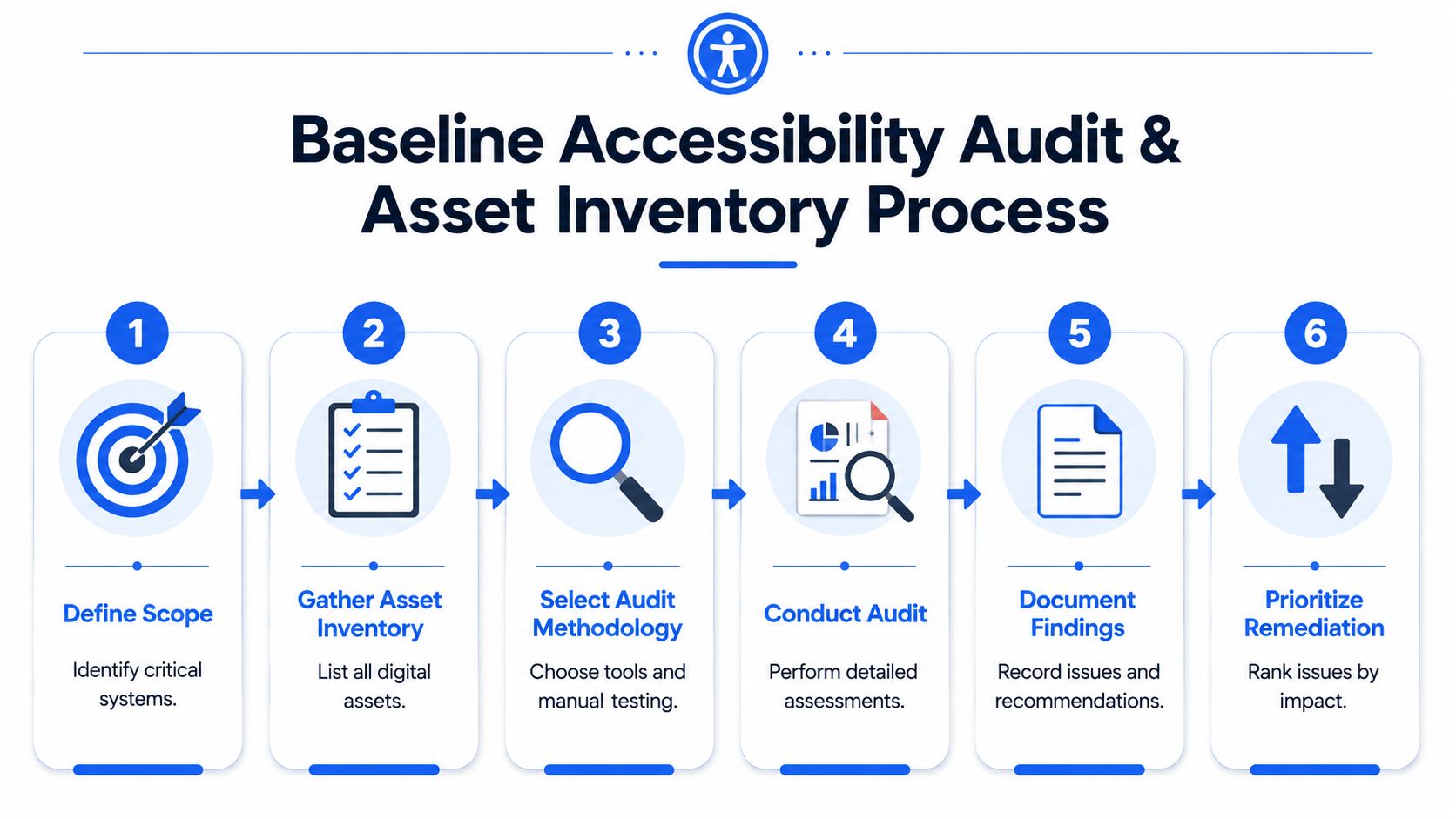
Inventory first, then test
Start by building an asset register. Don’t overcomplicate it. A spreadsheet or governance tool is enough if it captures the information needed to make decisions.
Include:
- Asset name and owner. Every site, app, document set, or platform needs a business owner and a technical owner.
- Audience and critical tasks. Note who uses it and what they must accomplish, such as account access, payment, application submission, or support.
- Technology stack. CMS, frontend framework, mobile platform, document type, third-party integrations, and design system dependencies all affect remediation effort.
- Business and legal context. Flag regulated products, government-facing services, high-volume customer workflows, and systems tied to contracts or procurement requirements.
Then establish your baseline with a real audit. Automated tools are useful, but they don’t tell you how a screen reader user experiences a checkout flow, whether a modal traps focus in a recoverable way, or whether dynamic validation messages are announced at the right time. They also miss plenty of workflow issues that matter in litigation and procurement review.
That’s why manual assessment is the defensible starting point. A thorough digital accessibility audit guide for ADA, WCAG, and Section 508 should include expert review, keyboard testing, assistive technology validation, and documentation mapped to specific success criteria.
Turn findings into a triaged backlog
Raw findings aren’t a program. They’re just evidence.
The useful move is to convert audit results into a remediation backlog that reflects risk and effort. Score each asset and issue on the factors that actually drive your exposure — legal risk, how many users are blocked and how badly, technical complexity, and the business value of the flow it sits in — then band the scores into priorities and attach a fix deadline to each band rather than to each ticket. The exact thresholds matter far less than having them written down: a P1 with no stated turnaround is a P2 with better branding. W3C WAI’s guidance on interim repairs is a useful companion here, because it covers what to do about the barriers you cannot fix inside the current cycle.
That kind of composite scoring is more useful than counting defects because accessibility work isn’t linear. Ten minor content issues on a low-risk microsite may matter less than one authentication barrier in a core application.
A triage model should separate these questions:
- What blocks users now
- What creates legal exposure
- What can teams realistically fix in the next release cycle
- What belongs in a redesign, component refactor, or vendor replacement plan
Don’t let the scanner set your priorities. Let risk, user impact, and operational capacity set them.
Implement a Hybrid Testing Strategy
Teams get into trouble when they expect one testing method to answer every accessibility question. It won’t.
A reliable digital accessibility program uses multiple layers of testing because each layer catches different failure types and serves a different business purpose. Automation helps with speed. Manual audits help with accuracy and documentation. Assistive technology testing helps verify real usability.
What automation is good at
Automated scanning belongs in design reviews, pull requests, CI pipelines, staging checks, and production monitoring. It’s efficient for recurring checks on patterns that machines can detect consistently.
Use it to:
- Catch common code issues early. Missing form labels, image alt problems, certain contrast failures, duplicate IDs, and invalid ARIA patterns are good candidates.
- Support developer workflows. Tooling inside browser extensions, linting, and pipeline checks gives engineers feedback when fixes are still cheap.
- Monitor regressions over time. Once core templates are remediated, scanning helps flag when teams reintroduce old defects.
That’s valuable, but it’s only partial coverage. Automated tools can create false confidence when leadership sees dashboards without understanding what the tools can’t evaluate.
Where manual and assistive technology testing matter
Manual WCAG testing is where compliance evidence gets built. It’s also where many high-risk barriers surface.
Reviewers should test keyboard order, visible focus, modal behavior, error handling, custom widgets, content structure, naming consistency, dynamic updates, and workflow completion. If you need documentation for procurement review, legal defense, or a VPAT, manual review is the record you’ll rely on.
Assistive technology testing adds another layer. A component may technically pass several machine-detectable checks and still create a poor or confusing experience in a screen reader, screen magnifier, or keyboard-only workflow. That matters because users don’t experience your product criterion by criterion. They experience it as a task.
A simple operating model works well:
| Testing method | Best use | Weakness |
|---|---|---|
| Automated checks | Frequent detection in development and monitoring | Limited coverage |
| Manual expert audit | Compliance verification and remediation guidance | Takes planning and specialist skill |
| Assistive technology testing | Task validation and user experience confirmation | Not a substitute for systematic WCAG review |
If a vendor promises fully automated compliance, treat that as a warning sign. Accessibility programs fail when teams buy shortcuts instead of building evidence.
Integrate Accessibility into SDLC and Procurement
Accessibility becomes sustainable when it stops being a side project and starts showing up in existing workflows. Two workflows matter most. Product delivery and vendor selection.
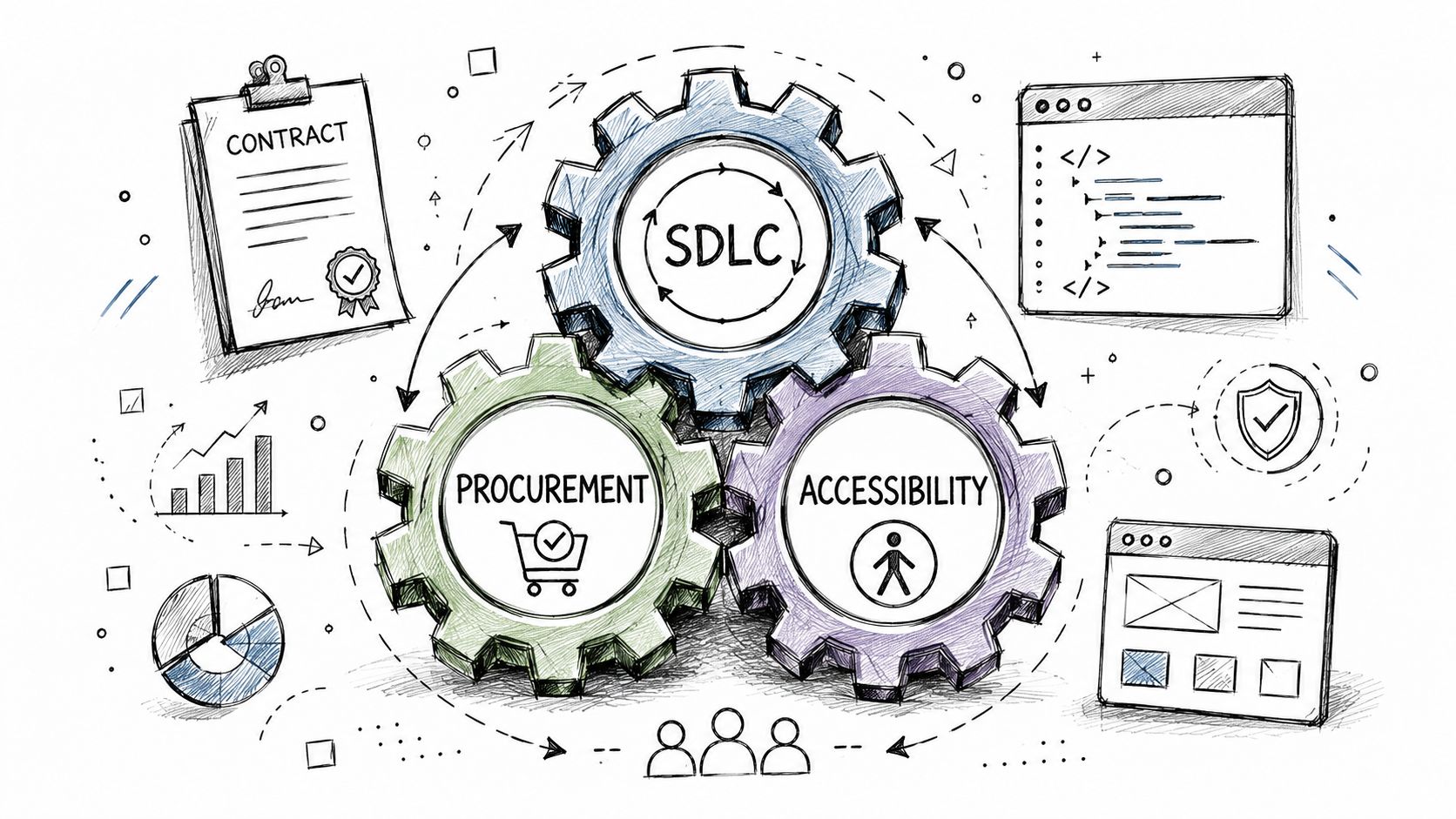
Build accessibility into delivery workflows
A lot of accessibility debt starts with avoidable process gaps. Teams design inaccessible patterns, code them under deadline, and hand them to QA without any accessibility acceptance criteria. The result is predictable. Problems are found late, fixes are expensive, and teams are tempted to defer them.
A better model is to place accessibility requirements at each delivery stage.
- In discovery and product planning. Product managers should define critical user tasks, include accessibility acceptance criteria, and identify whether a feature introduces high-risk interaction patterns. This accessibility guidance for product managers is a practical reference for writing those requirements into delivery work.
- In design. Review component choices, focus order, color contrast, error presentation, heading structure, and interaction states before handoff.
- In development. Add accessibility checks to pull requests, component libraries, and Definition of Done. Bug tickets should include the failed WCAG criterion, user impact, reproduction steps, and code-level guidance.
- In QA and release. Validate critical user journeys with keyboard and assistive technology before launch, not after customer complaints.
For organizations that need outside support, one option is ADA Compliance Pros, which provides audits, remediation guidance, retesting, and procurement-ready documentation for web, app, and ICT accessibility work.
If accessibility isn’t in the Definition of Done, teams will treat it as optional when deadlines tighten.
A short walkthrough can help align teams on what “integrated” really looks like.
Treat procurement as a risk-control function
Procurement is where many accessibility programs stay immature. Internal teams may improve their own code while continuing to purchase inaccessible tools, chat widgets, authentication products, or embedded flows.
That approach no longer holds up well. The European Accessibility Act took effect on June 28, 2025 across all 27 EU member states, and it reaches services bought and resold as much as those built in house — e-commerce, consumer banking, e-books and electronic communications are all named in scope. That raises the bar on procurement-ready accessibility evidence and on validating what a vendor claims.
What procurement needs is operational, not aspirational.
Ask vendors for:
- A current VPAT or ACR that identifies the standard evaluated and the scope covered
- Testing methodology details so you can see whether the document is based on real evaluation or generic statements
- Known issues and workarounds instead of blanket claims of support
- Product version and date information so you know whether the report applies to what you’re buying
- Commitments in contract language covering remediation expectations, timelines, and notice of material changes
Read VPATs critically. A polished document doesn’t prove accessibility. If the conformance statements are broad, unsupported, or disconnected from actual workflows, escalate for manual validation. High-risk vendors should go through hands-on review before purchase or renewal.
Develop Role-Based Accessibility Training
Training is where many programs either become durable or stay dependent on outside audits forever. A general awareness session may help with culture, but it won’t teach engineers how to fix a custom dropdown or help designers prevent focus problems in a modal flow.
The practical move is role-based training tied to responsibility.
Train by responsibility, not by job title alone
Different teams need different depth.
| Role group | What they need to learn | What good training looks like |
|---|---|---|
| Designers | Structure, contrast, focus, state changes, error design, component behavior | Pattern reviews and annotated design examples |
| Developers | Semantic HTML, keyboard support, ARIA usage, forms, dynamic content, testing workflow | Hands-on remediation labs |
| QA testers | WCAG-based test methods, keyboard testing, screen reader basics, evidence capture | Structured test scripts and defect-writing practice |
| Product managers | Acceptance criteria, prioritization, vendor risk, release gates | Real backlog and roadmap examples |
| Content teams | Headings, links, alt text, tables, document practices | Editing exercises using live content |
If you’re building a formal program, role-based accessibility training works best when it maps directly to the decisions each group makes. That means developers should train on code and debugging, not just principles. Designers should train on components and interaction patterns, not just empathy statements.
For deeper curriculum examples, these resources on training curriculum for developers and training curriculum for designers are useful starting points. Teams that need a broader program can also build around formal accessibility training services.
Make training part of operating rhythm
One-off sessions fade fast. Skill retention improves when training is tied to actual work.
Use a cadence like this:
- Onboarding modules for new hires in product, design, engineering, and QA
- Targeted workshops before major redesigns, design system updates, or platform migrations
- Office hours for teams resolving audit findings
- Refresher sessions when standards, internal patterns, or tooling change
Training should reduce repeated defects. If the same issue keeps showing up in audits, the training plan isn’t aligned to the work.
The strongest signal that training is working isn’t attendance. It’s better tickets, better design decisions, cleaner pull requests, and fewer arguments about whether accessibility belongs in scope.
Measure KPIs and Report on Progress
Programs stall when they only report activity. Leadership doesn’t need a long list of issues found. Leadership needs evidence that risk is being managed and user outcomes are improving.
The broader context matters. The 2026 WebAIM Million detected WCAG 2 failures on 95.9% of the top one million home pages, up from 94.8% the year before and reversing six years of gradual improvement. Measure against that baseline rather than against a target rate borrowed from someone else’s programme: the metric that tells you whether yours is working is task completion for users with disabilities on the flows you actually changed, and GSA’s example accessibility KPIs are a reasonable starting shape to adapt.
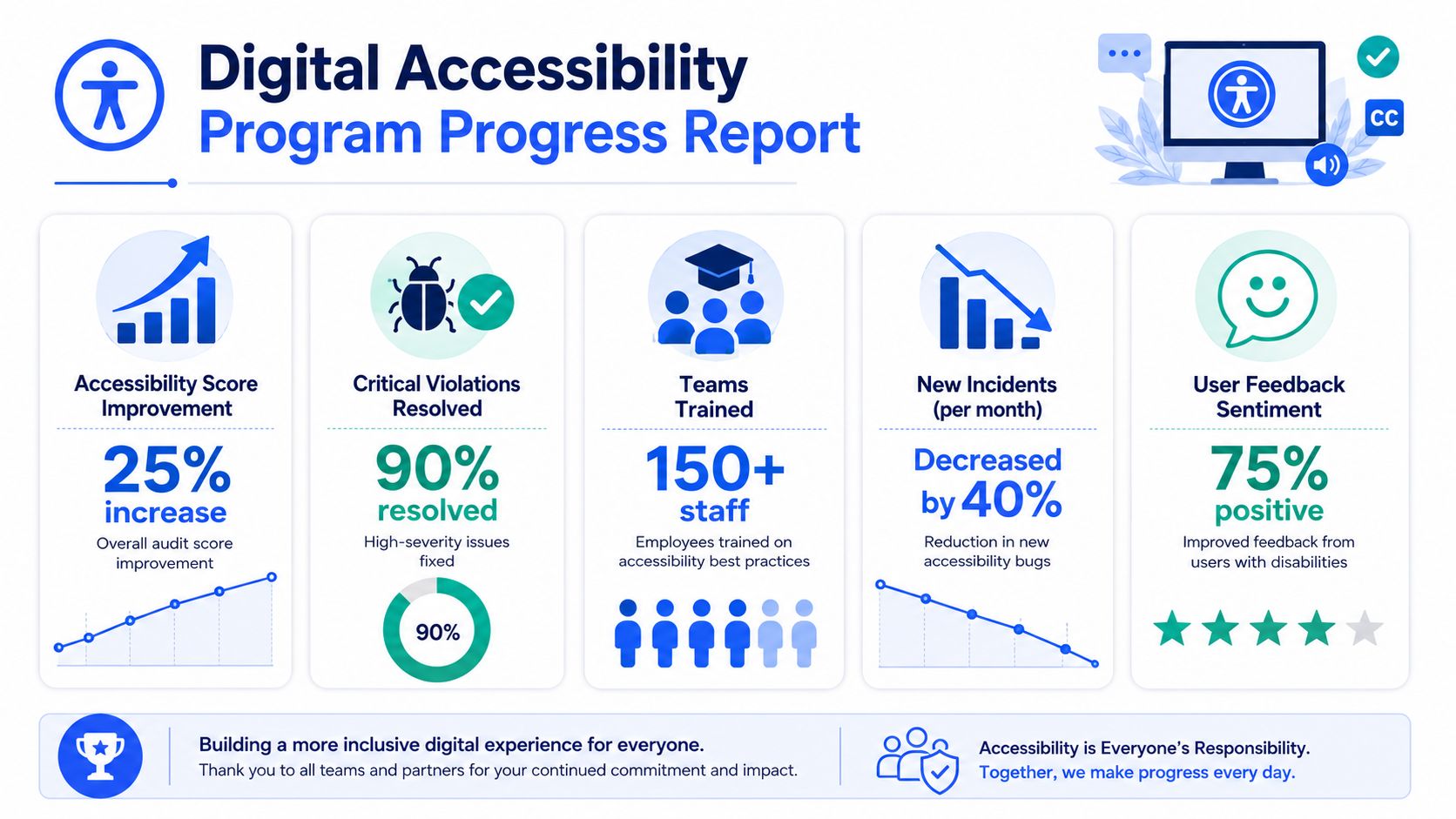
Track outcomes, not vanity counts
Useful KPIs often include:
- Task completion for users with disabilities on key journeys
- Open versus validated-closed issues by severity
- Accessibility performance of new releases at launch
- Time to remediate high-risk issues
- Training completion by role and business unit
- Vendor evidence status for critical third-party products
Bug counts alone can mislead. A higher number may mean your audit coverage improved. Outcome measures are harder to game.
Report in a format leadership can use
Executive reporting should fit on one page or one dashboard. Tie each metric to a business question.
| Leadership question | Better metric |
|---|---|
| Are we reducing exposure | Status of high-risk issues and unresolved exceptions |
| Are new releases safer | Accessibility results for recently launched features |
| Are teams improving | Role-based training completion and repeat defect patterns |
| Are users succeeding | Task completion and validated workflow results |
Use an accessibility monitoring plan to define review frequency, owners, escalation rules, and retest triggers. Without a monitoring plan, most programs slowly drift back into reactive mode.
Frequently Asked Questions About Accessibility Programs
Decision-makers usually ask the same few questions once they commit to building a program. The answers are practical.
| Question | Short answer | What to do |
|---|---|---|
| How long does it take to build a digital accessibility program | It depends on portfolio size, team structure, and existing debt | Start with governance, baseline audit, and triage. Don’t wait for a perfect enterprise rollout |
| Can automated tools handle most of this | No. They’re useful, but they can’t replace manual review and assistive technology testing | Use automation for early detection and monitoring, not as your only evidence |
| Do we need a VPAT for our own product | If customers, procurement teams, or public-sector buyers ask for conformance evidence, usually yes | Base it on real testing, current product scope, and documented limitations |
| What about third-party widgets and SaaS tools | They still create your user experience and your risk exposure | Validate vendor claims and put accessibility language into contracts |
| Can an overlay solve the problem | No. It doesn’t replace remediation, policy, testing, or governance | Fix underlying code, content, and workflows instead |
| How do we support users while remediation is underway | Provide documented alternative paths and responsive support | Make sure support teams know how to handle accessibility escalations |
A common follow-up is how to think about assistive technology outside formal audits. It helps to see how users interact with speech-driven tools in educational and productivity settings. A practical example is the Voicy speech to text app, which can help teams understand how accessibility intersects with input methods and user workflow, not just screen rendering.
One more misconception is worth clearing up. A digital accessibility program doesn’t require every issue to be fixed at once. It requires a credible system for identifying barriers, prioritizing them, assigning work, validating fixes, and keeping accessibility from degrading after launch. That’s what legal, procurement, and product teams can defend.
If you need a defensible starting point, ADA Compliance Pros helps organizations audit digital products, document WCAG-based findings, build remediation plans, validate vendor claims, and train internal teams so accessibility becomes an operating practice instead of a recurring fire drill.