
Automated vs Manual Accessibility Testing: A Full Comparison
Your team is probably already running an accessibility scanner. The dashboard looks reassuring. It flags obvious issues, gives you a score, and creates the impression that compliance is under control.
That impression is dangerous.
If you’re a CTO, product leader, or compliance owner, the primary question isn’t whether automation is useful. It is. The primary question is whether automation gives you a defensible compliance posture under WCAG, ADA, and Section 508. On its own, it doesn’t. If you’re making release decisions, signing off on a VPAT, or trying to reduce lawsuit exposure, you need to understand exactly what automated tools catch, what they miss, and where expert manual review becomes indispensable.
A mature accessibility program doesn’t treat automated vs manual accessibility testing as a tool comparison. It treats it as a risk management decision.
| Testing method | Best at | Misses or struggles with | Best business use |
|---|---|---|---|
| Automated testing | Speed, scale, repeatable rule checks | Context, usability, assistive technology behavior, nuanced interaction failures | CI/CD checks, regression detection, broad monitoring |
| Manual testing | Keyboard behavior, screen reader use, human judgment, real user flows | Large-scale rapid scanning across every page | Compliance validation, audit evidence, VPAT support, release gating for critical flows |
Defining Automated and Manual Accessibility Testing
Why teams get this wrong
Many teams start with the wrong objective. They try to automate accessibility completely.
That works for linting. It doesn’t work for compliance. Accessibility includes code-level defects, but it also includes meaning, sequence, clarity, and interaction quality for people using keyboards, screen readers, zoom, and other assistive technology. Those are human experience questions, not just rule-matching questions.
The baseline distinction is straightforward. Automated testing is optimized for speed, scale, and consistency. Manual testing is used for keyboard navigation, screen reader checks, and human judgment. W3C’s Web Accessibility Initiative draws the same line in its guidance on evaluating web accessibility: evaluation tools help, but “no tool alone can determine if a site meets accessibility standards,” and knowledgeable human evaluation is required to decide whether a site is accessible.
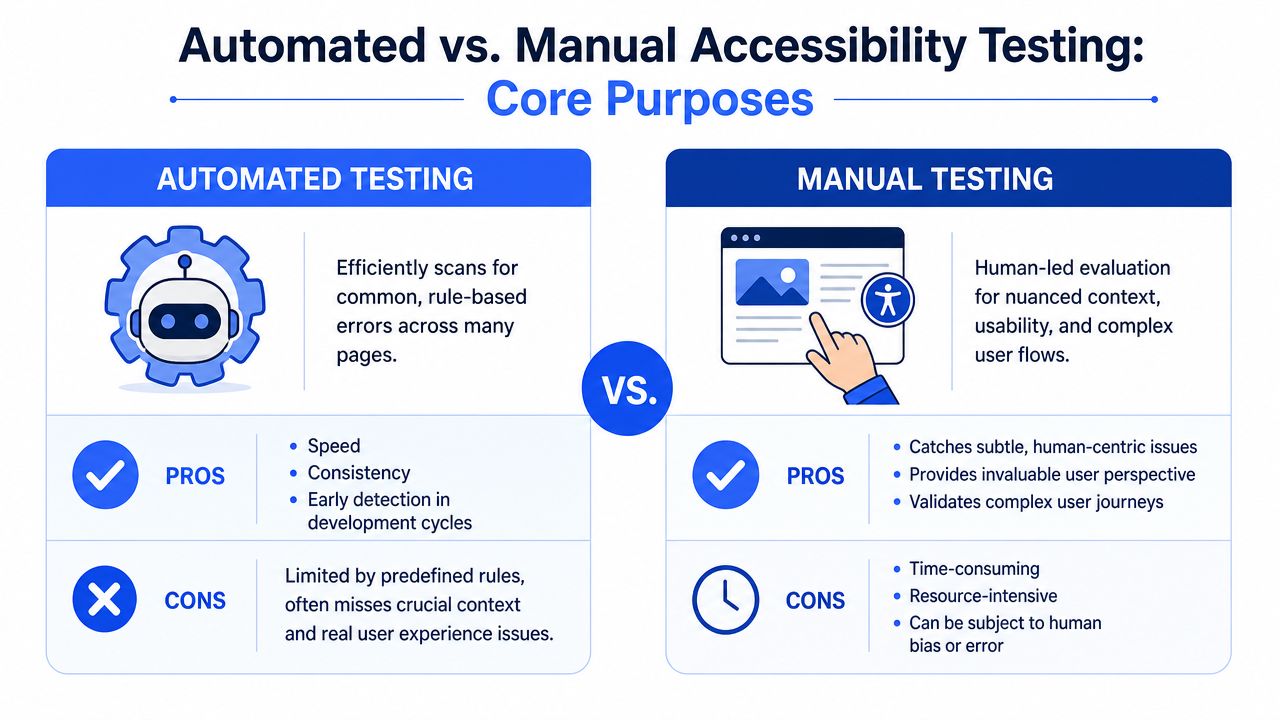
Practical rule: If a test requires someone to judge whether an experience makes sense, automation isn’t enough.
What each method is actually optimized to do
Automated testing tools scan pages, components, or application states for machine-detectable patterns. Think missing alt attributes, empty links, broken heading structures, color contrast failures in straightforward cases, or ARIA misuse. Their value is operational. They can run in pull requests, in QA, and across large properties without fatigue.
Manual testing does a different job entirely. A trained tester tabs through the interface without a mouse. They listen to page output in a screen reader such as JAWS, NVDA, or VoiceOver. They inspect whether form instructions make sense, whether focus lands in the right place after a modal opens, whether an error message is understandable, and whether a checkout or authentication flow can be completed without visual guesswork.
That difference matters because automated vs manual accessibility testing is not a contest between substitutes. It’s a division of labor. One method finds recurring technical defects fast. The other verifies whether people with disabilities can use the product.
A CTO should treat automation as a broad detection layer. Manual review is the validation layer that turns accessibility work into something you can defend in procurement, audits, and legal scrutiny.
What Automated Testing Catches and Critically Misses
What scanners are good at
Automated tools earn their place because they surface common defects quickly and consistently. They are especially useful for early detection in engineering workflows and for monitoring large sites after release.
In practice, scanners are usually good at finding issues like:
- Missing attributes: images without alt attributes, unlabeled form controls, missing page titles, or absent language declarations
- Structural defects: empty links, duplicate IDs, broken heading hierarchy, or malformed ARIA use
- Repeatable visual checks: some color contrast failures and certain focus-related problems
- Regression spotting: detecting when a previously fixed rule-based issue reappears in a new release
That is real value. Teams should absolutely keep these checks close to developers. If you need a starting point, review the common categories covered by accessibility testing tools.
What creates false confidence
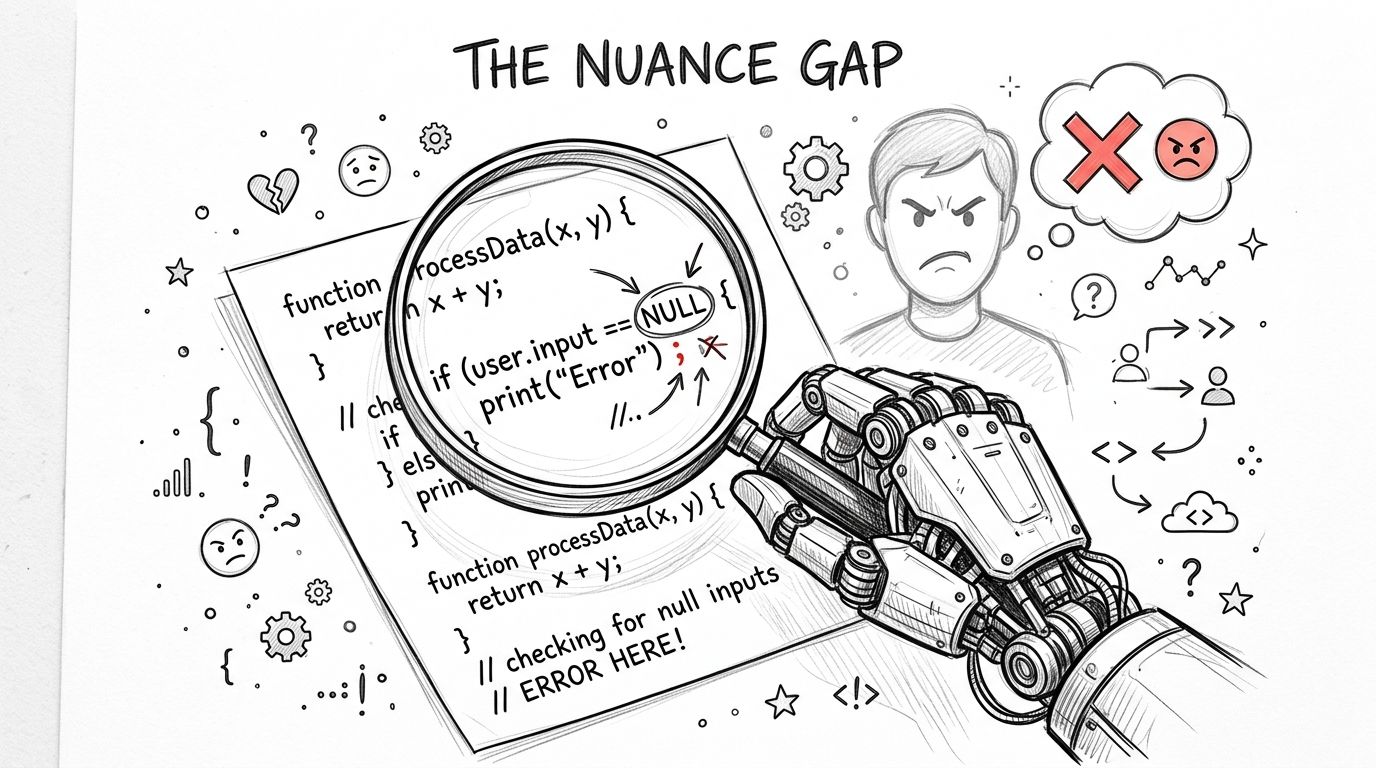
The problem starts when teams confuse detection with coverage. Published guidance still places the practical ceiling of automated testing at only about 30% to 60% of accessibility issues, depending on what is being tested, with EBSCO guidance noting roughly 30% to 40% and an accessibility expert estimating 50% to 60% at best.
That gap is where the risk lives.
Automated tools can’t reliably answer questions like these:
- Is the alt text meaningful in context
- Does the focus order make sense across a multi-step flow
- Does a custom widget behave correctly with a screen reader
- Are instructions clear enough for someone with cognitive disabilities
- Does an error message help the user recover
- Does dynamic content announce itself properly to assistive technology
Those are not edge cases. They’re common failure points in enterprise products, especially in design systems, account management flows, ecommerce checkout, complex tables, dashboards, modals, and authentication.
A scanner can tell you an image has alt text. It can’t tell you whether the alt text is useless.
Scanners also struggle with interaction-heavy interfaces. A component may pass static checks and still fail when a keyboard user tries to open a menu, dismiss a dialog, reorder content, or complete a payment flow. Legal exposure rarely comes from a missing attribute alone. It usually comes from a blocked task.
If your team is relying on a tool score as a proxy for accessibility, you’re not measuring conformance. You’re measuring how many machine-detectable errors remain visible to that specific scanner.
The Irreplaceable Value of Expert Manual Audits
What an expert manual audit actually validates
A real manual audit is not someone clicking around casually. It is a structured evaluation performed by people who understand WCAG, assistive technology behavior, semantic HTML, ARIA patterns, and user impact.
An expert auditor will typically do several things that no automated tool can do with confidence:
- Keyboard validation: move through the product without a mouse and confirm every interactive control is reachable, visible, and usable
- Screen reader review: test with tools such as JAWS, NVDA, or VoiceOver to verify names, roles, values, announcements, reading order, and state changes
- Workflow testing: complete critical user journeys such as login, search, filtering, document access, checkout, onboarding, or support request submission
- Content judgment: assess whether headings, instructions, labels, error messages, and link purpose make sense
- Component behavior checks: inspect modals, tabs, accordions, data grids, carousels, drag interactions, and other custom UI patterns under real use conditions
In practice, accessibility becomes business-relevant. You don’t just want a list of defects. You want to know whether a user can complete the transaction, submit the form, reset the password, or review the invoice independently.
Why this matters for legal defense
Manual review is not a ceremonial final step. It’s where many serious issues are confirmed. Independent guidance commonly cited in the field says automated tools detect only about 30% to 60% of accessibility errors, leaving roughly 40% to 70% for human review. In a practical audit described by CivicActions, about 300 issues were logged, but only 230 were WCAG violations. Of those, 146 needed both automated and manual testing, 72 were verifiable only manually, and 12 only by automation, according to the CivicActions audit discussion.
That breakdown tells CTOs something important. The majority of meaningful accessibility verification did not come from automation alone.
A defensible audit trail usually includes more than a scanner export. It includes scoped testing notes, affected components or user flows, severity rationale, WCAG mapping, reproduction steps, remediation guidance, and retest results. If you want to see what that level of documentation looks like, review an accessibility audit report example.
When a legal team asks how you validated accessibility, “we ran a scanner” is a weak answer.
Manual audits also expose priority. They distinguish between technical noise and barriers that prevent a person from using the product. That matters when engineering capacity is limited and leadership needs to decide what must ship, what must be fixed before procurement, and what belongs in a documented remediation plan.
Compliance Impact for WCAG, ADA, and Section 508
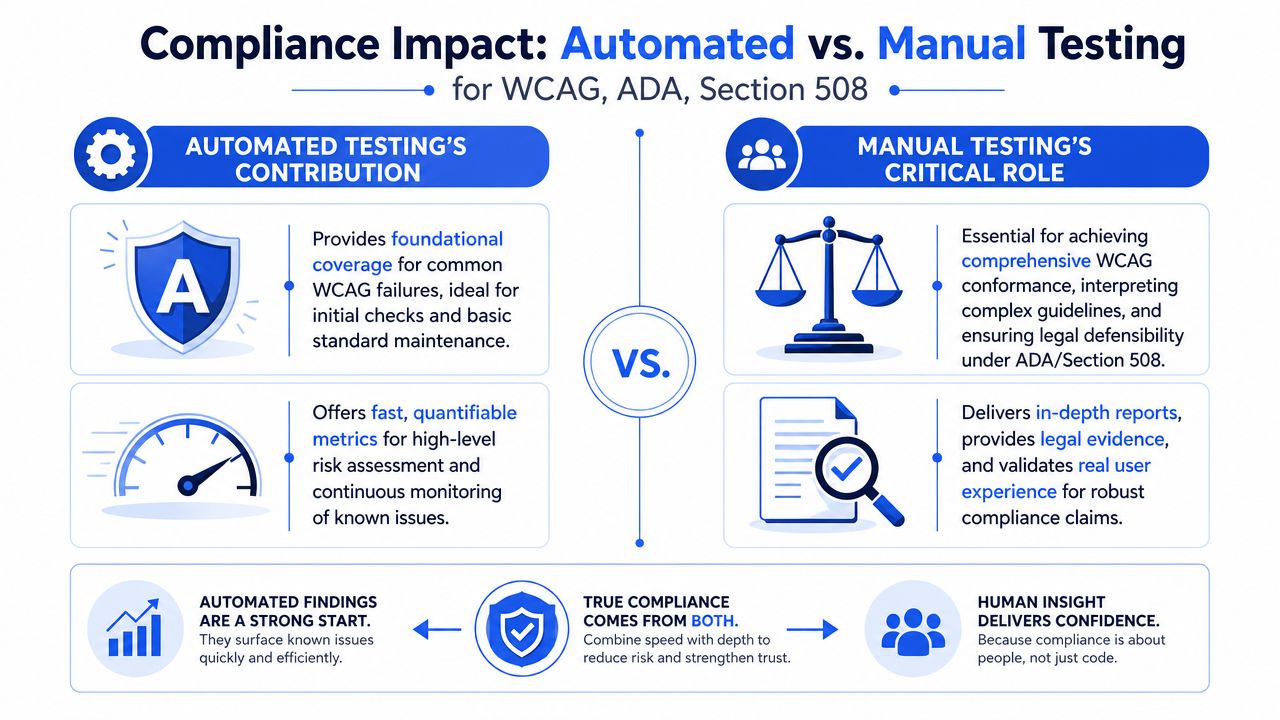
The compliance stakes are higher than most engineering teams assume. A product can look good in an automated report and still be weak under WCAG review, vulnerable under ADA scrutiny, and difficult to defend in a Section 508 procurement process.
Why WCAG conformance claims fail without manual review
WCAG conformance is not a score. It is a claim about whether the content and interactions satisfy specific success criteria. Many criteria require interpretation, user-flow testing, and assistive technology validation. Recent guidance also points out that newer requirements and procurement expectations push teams toward more manual verification for focus order, target size, drag-and-drop alternatives, authentication flows, and other interaction-heavy criteria, as described in Deque’s discussion of combining manual and automated accessibility testing.
That has direct implications for WCAG 2.2. The more your product depends on custom components, dynamic updates, account workflows, or mobile-style interactions, the less credible a compliance claim becomes if it is based mainly on automation.
| Compliance question | Automated testing contribution | Manual testing contribution | Which matters more for defensibility |
|---|---|---|---|
| Broad detection of common code issues | Strong | Limited | Automated |
| Keyboard operability across real flows | Weak | Strong | Manual |
| Screen reader behavior | Weak | Strong | Manual |
| Evaluation of newer interaction-heavy criteria | Limited | Strong | Manual |
| Evidence for a conformance statement | Partial | Strong | Manual |
| Support for VPAT or ACR documentation | Partial | Strong | Manual |
A related issue is assistive technology diversity. Teams often test against a ruleset and forget the human side of use. Products also need to work for people who rely on reading support, dictation, text-to-speech, or other tools. For teams thinking beyond checkbox compliance, this assistive technology guide for individuals with dyslexia) is a useful reminder that accessible design has to support real-world variation in how people read and interact.
Later in the process, video can help align technical and non-technical stakeholders on what compliance work involves.
What this means for VPATs and procurement
If your organization sells into government, education, healthcare, or enterprise procurement, your accessibility claims are often reviewed through a VPAT and resulting Accessibility Conformance Report. That document needs to survive scrutiny from buyers, legal reviewers, and accessibility specialists.
You cannot produce a credible VPAT from automated scans alone. A scanner may support portions of the evidence set, but it won’t validate whether a screen reader user can complete workflows or whether interactive behavior conforms in practice.
Vendor responses often become fragile. They overstate support, under-document exceptions, and rely on shallow testing. That may pass an initial RFP screen, but it creates downstream risk when a buyer asks for methodology, test scope, assistive technologies used, or remediation status.
For ADA, the same logic applies. The issue isn’t whether you ran a tool. The issue is whether a person with a disability could access the service with reasonable independence. For Section 508, the standard of documentation is usually even less forgiving.
Building an Effective Hybrid Accessibility Testing Strategy
Use automation to rank risk, not declare compliance
The smartest way to think about automated vs manual accessibility testing is not binary. Automation should function as a triage layer.
Resist the urge to put a percentage on it. Figures from 25% to 57% circulate widely for “what automation catches,” and every one of them traces to a vendor rather than to published research; they also depend entirely on how you count a criterion. What is authoritative is W3C WAI’s position that “no tool alone can determine if a site meets accessibility standards” and that knowledgeable human evaluation is required. The useful question is not what share automation covers, but which findings it can settle on its own — machine-checkable things like contrast ratios, missing alt attributes and unlabeled inputs — and how those results narrow where a human should spend the expensive hours.
That is the right model for enterprise teams. Use automation to identify where defects cluster. Then spend manual effort where failure would hurt users and create compliance exposure.
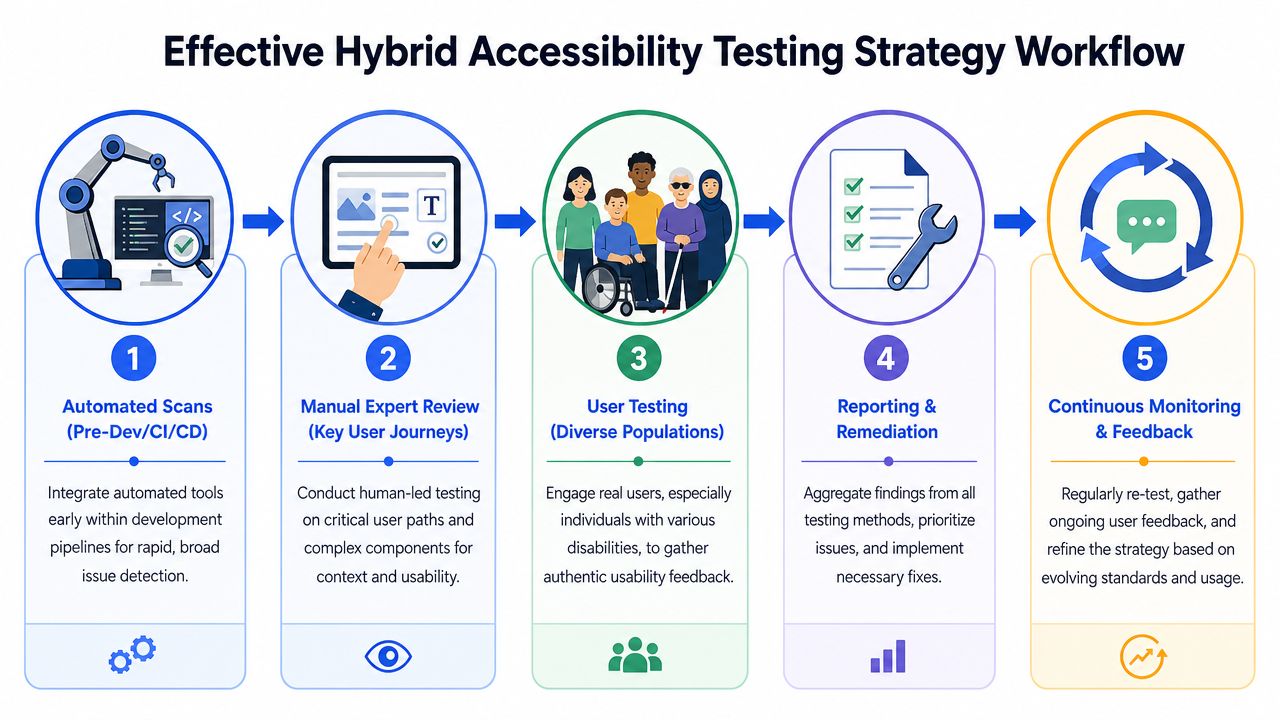
Decision standard: Manual testing should start where business risk is highest, not where testing is easiest.
A practical operating model for enterprise teams
A workable program usually looks like this:
- Embed automated checks in delivery workflows
Run scanners in development, pull requests, QA, and post-release monitoring. This catches repeatable defects early and reduces avoidable churn. - Define critical journeys for manual review
Pick the paths that matter most. Login, sign-up, checkout, scheduling, claims, account settings, document access, and support flows are common priorities. - Test shared components, not just pages
Menus, dialogs, tables, date pickers, editors, and form patterns create repeated risk across products. Fixing components scales better than page-by-page cleanup. - Schedule expert audits at meaningful intervals
Manual review should happen before major launches, after substantial UX changes, and whenever a VPAT or procurement review is in play. - Use regression testing to prevent backsliding
Accessibility debt returns quickly if you don’t monitor after remediation. A disciplined accessibility regression testing process keeps known issues from reappearing.
One practical option in this category is ADA Compliance Pros accessibility testing services, which combine automated scans with manual and assistive technology testing, then document findings for remediation and compliance use.
If your team needs a broader overview of how testing applies across websites, apps, and connected products, this guide on what accessibility testing includes across hardware and mobile apps is worth reviewing.
A final recommendation. Don’t let engineering teams own this alone. Product, design, QA, compliance, and procurement should all see the same testing scope, issue taxonomy, and release criteria. Accessibility becomes defensible when the organization treats it as an operating requirement, not a best-effort bug bucket.
Frequently Asked Questions About Testing Methods
Can AI replace manual accessibility audits
No. AI may improve issue detection, clustering, and remediation suggestions, but it still doesn’t replace expert validation of keyboard behavior, screen reader output, user flow completion, or content clarity. If the question is whether a person with a disability can use the product reliably, you still need human testing.
What should you do if a tool shows a clean score
Assume the scan found no machine-detectable issues in that test context. Don’t assume the product is compliant.
A clean scan should trigger the next step, not end the process. Run manual checks on critical flows, especially forms, authentication, transactions, dynamic components, and any custom UI. If your team is relying on scanner output today, this guide on how to use a WCAG compliance checker to audit your website will help frame tool results correctly.
How often should manual testing happen
Tie manual testing to risk and change volume. At minimum, do it before major releases, after significant design or component changes, and before issuing or updating procurement documentation. High-change products need a more regular cadence than brochure sites.
Do you need a third party for a defensible audit
Usually, yes, if you’re facing procurement review, litigation risk, or formal conformance reporting. Internal teams should absolutely test accessibility, but an independent audit carries more weight because it brings specialized expertise, consistent methodology, and documentation that is easier to defend.
Are free tools enough for a serious accessibility program
Free tools are useful for spot checks and developer awareness. They are not enough for enterprise compliance, legal defense, or VPAT support. Serious programs need workflow integration, manual review, documentation discipline, and retesting.
Which method should a CTO fund first
Fund both, but don’t split the budget evenly by default. Start with enough automation to catch recurring defects in delivery. Then protect budget for expert manual audits on the pages, components, and user journeys that create the most legal and commercial risk. If you force a choice and cut manual review, you are cutting the part that makes compliance claims credible.
If your team needs a testing strategy that supports WCAG 2.2 conformance, procurement-ready documentation, or a more defensible ADA and Section 508 posture, consider working with ADA Compliance Pros. They help organizations validate accessibility through manual audits, assistive technology testing, remediation guidance, and VPAT/ACR support without relying on black-box shortcuts.