
What an accessibility overlay can and cannot put in an ACR
The row, not the debate
You have an Accessibility Conformance Report due with a proposal, the product runs a third-party accessibility widget, and nobody in the room can tell you what to put in the conformance level column. Search results for “accessibility overlay” answer a different question, whether overlays are good or bad, and they answer it as advocacy. That argument does not help you today. You have a short list of permitted words for the conformance level column, a Remarks column that has to justify the one you pick, an Evaluation Methods Used field you are about to sign, and a reviewer on the other side of the table working from published federal guidance that tells them what to do with each answer.
Three versions of the same morning, all of them ordinary:
A SaaS vendor selling into a federal agency or a state university. The ACR ships with the proposal. Marketing bought the widget two years ago and it is on every page of the product’s web console. The question is literally which of Supports, Partially Supports, Does Not Support or Not Applicable goes in each row, what the Remarks column has to say now that the widget is present, and whether disclosing it in Evaluation Methods Used sinks the bid.
A Section 508 program manager or contracting officer. An ACR just arrived with clean rows, from a vendor whose site visibly runs a widget. Accept it, challenge it, or run independent validation. If you push back, you need to name what you are asking for and cite the test you will run.
A general counsel or compliance lead at a bank, health system or ecommerce brand. Someone said the widget delivers compliance. The Federal Trade Commission headline from last year is now in the inbox. The accessibility statement already published on the company’s own site is a representation, and the question is whether it is one the company can defend.
All three decisions are binary and immediate. Sign the row, or do not. What follows is the permitted vocabulary, the evidentiary standard behind each word, the named federal test that will be run against the claim, and a precise account of what the FTC did and did not decide, so nobody on your side overstates a consent order that binds exactly one company.
The words are defined, and softening them is a disclosure event
The VPAT is a blank template published by the Information Technology Industry Council. A VPAT filled in for a specific product is an ACR. ITI is explicit about this: “A version of the VPAT which has been completed for a specific product is an ACR.” The current template is VPAT 2.5Rev, dated April 2025 and posted 24 April 2025, in four editions: 508, EU, WCAG and INT.
The template defines the conformance level terms, and those definitions are the load-bearing part of this whole problem. Section508.gov, writing for vendors, lists four: “Conformance Level terms are: Supports, Partially Supports, Does Not Support, or Not Applicable.” The template lists a fifth, Not Evaluated, and fences it off to Level AAA, which is why a Revised 508 report scored at Level A and AA has four words in play and not five.
| Term | ITI’s definition, verbatim | What it takes to write it honestly with a widget present |
|---|---|---|
| Supports | ”The functionality of the product has at least one method that meets the criterion without known defects or meets with equivalent facilitation.” | No known defect anywhere in the covered pages, on the method you are relying on. If the widget’s injected markup is the method, the injection has to work without known defects and has to be accessibility supported. |
| Partially Supports | ”Some functionality of the product does not meet the criterion.” | A disclosed non-conformance. Remarks must name the functions or features with issues and how they fall short. |
| Does Not Support | ”The majority of product functionality does not meet the criterion.” | Same disclosure duty, larger scope of failure. |
| Not Applicable | ”The criterion is not relevant to the product.” | Available in the Section 508 chapter tables. In the WCAG tables the template steers you away from it, see below. |
| Not Evaluated | ”The product has not been evaluated against the criterion. This can only be used in WCAG Level AAA criteria.” | Unavailable for anything a Revised 508 ACR has to answer, because that report is scored at Level A and AA. |
Those definitions are recommended rather than mandatory, and the template says so in the same breath as it lists them: “The report must list the definition of the terms used in the Conformance Level column. ITI recommends the following terms. If a vendor deviates from the ITI definitions, the vendor shall reference this change in the heading Notes section.” So a vendor may write its own definition of Supports. It cannot do that quietly. Read the Terms section and the Notes of any report before you argue about a row, because a deviation declared in the Notes changes what the row means, and a deviation not declared in the Notes is a defect in the report.
Three further template rules close the escape routes people reach for first.
Not Evaluated is not a parking space. It is restricted to Level AAA criteria. Every Level A and AA row in a federal ACR has to carry a real answer.
Not Applicable is not the answer for “we have no such content.” The template says the opposite: “When filling in the WCAG tables, a response may use ‘Supports’ where one might otherwise be inclined to use ‘Not Applicable’. This is in keeping with WCAG 2.0 Understanding Conformance: This means that if there is no content to which a success criterion applies, the success criterion is satisfied.”
Blank is not an option, and the label is conditional. ITI’s completion check is “Check that there is a response for each criterion for ‘Conformance Level’ and ‘Remarks and Explanations.’” And the template warns that “Deviating from these guidelines precludes vendors from referencing the template by name and/or the VPAT acronym.” A report that quietly leaves rows empty because the widget’s behavior is unclear is not a VPAT-based ACR any more.
When a row reads Partially Supports or Does Not Support, ITI tells you exactly what the Remarks column owes the reader: “the remarks should identify: The functions or features with issues; How they do not fully support; If the criterion does not apply, explain why. If an accessible alternative is used, describe it.”
Your federal ACR answers WCAG 2.0, whatever version the widget advertises
Which WCAG version an ACR speaks to depends on the edition of the template, and ITI spells it out: “WCAG 2.0 is incorporated into the 508 edition; WCAG 2.1 is incorporated into the EU edition; WCAG 2.2 is incorporated into the WCAG and INT editions.” The VPAT 2.5Rev 508 edition states on its own face that it covers “Web Content Accessibility Guidelines 2.0” and the “Revised Section 508 standards published January 18, 2017 and corrected January 22, 2018.”
So a federal-procurement ACR is a WCAG 2.0 document. Counted directly from the W3C Recommendation, WCAG 2.0 carries 61 success criteria, 25 at Level A and 13 at Level AA. Those 38 rows are Table 1 and Table 2 of the 508 edition, and they are not the whole report. The same template carries four Revised 508 chapter tables: Chapter 3 Functional Performance Criteria, Chapter 4 Hardware, Chapter 5 Software, and Chapter 6 Support Documentation and Services. Tables 1 and 2 do part of that work already, because the template states they “also document conformance with Revised Section 508”, naming 501.1 Scope and 504.2 Content Creation or Editing in Chapter 5 and 602.3 Electronic Support Documentation in Chapter 6. Chapter 3 is a separate question with its own trigger condition, worked through in the two places functional performance criteria apply.
Widget marketing that promises “WCAG 2.1 AA” is not answering the question your solicitation asked. Neither is a WCAG-edition ACR filed against a federal buy. If your obligation set spans a federal contract and a state university at the same time, that is a versioning problem before it is an overlay problem, and it is worked through in detail in which WCAG version your rule actually requires.
One more count, because it circulates in the wrong form. WCAG 2.1 has 78 success criteria, 30 at Level A, 20 at Level AA and 28 at Level AAA, counted from the W3C Recommendation. The FTC’s complaint, at paragraph 14, says 72. The FTC is a primary source for what the FTC did, not for the contents of a W3C Recommendation.
Five conformance requirements decide the row, and Section 508 makes them binding
The overlay argument is easy to conduct one success criterion at a time. The row is decided one level up, in WCAG’s conformance requirements, and this is the part people assume is advisory. It is not, for covered federal content.
WCAG 2.0 numbers its conformance requirements one to five, as a flat list under “Conformance Requirements”, and that is the numbering to use in a 508 report. The 5.2.x numbering people reach for is WCAG 2.1’s, and it does not exist in the document your ACR is answering.
Revised Section 508 E205.4 reads: “Electronic content shall conform to Level A and Level AA Success Criteria and Conformance Requirements in WCAG 2.0 (incorporated by reference, see 702.10.1).” E207.2 says the same for “User interface components, as well as the content of platforms and applications.” 602.3 extends it to “Documentation in electronic format, including Web-based self-service support.” All three are on the Access Board’s Revised 508 Standards page.
If anyone tells you the conformance requirements are just W3C commentary, point at E207.2’s exception list. The Board had to write an explicit carve-out: “Non-Web software shall not be required to conform to Conformance Requirement 3 Complete Processes in WCAG 2.0.” You do not write an exception to something that was never binding, and the Board’s own citation format is the one this article uses.
Here is how each of the five lands on a page with a widget on it. All quoted text is WCAG 2.0’s.
| Conformance requirement | W3C text | Why a widget touches it | Effect on the row |
|---|---|---|---|
| 1. Conformance Level | ”One of the following levels of conformance is met in full.” For Level AA, “the Web page satisfies all the Level A and Level AA Success Criteria, or a Level AA conforming alternate version is provided.” | Conformance is all-or-nothing at the level claimed. A widget that repairs some issues does not produce partial conformance, it produces a page that either meets the level in full or does not. | You cannot average across the site. Each covered page has to hold. |
| 2. Full pages | ”Conformance (and conformance level) is for full Web page(s) only, and cannot be achieved if part of a Web page is excluded.” | The widget cannot carve out the regions it did not repair, and the ACR cannot either. | Known defects anywhere on the page take the row off Supports. |
| 3. Complete processes | ”When a Web page is one of a series of Web pages presenting a process (i.e., a sequence of steps that need to be completed in order to accomplish an activity), all Web pages in the process conform at the specified level or better.” | Checkouts, reservations, applications and account flows that hand off to another domain. The widget does not travel. | A conforming form page inside a non-conforming process does not rescue the process. |
| 4. Only Accessibility-Supported Ways of Using Technologies | ”Only accessibility-supported ways of using technologies are relied upon to satisfy the success criteria. Any information or functionality that is provided in a way that is not accessibility supported is also available in a way that is accessibility supported.” | If the widget’s injected ARIA, labels or alt text is the thing satisfying a criterion, that injected technique is relied upon, and it has to be accessibility supported. | Relying on the injection puts the injection on the evidence hook, and it belongs in the technologies-relied-upon list. |
| 5. Non-Interference | ”If technologies are used in a way that is not accessibility supported, or if they are used in a non-conforming way, then they do not block the ability of users to access the rest of the page. In addition, the Web page as a whole continues to meet the conformance requirements under each of the following conditions: when any technology that is not relied upon is turned on in a user agent, when any technology that is not relied upon is turned off in a user agent, and when any technology that is not relied upon is not supported by a user agent”. Four success criteria then apply to all content on the page: 1.4.2 Audio Control, 2.1.2 No Keyboard Trap, 2.3.1 Three Flashes or Below Threshold, 2.2.2 Pause, Stop, Hide. | This is the one an injected client-side script most directly risks. A widget’s own toolbar, modal and focus handling are content on the page, whether or not you rely on them. | A keyboard trap in the widget’s own interface fails the page, even if the widget repaired something else. |
Requirement 5 is worth reading slowly, because it is the clause that decides how you test. The page as a whole has to keep meeting the conformance requirements with a non-relied-upon technology turned on, with it turned off, and with it unsupported by the user agent. A script you have decided not to rely on does not thereby leave the scope of the report.
W3C adds the qualifier that saves the honest case, in Note 2 to the definition of accessibility supported: “Web technologies can be used in ways that are not accessibility supported as long as they are not relied upon and the page as a whole meets the conformance requirements, including Conformance Requirement 4: Only Accessibility-Supported Ways of Using Technologies and Conformance Requirement 5: Non-Interference, are met.” A widget you do not rely upon, that does not interfere, is survivable. A widget you rely upon is evidence you now have to produce.
The “screen reader mode” argument, and why it fails
One rescue attempt is that the widget’s screen reader profile or accessibility mode is a conforming alternate version, so the underlying page does not have to conform. Conforming alternate version is a defined WCAG term with cumulative conditions. It must conform at the designated level, provide all of the same information and functionality in the same human language, and be as up to date as the non-conforming content. On top of that, at least one of three reaching conditions has to be true: the conforming version can be reached from the non-conforming page via an accessibility-supported mechanism, or the non-conforming version can only be reached from the conforming version, or the non-conforming version can only be reached from a conforming page that also provides a mechanism to reach the conforming version.
W3C’s Note 7 covers the preference-panel case directly: “Setting user preferences within the content to produce a conforming version is an acceptable mechanism for reaching another version as long as the method used to set the preferences is accessibility supported.”
The argument dies on the first condition. If the widget’s mode conformed in full at Level AA, you would not be reading this article. If it does not conform in full, it is not a conforming alternate version, and the toolbar you reach it through is a separate question you have not answered yet.
The one Section 508 door, and its price
E101.2 permits equivalent facilitation: “The use of an alternative design or technology that results in substantially equivalent or greater accessibility and usability by individuals with disabilities than would be provided by conformance to one or more of the requirements in Chapters 4 and 5 of the Revised 508 Standards is permitted. The functional performance criteria in Chapter 3 shall be used to determine whether substantially equivalent or greater accessibility and usability is provided to individuals with disabilities.”
That door exists. It is also the most expensive door in the standard. Equivalent facilitation is measured against the Chapter 3 functional performance criteria, which means you have to demonstrate substantially equivalent or greater accessibility and usability, not assert it. A screenshot of a toolbar will not carry it. If you intend to run the argument, you are committing to a documented evaluation, and the ACR row has to describe it under ITI’s rule that an accessible alternative must be described in Remarks.
Claim by claim: what the marketing says, what the order prohibits, what the row can say
In April 2025 the FTC finalized a consent order against accessiBe over its advertising for accessWidget. The order is the reason this table can be written from public documents instead of from opinion. Read the scope limits in the next section before you use any of it in a conversation.
| The marketing claim | What the FTC’s final order prohibits | What an honest ACR row can say if the widget is present | What a Section 508 reviewer does with that row |
|---|---|---|---|
| ”the #1 fully automated ADA and WCAG compliance solution” (quoted in the Ferguson concurrence) | Provision I bars representing that the product “can make any website compliant with WCAG” unless the representation is non-misleading and backed by competent and reliable evidence at the time it is made. | Nothing. The widget’s presence is not a conformance statement about your product. It belongs in Evaluation Methods Used as a disclosed condition of the page under test, not in a conformance level cell. | Reads Evaluation Methods Used, notes a third-party client-side script is present, and decides whether independent validation is needed. |
| ”Automatically comply with the WCAG 2.1 at the AA level.” (complaint, paragraph 49) | Same provision. Also the wrong version for a federal ACR, which is scored against WCAG 2.0 Level A and AA. | The row still has to name a method that meets the WCAG 2.0 criterion without known defects. “The widget handles it” is not a method. | Treats an unsupported Supports as a claim to verify, using the ICT Testing Baseline for Web. |
| ”always ensuring compliance by rescanning and re-analyzing your website every 24 hours to remediate new content, widgets, pages, and anything else you may add” (Ferguson concurrence) | Provision I.B bars representing that the product “can ensure continued automatic compliance with WCAG over time as website content changes” on the same evidentiary condition. | Nothing forward-looking. An ACR reports the product as tested on a date. Section508.gov states that “Every time your product is changed or updated… an updated ACR may be required.” | Checks the report date against the release under evaluation, and asks for a refreshed ACR if the product moved. |
| Implied coverage of everything on the page | Provision V requires disclosure, clearly and conspicuously and before the consumer incurs any financial obligation, that the product “will not correct barriers on third-party web domains or subdomains that may be part of the overall user experience, unless those domains also use the product.” | If a covered process crosses to a domain the widget does not run on, Conformance Requirement 3 Complete Processes applies to the whole process. The row reflects the process, not the page you like best. | Follows the process. A checkout that leaves your domain is inside the scope of the claim. |
| Implied coverage of every content type | The complaint alleges failure to adequately disclose that “unless additional services are purchased, accessWidget does not make certain components of websites accessible, including documents, PowerPoint, Excel, Word, PDF, audio, video, certain graphic image files, embedded content, URL parameters, Canvas, or Flash.” | Documents and media in scope are their own rows, and no injected script is answering them. | Looks for the document and media rows, because no injected script answers them. |
What the FTC decided, and what it did not
This is the section to read twice, because being wrong here in ADACP’s own favor is worse than being wrong neutrally.
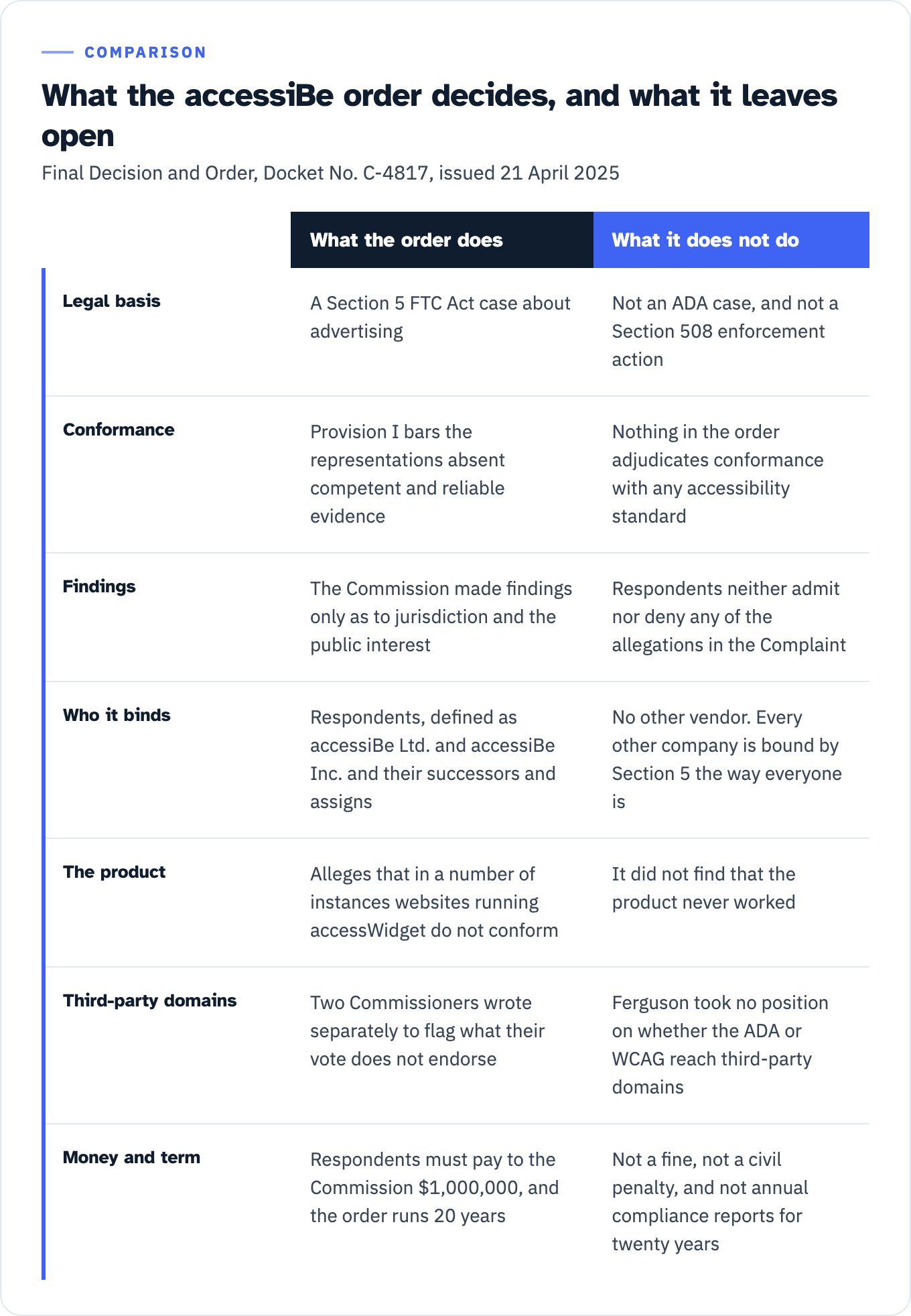
View the data as a table
| What the order does | What it does not do | |
|---|---|---|
| Legal basis | A Section 5 FTC Act case about advertising | Not an ADA case, and not a Section 508 enforcement action |
| Conformance | Provision I bars the representations absent competent and reliable evidence | Nothing in the order adjudicates conformance with any accessibility standard |
| Findings | The Commission made findings only as to jurisdiction and the public interest | Respondents neither admit nor deny any of the allegations in the Complaint |
| Who it binds | Respondents, defined as accessiBe Ltd. and accessiBe Inc. and their successors and assigns | No other vendor. Every other company is bound by Section 5 the way everyone is |
| The product | Alleges that in a number of instances websites running accessWidget do not conform | It did not find that the product never worked |
| Third-party domains | Two Commissioners wrote separately to flag what their vote does not endorse | Ferguson took no position on whether the ADA or WCAG reach third-party domains |
| Money and term | Respondents must pay to the Commission $1,000,000, and the order runs 20 years | Not a fine, not a civil penalty, and not annual compliance reports for twenty years |
The facts of the action. The matter is FTC File No. 222 3156. The Commission announced the complaint and proposed consent order on 3 January 2025, and the Federal Register notice was filed that day and published 6 January 2025 at 90 FR 647. The final Decision and Order was issued 21 April 2025 under Docket No. C-4817, and the complaint was issued the same day. The FTC announced the final order on 22 April 2025 and recorded a 3-0 Commission vote.
What it is. A Section 5 FTC Act case about advertising. The complaint’s closing paragraph reads: “The acts and practices of Respondents as alleged in this complaint constitute unfair or deceptive acts or practices in or affecting commerce in violation of Section 5 of the Federal Trade Commission Act.” Not an ADA case. Not a Section 508 enforcement action.
The evidentiary standard the order actually imposes. Provision I bars the representations “unless the representation is non-misleading, including that, at the time such representation is made, they possess and rely upon competent and reliable evidence that is sufficient in quality and quantity based on standards generally accepted in the relevant fields.” The order then defines the term: “‘competent and reliable evidence’ means tests, analyses, research, studies, or other evidence based on the expertise of professionals in the relevant area, that (1) have been conducted and evaluated in an objective manner by qualified persons and (2) are generally accepted in the profession to yield accurate and reliable results.” The FTC’s press release paraphrases this as “unless it has the evidence to support such claims.” That shorter phrase is press-release wording. Quote the order when you are describing the legal standard.
The money and the term. Provision VI is captioned Monetary Relief. VI.A requires that “Respondents must pay to the Commission $1,000,000.” VI.D provides that all money paid “may be deposited into a fund administered by the Commission or its designee to be used for relief, including consumer redress and any attendant expenses for the administration of any redress fund.” It is not a fine and not a civil penalty. Provision XIII sets the order to terminate “20 years from the date of its issuance…, or 20 years from the most recent date that the United States or the Commission files a complaint… alleging any violation of this Order, whichever comes later”. Provision X requires one sworn compliance report one year after issuance, and sworn compliance notices within 14 days of specified changes for 10 years. Provision XI requires certain records to be created for 10 years and each retained for 5. If you have heard “annual compliance reports for twenty years,” that is wrong, and it is the kind of detail opposing counsel checks first.
What the FTC did not decide
It did not rule that overlays fail Section 508 or the ADA. Nothing in the order adjudicates conformance with any accessibility standard.
It did not make findings of fact against the company. The consent agreement includes “statements by Respondents that they neither admit nor deny any of the allegations in the Complaint, except as specifically stated in this Decision and Order, and that only for purposes of this action, they admit the facts necessary to establish jurisdiction,” and the Commission made findings only as to jurisdiction and the public interest.
It did not decide the third-party domain question. Commissioner Ferguson, joined by Commissioner Holyoak, wrote: “My vote should not be taken as endorsing the position that the ADA, or the WCAG, require a website operator to ensure that some or all of the third-party domains or subdomains with which it integrates are accessible. I take no position on that question.”
It does not bind any other vendor. The order runs against “Respondents, and Respondents’ officers, agents, employees, and attorneys, and all other persons in active concert or participation with any of them, who receive actual notice of this Order,” with Respondents defined as accessiBe Ltd. and accessiBe Inc. and their successors and assigns. Every other company is bound by Section 5 the way everyone is, and by nothing in this docket.
It did not find that the product never worked. The complaint’s allegation is narrower and therefore harder to rebut: “in a number of instances websites running accessWidget do not conform with Level A and AA WCAG Success Criteria.” Stretching that to “never” inverts the burden and hands the argument back.
We found no federal guidance that names overlays or accessibility widgets as a category. Searches of section508.gov, access-board.gov and the ICT Testing Baseline site turn up none. GSA and the Access Board address the category generically, through limits on automated tools and through Non-Interference testing. Do not imply more than that.
One terminology note that matters when you quote this material. The FTC’s documents say “WCAG compliant” and “compliance” throughout, because a deception case turns on the claim as consumers understood it. Keep their word inside quotation marks and use conformance in your own voice. WCAG defines conformance, Section 508 imposes an obligation to conform, and an ACR reports conformance.
What the FTC found in the markup on sites running the widget
The FTC complaint contains six annotated figures from live production websites running accessWidget. Five of them are captioned with what the complaint says a screen reader would read for the element shown; the sixth, Figure 5, is captioned as the sighted view, “showing the content a sighted user would see regarding down payment”, and pairs with Figure 6. The figures reproduce coded labels and alt attributes with the relevant text highlighted. They are not captured assistive technology sessions. Keep the distinction when you quote this material. Federal-agency-published analysis of the coded labels on third-party production sites is strong provenance and holds up under challenge. Describing it as recorded screen-reader output is a claim the document does not make, and it hands the other side an easy correction.
The named barrier classes, from paragraph 77: “missing or inaccurate alt text for key images; a missing focus indicator… keyboard traps… incorrect headings; and problems with menus, buttons, and tables, among other essential navigation components. All of these barriers correspond to level A or AA Success Criteria and would render a website non-compliant with WCAG.”
Paragraph 80 names the criteria for the keyboard and focus barriers: “WCAG Success Criteria 2.1.1 (keyboard accessibility, Level A), 2.4.7 and 2.4.3 (visible focus, Level AA/focus order, Level A), 1.1.1 and 1.3.1 (non-text content/accessible labels, Level A), and 4.1.3 (status messages, Level AA).”
Three items are worth reading out loud in a meeting. Note where the criterion mapping comes from in each case, because the complaint maps two of these collectively rather than individually.
| What a sighted user sees | What a screen reader would read, per the complaint | Success criterion, per the complaint’s mapping |
|---|---|---|
| A 5-star rating graphic, described in the text of paragraph 81 rather than illustrated | ”a screen reader incorrectly reading a 5-star rating graphic as a ‘previous’ button” | Paragraph 81 maps its whole bullet list collectively to 2.1.1 (A), 1.1.1 and 1.3.1 (A), 4.1.3 (AA), 3.3.1 (A), and 2.4.7 and 2.4.3 |
| A mortgage form field showing a 20% down payment (Fig. 5) | the word “text,” “based on the coded label, instead of the actual content shown, which is ‘20%’ or ‘down payment percentage, twenty’” (Fig. 6) | Same collective mapping, paragraph 81 |
| Food photography on restaurant sites, including images of filet mignon and bison filets (paragraph 79, one of them at Fig. 1) | Alternative text that “fails or has failed to provide relevant or accurate descriptive information”, including “Untitled design 30t212927”, “img_4534 scaled”, “Brown bread on white ceramic plate” and “gluten-free item” | Paragraph 79 maps these directly to Success Criterion 1.1.1, non-text content, Level A |
Paragraph 88 adds that this pattern was not a surprise to the vendor: “During these manual tests of websites with accessWidget, accessiBe’s own testers identified errors on nearly all websites tested. These errors included issues with navigation, menus, carousels, and tables, and inaccurate labels, roles, and alt text.”
Note what the complaint does not say. It does not name the screen reader, its version, the browser or the operating system. Nothing is being hidden, because no assistive technology session is being reported. But that is exactly the gap a procurement reviewer will flag in your ACR, where you are reporting test results rather than analyzing markup: the same finding with those four facts attached is reproducible, and without them it is an anecdote. The pairings a reviewer expects you to name, and why, are set out in the assistive-technology pairings your test evidence has to name.
The row, written out
No published ACR appears to exist in which a vendor discloses an overlay in the Remarks column. So build the row from the template’s own authoring rules plus documented defect classes, not from a specimen.
Take SC 1.1.1 Non-text Content, Level A, on a marketing site where the widget is generating alt text for product images.
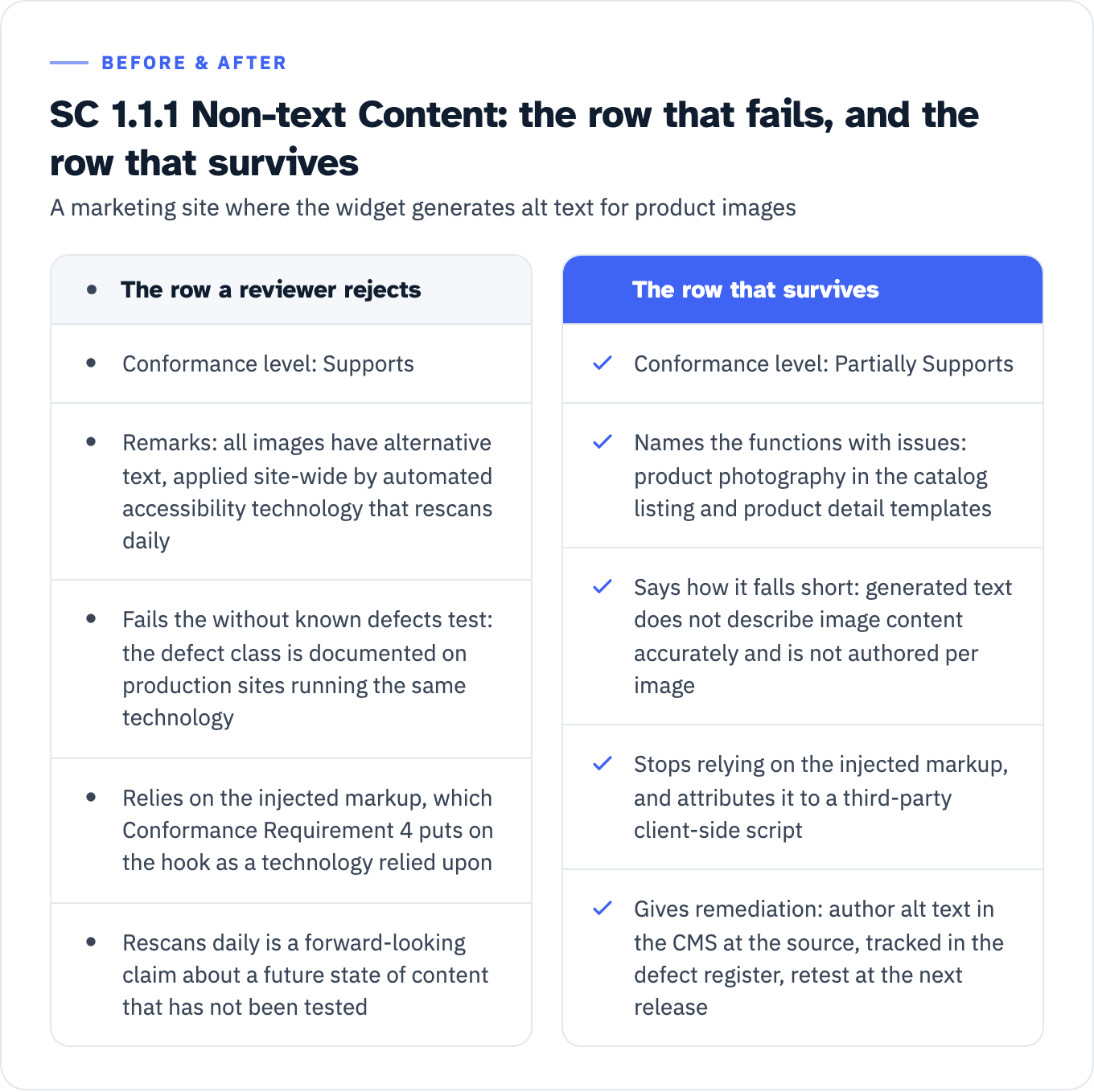
The row a reviewer rejects
Conformance level: Supports Remarks and explanations: All images have alternative text. Automated accessibility technology applies alt text site-wide and rescans daily.
That row fails on three separate grounds before anybody opens a browser. ITI defines Supports as at least one method that meets the criterion “without known defects,” and the FTC complaint documents at paragraph 79 that websites with the widget installed “have or have had errors related to alt text in violation of WCAG Success Criterion 1.1.1,” including text that “fails or has failed to provide relevant or accurate descriptive information” for photographic content. A defect class documented on production sites running the same technology is a known defect for the purposes of that definition. Conformance Requirement 4 then puts the injected markup on the hook as a technology relied upon. And “rescans daily” is a forward-looking claim about a future state of content that has not been tested.
The row that survives
Conformance level: Partially Supports Remarks and explanations: Decorative images and icons carry correct programmatic names. Product photography in the catalog templates (/products/*) receives alternative text generated at runtime by a third-party client-side script; generated text does not describe image content accurately and is not authored per image. Affected: catalog listing and product detail templates. Remediation: author alt text in the CMS at the source, tracked in the defect register, retest scheduled for the next release.
That row does three things at once. It gives the reviewer the functions and features with issues, how they fall short, and the remediation, which is precisely what ITI asks for. It stops relying on the injected markup. And it is verifiable, which means it will not collapse under the reviewer’s own test.
View the data as a table
| The row a reviewer rejects | The row that survives |
|---|---|
| Conformance level: Supports | Conformance level: Partially Supports |
| Remarks: all images have alternative text, applied site-wide by automated accessibility technology that rescans daily | Names the functions with issues: product photography in the catalog listing and product detail templates |
| Fails the without known defects test: the defect class is documented on production sites running the same technology | Says how it falls short: generated text does not describe image content accurately and is not authored per image |
| Relies on the injected markup, which Conformance Requirement 4 puts on the hook as a technology relied upon | Stops relying on the injected markup, and attributes it to a third-party client-side script |
| Rescans daily is a forward-looking claim about a future state of content that has not been tested | Gives remediation: author alt text in the CMS at the source, tracked in the defect register, retest at the next release |
The field where the widget actually belongs
Evaluation Methods Used is mandatory minimum content. It appears in the template’s Essential Requirements for Authors, in the list introduced by “A report must contain the following content at a minimum,” and the instruction attached to the field is one sentence: “Include a description of evaluation methods used to complete the VPAT for the product under test.” That sentence is the whole requirement. The field has to be there and it has to describe how you tested.
What goes inside it is guidance, not obligation, and it is worth being precise about the difference, because a capture manager will be. ITI’s Best Practices for Authors, introduced with “ITI suggests that authors adopt the following best practices,” expands the field: “Describe the testing performed. Information to enter may include some combination of the following information,” and then lists, among others, “Describe testing conducted with assistive technologies (Optional: Include the assistive technologies that were used in testing.)”, “Describe testing conducted with manual and automated testing tools. (Optional: Provide a list of the tools used for testing the product.)”, and “If a published test method was used, provide name, publisher, URL link of the test method.” The assistive technology list is marked optional in the source. If you want it in a vendor’s report, put it in the solicitation.
Federal guidance is more demanding than the template about the underlying test record, which is a different document. Section508.gov’s essential elements of an accessibility test report draws the distinction itself: an ACR “provides an overview of a product’s conformance to Section 508,” while “a Section 508 test report offers a more detailed, developer-oriented document.” For that test report the guidance says to “Specify what tools and test methodologies were used to complete testing,” to “Be as specific as possible so others can use the methodologies and tools to replicate any defects noted,” and to “Specify the operating system, browser product or version used, or any other test environment details that provide context for results.” It also asks you to “Specify the test scope, including what was tested, how many pages, what may have been omitted in test scope.”
An overlay is not an evaluation method. It is a condition of the page under test, and Evaluation Methods Used is the field where you say so.
Evaluation methods used: Manual testing against [named published test method], publisher and URL stated, performed by [tester or team] between [dates] on [named build]. Assistive technology testing with [AT, version] on [browser, version] and [OS, version]. Automated scanning with [tool, version and rule set], used for issue discovery only and not as the basis of any conformance level. A third-party client-side accessibility script is deployed on all pages in scope. All manual and assistive technology testing was performed twice, once with the script active and once with it blocked, and every conformance level in this report reflects the result with the script active. Where results diverged, the divergence is described in the relevant Remarks cell.
Testing with the script both on and off is not procedural fussiness. It is what Conformance Requirement 5 asks for in terms. The page as a whole has to keep meeting the conformance requirements “when any technology that is not relied upon is turned on in a user agent, when any technology that is not relied upon is turned off in a user agent, and when any technology that is not relied upon is not supported by a user agent.” You cannot report on that without observing the states it names.
To the direct question, does disclosing the widget sink the bid: no. Disclosure is not what fails. A Supports row that a reviewer overturns with a keyboard is what fails, and it takes the credibility of the other 37 rows with it.
What the reviewer does next
The chain from your row to a decision is entirely public, and every link has a citable source.
The standards are contractual. FAR 39.203(a): “Unless an exception at 39.204 or an exemption at 39.205 applies, acquisitions for ICT supplies and services shall meet the applicable ICT accessibility standards at 36 CFR 1194.1.” For indefinite-quantity contracts, 39.203(b) requires that “The contract must identify which supplies and services the contractor indicates as compliant and show where full details of compliance can be found (e.g., vendor’s or other exact website location).” That is what turns a posted ACR into a contract artifact, and it is why GSA’s ACR page for sellers advises vendors to “Make it easy to find your product’s ACR on your company’s website.”
No ACR, no purchase. Section508.gov’s ACR and VPAT FAQ: “Without the ACR, the government may not proceed with the purchase unless there is a special use case exception that the government … may claim in which the ACR will not be required.” The words the FAQ sets off inside that sentence are “never a vendor.” The exception belongs to the agency. FAR 39.204 requires written confirmation from the requiring activity, maintained in the contract file. The mechanics of who determines what, and on what record, are covered in Section 508 exceptions and agency determinations.
Partially Supports is a non-conformance, in the government’s own words. From GSA’s guidance to purchasers on understanding vendor claims: “A vendor may state that their product ‘partially supports’ Section 508… In other words, the product does not conform to Section 508 standards.” The FAQ states the pass condition just as plainly: “If the product supports all of the applicable Section 508 Technical Standards, the product is considered compliant with Section 508.” It also answers the question every vendor asks next: “My product does not conform to all the relevant Section 508 Technical Standards. Will this prevent the federal government from purchasing my product? No. Your product will still be considered for purchase even if all of the Section 508 Technical Standards are not met.” Non-conformance is a disclosure, not a disqualification. Concealed non-conformance is a different problem.
Automated output cannot carry a conformance level. Section508.gov’s guidance on tracking and reporting conformance is unusually blunt: “At their very best, automated scanning tools currently only cover 30%-35% of accessibility requirements. Until test coverage dramatically improves, results from automated scanning tools should never be represented as ‘508 compliance results.’” The same page adds that “It is generally better to create conformance reports using manual test results,” that automated augmentation is acceptable only “if the automated test rule sets have been validated for accuracy before running the tests,” and that “Only comprehensive manual testing can validate full conformance.” The FTC complaint reaches the same conclusion at paragraph 78, attributing it to the W3C and to Utah State University’s Institute for Disability Research, Policy and Practice, developer of the WebAIM WAVE tool: “no automated testing tool alone can determine if a website meets accessibility standards. Rather, manual human testing is required.”
Then the reviewer runs a named test. GSA tells purchasers: “Whenever possible, purchasers should conduct independent conformance validation testing and evaluation to verify vendor accessibility conformance claims. For Web-based products, purchasers can refer to the ICT Accessibility Testing Baseline for Web and consider using a ‘Baseline-aligned’ test process, such as the Trusted Tester process.”
The ICT Testing Baseline Portfolio “establishes the minimum requirements for evaluating the conformance of ICT with the Revised Section 508 of the Rehabilitation Act of 1973,” is “Independent of any testing tools,” and its Baseline for Web version 3.1 was published 1 April 2024 and is recognized as a Best Practice by the Federal CIO Council’s Accessibility Community of Practice. The Baselines are mapped to Section 508 and WCAG 2.0 requirements.
Three Baseline entries are the ones to know when a widget is in play, and all three are pass or fail.
| Baseline entry | What it checks | Requirements cited |
|---|---|---|
| 1.A-KeyboardAccess | ”Check that all functionality can be accessed and executed using only the keyboard.” “If any of the above checks fail, then Baseline Test 1.A-KeyboardAccess fails.” | WCAG SC 2.1.1 |
| 1.B-NoKeyboardTrap | ”Check that focus can be moved away from the component. There must be NO ‘TRAP’ that disrupts keyboard navigation.” | WCAG SC 2.1.2, Conformance Requirement 5 |
| 3.A-NonInterference | A roll-up. Its inputs are the “Results for Baseline Tests 21.D-AudioControl, 1.B-NoKeyboardTrap, 9.A-Flashes, 21.B-MovingInfo and 21.C-AutoUpdate”, and the instruction is “Check that all of the test results are pass.” The advisory note calls it “a logical AND of the identified SC’s. All must pass for this test result to pass.” | Conformance Requirement 5 |
Read those second and third rows together. The federal test process cites Non-Interference by name inside its first test, and then gives Non-Interference a dedicated requirement of its own that fails if any one of five inputs fails. A keyboard trap in an injected toolbar or modal is exactly what 1.B is built to catch, and it propagates straight into 3.A. The widget’s own interface is fair game in both, because Conformance Requirement 5 covers all content on the page.
Trusted Tester is one manual process implementing that Baseline, and DHS is explicit that “Agencies that adopt the Trusted Tester Process only accept test results from individuals who have been certified as Trusted Testers,” and that “DHS no longer provides training and certification on Trusted Tester v4.0.” Which evidence a given reviewer will actually take, and why coverage and tester competence are separate questions, is worked through in will you accept our test evidence. If you are on the reviewing side and want a scored instrument rather than an instinct, the twelve-flag rubric in score a vendor’s ACR is built for exactly the report described here.
Two products, two reports
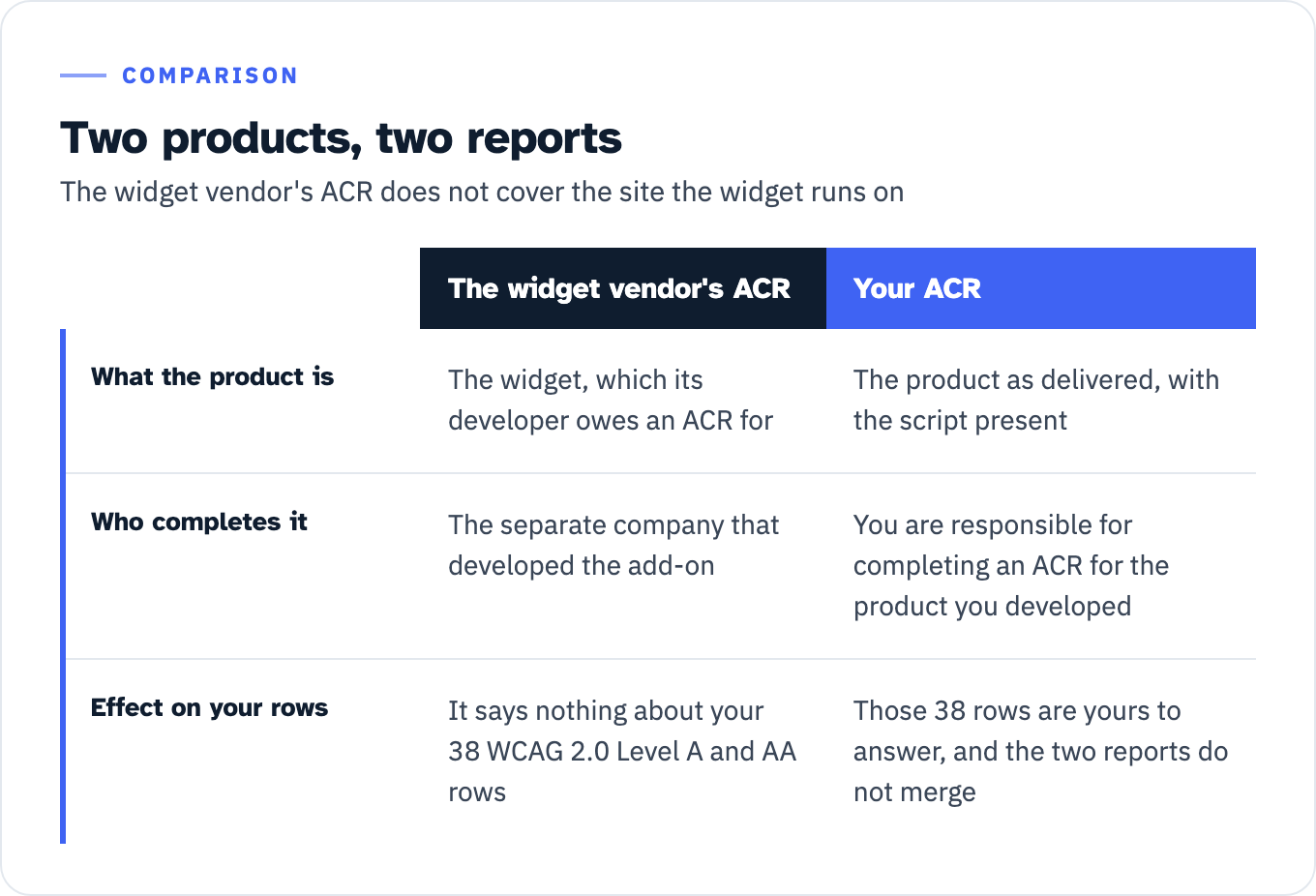
One shortcut worth closing is treating the widget vendor’s own ACR as covering the customer’s site. Section508.gov’s FAQ answers it directly: “My product is an add-on for an existing product from a separate company. Am I responsible for completing the ACR for my product, or will the other company create the ACR? You are responsible for completing an ACR for the product you developed.”
The widget’s developer owes an ACR for the widget. That document says nothing about your 38 WCAG 2.0 Level A and AA rows. You still owe an ACR for the product as delivered, with the script present, and the two reports do not merge.
View the data as a table
| The widget vendor’s ACR | Your ACR | |
|---|---|---|
| What the product is | The widget, which its developer owes an ACR for | The product as delivered, with the script present |
| Who completes it | The separate company that developed the add-on | You are responsible for completing an ACR for the product you developed |
| Effect on your rows | It says nothing about your 38 WCAG 2.0 Level A and AA rows | Those 38 rows are yours to answer, and the two reports do not merge |
The same FAQ handles the version drift: “Every time your product is changed or updated (e.g. version change, bug fix, etc.), an updated ACR may be required to address any changes in the product’s accessibility.” An ACR written before the widget was installed does not describe the current product. Neither does one written before it was removed.
If you already published a conformance claim on your own site
For the general counsel reading this after the FTC headline, there is a second document to check besides the ACR, and it is usually the older exposure: the accessibility statement already live on the corporate site.
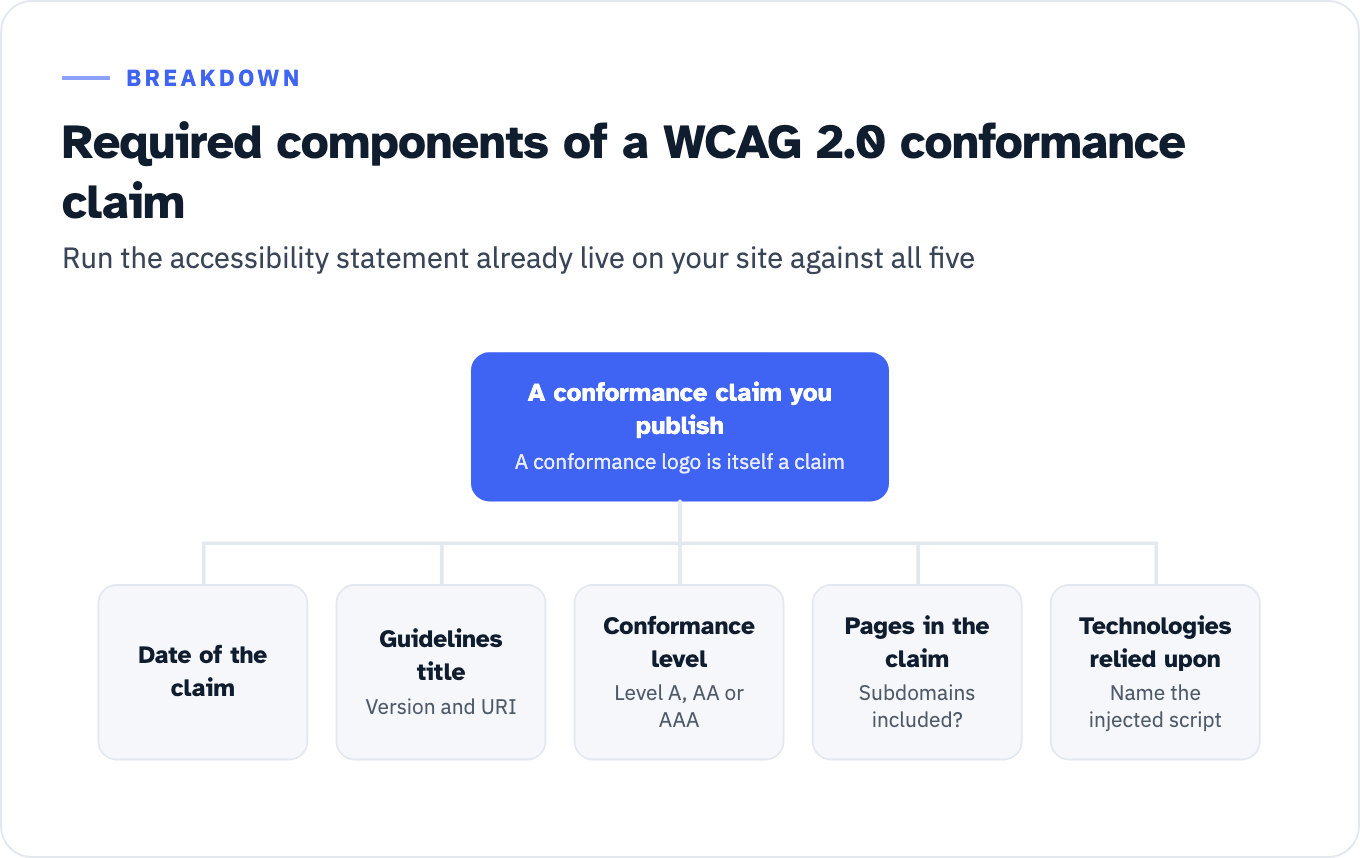
WCAG 2.0 sets out the Required Components of a Conformance Claim, under the heading “Conformance Claims (Optional)”. The claim is optional, but if you make one, W3C says it “must include the following information”: the “Date of the claim”; the “Guidelines title, version and URI”; the “Conformance level satisfied: (Level A, AA or AAA)”; “A concise description of the Web pages, such as a list of URIs for which the claim is made, including whether subdomains are included in the claim”; and “A list of the Web content technologies relied upon.” W3C adds that a conformance logo is itself a claim: “If a conformance logo is used, it would constitute a claim and must be accompanied by the required components of a conformance claim listed above.”
View the data as a list
A conformance claim you publish: A conformance logo is itself a claim
- Date of the claim
- Guidelines title: version and URI
- Conformance level: Level A, AA or AAA
- Pages in the claim: are subdomains included?
- Technologies relied upon: name the injected script
Run your published statement against that list. Two components are worth checking first. Does the description of pages say whether subdomains are included in the claim? And does the technologies-relied-upon list name the third-party script that is doing the repairing? If the injected markup is what satisfies criteria on your pages, it is relied upon under Conformance Requirement 4 and it belongs in that list. If you would rather not list it, that is a signal about the claim, not about the list.
WCAG also gives you an honest alternative to overclaiming, which most published statements do not use. A statement of partial conformance takes the form “This page does not conform, but would conform to WCAG 2.0 at level X if the following parts from uncontrolled sources were removed,” and it is available where content is outside the author’s control.
There is a separate exposure worth naming, because it does not depend on conformance at all. The Overlay Fact Sheet argues that widgets which auto-enable settings by detecting a running assistive technology thereby expose “the fact that the person using the device at the time has a disability,” and that persistence without a real opt-out “creates General Data Protection Regulation (GDPR) and California Consumer Privacy Act (CCPA) risk for the overlay customer.” That is a privacy argument, made by practitioners rather than a regulator, and it points at the site owner rather than the vendor. It belongs on the same page of your risk register.
The corroboration that does not depend on the FTC
An argument that rests on one consent order against one company is an argument with a single point of failure. Three independent sources say related things, and each has to be cited with its own limits attached.
| Source | What it supports | What it is not |
|---|---|---|
| Overlay Fact Sheet, overlayfactsheet.com, English edition, checked 27 July 2026 | The conformance logic stated plainly: “Conformance to a standard means that you meet or satisfy the ‘requirements’ of the standard… these products’ documented inability to repair all possible issues means that they cannot bring a website into compliance.” It also lists the repair categories it holds unreliable, including text alternatives, form labels and error handling, and keyboard access, and the content types overlays do not repair at all: “Flash, Java, Silverlight, PDF, HTML5 Canvas, SVG, or media files.” More than a thousand named signatories at the check date. | Not a regulator, not a standards body, and not a neutral survey. It is an advocacy document with a stated position. Its signatory commitment is narrower than “never use an overlay”: signatories pledge never to “advocate, recommend, or integrate an overlay which deceptively markets itself as providing automated compliance with laws or standards,” and to “always advocate for the remediation of accessibility issues at the source of the original error.” |
| WebAIM Survey of Web Accessibility Practitioners #3, January 2021, 758 valid responses | Practitioner sentiment, from the published table: very effective 22 (3.3%), somewhat effective 188 (27.8%), not very effective 216 (32.0%), not at all effective 250 (37.0%). WebAIM’s prose summary reads “A strong majority (67%) of respondents rate these tools as not at all or not very effective,” and adds that “Respondents with disabilities were even less favorable with 72% rating them not at all or not very effective.” | Not conformance evidence, and it dates from January 2021. WebAIM states the limitation itself: “The sample was not controlled and may not represent all web accessibility practitioners.” Note also that the table’s two negative rows sum to 69.0%, not the 67% in WebAIM’s prose. Quote the table, or quote WebAIM’s sentence and let the rounding be theirs. |
| UsableNet 2025 Year-End Digital Accessibility Lawsuit Report, published by UsableNet, p.1 (no link: see the note below the table) | Under the heading “Accessibility Widgets Do Not Reduce Legal Risk,” twelve monthly counts of 2025 ADA digital accessibility lawsuits against companies using widgets: Jan 95, Feb 126, Mar 133, Apr 111, May 132, Jun 106, Jul 155, Aug 114, Sep 107, Oct 128, Nov 95, Dec 114. Those twelve figures sum to 1,416. The denominator: “UsableNet reviewed more than 5,000 ADA-related digital accessibility lawsuits filed in federal and state courts,” split 3,195 federal (62%) and 1,919 New York plus California state (38%). | Not court data. It is a count published by a company that sells accessibility services, and it contains at least one plain error, referring to “all 14 federal circuit courts” when 28 U.S.C. 41 constitutes thirteen judicial circuits. The report prints no annual widget total, so the 1,416 is an addition of its own monthly series and should be presented that way. Its own source note reads “Data is based on UsableNet’s research team’s collection across multiple legal sources from January 1, 2025, to Dec 15, 2025,” so the December figure and the total are partial. Its midyear edition gives different figures for the same months, so pin any citation to the year-end report by name. |
The UsableNet row is cited by name and page rather than linked. The document is a marketing asset for a firm that sells the same auditing and remediation services ADACP does, and its closing block is a consultation form. Attribution satisfies the report’s terms; a hyperlink is a referral.
The answer the widget vendor gives its own customers
The cleanest statement of this article’s thesis comes from the overlay vendor at the center of the FTC action, on its own VPAT service page at accessibe.com/vpat, checked 27 July 2026. The page is named here rather than linked, for the same reason as the row above.
Asked “Can I do my VPAT by myself?”, accessiBe answers: “No. Being intimately familiar with the criteria of the WCAG is critical to filling out a VPAT. It is therefore necessary to seek the services of accessibility and compliance experts to complete the VPAT for you.” The same page states that “Industry best practice is to first do an expert audit, fix any accessibility issues, and then get your VPAT done,” describes a VPAT as “a standardized accessibility template that displays the results of an audit,” and says “We can complete your VPAT in approximately 10 business days.”
That is the vendor selling the widget, telling customers that a conformance report is authored by human experts, after an expert audit, from audit results. The company is not confused about what fills in a row. Neither should anybody on your side of the table be.
Your next step
Open the ACR you are about to sign and read only two fields: Evaluation Methods Used, and every row that says Supports where the widget is doing the work.
Evaluation Methods Used has to exist and has to describe how the product was tested; that much is an Essential Requirement of the template. Three things are worth adding to it even though the template only suggests them, because a reviewer comparing your ACR against the government’s own test-report guidance will look for all three: the third-party script disclosed as a condition of the page under test, the assistive technology named with version alongside the browser and operating system, and a statement of whether testing was performed with the script active. If a solicitation is going to require them, that is where the requirement belongs. Either way, writing those three sentences is an afternoon rather than a project.
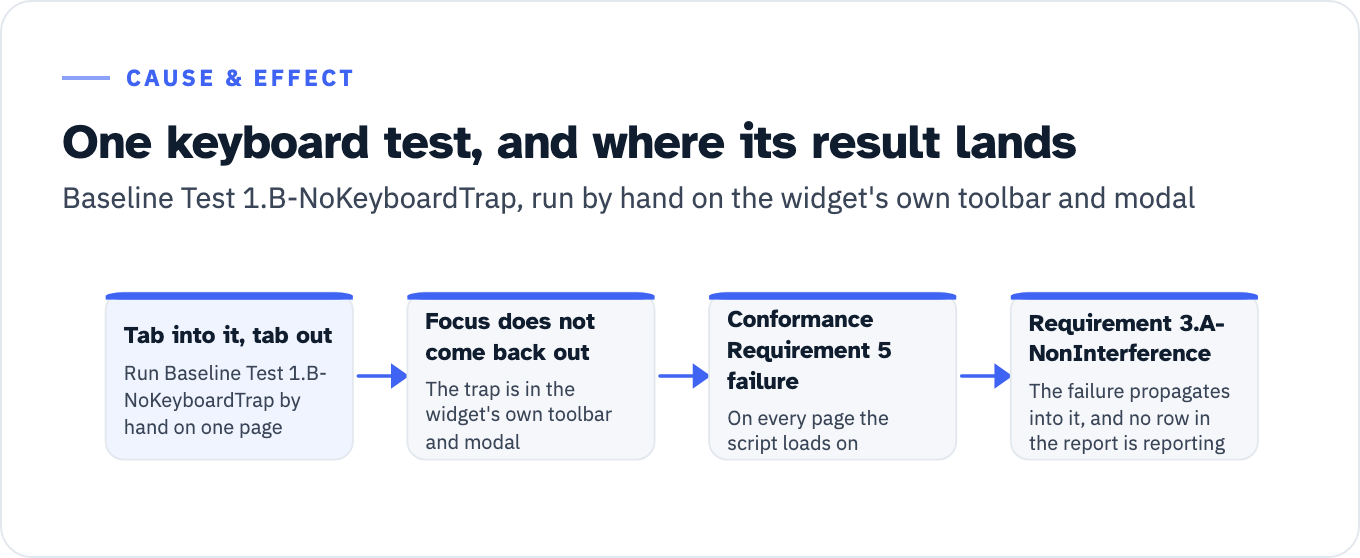
Then run Baseline Test 1.B-NoKeyboardTrap by hand on one page, on the widget’s own toolbar and modal. Tab into it, tab out. If focus does not come back out, you have a Conformance Requirement 5 failure on every page the script loads on, it propagates into Baseline Requirement 3.A-NonInterference, and no row in the report is currently reporting it.
View the data as a list
- Tab into it, tab out: run Baseline Test 1.B-NoKeyboardTrap by hand on one page
- Focus does not come back out: the trap is in the widget’s own toolbar and modal
- Conformance Requirement 5 failure: on every page the script loads on
- Baseline Requirement 3.A-NonInterference: the failure propagates into it, and no row in the report is reporting that
If the honest version of the report is going to read Partially Supports in places, that is a finding to bring forward with a dated remediation plan, not one to discover in a debrief. ADACP’s VPAT and ACR testing produces the manual test record the conformance level column has to rest on.