

You launched a new spa booking site. The transitions are smooth, the calendar feels fast, and the checkout no longer looks dated. From a product standpoint, it probably feels like a win.
From an accessibility standpoint, it may already be a lawsuit risk.
Most conversations about spa accessibility still focus on ramps, treatment tables, locker rooms, and pool access. Those matter. But the first barrier for many customers now appears much earlier, on the website or mobile booking flow. If a guest can’t choose a service, use a date picker, understand a route change, or complete payment with a keyboard or screen reader, the problem starts before they ever reach your front desk.
That risk isn’t theoretical. The 2026 WebAIM Million found 56.1 detected accessibility errors per home page on average, with detected WCAG 2 failures on 95.9% of the one million pages scanned. Missing form labels alone appeared on 51% of them — and a booking flow is mostly form. On a spa site, that can mean the booking path fails at the exact moment a customer tries to reserve a massage, redeem a gift card, or confirm an appointment.
Your New Spa Website Might Be Turning Customers Away
A modern redesign often introduces the same problem it tries to solve. Teams replace a slow legacy site with a polished React or Vue front end, then assume the improved user experience applies to everyone. It doesn’t.
If your booking journey depends on custom widgets, animated transitions, modal flows, and silent content swaps, some users won’t get the signals they need to complete basic tasks. They may tab into empty space, lose track of what changed, or never hear confirmation that an action succeeded. To your internal team, the interface feels elegant. To a screen reader user, it can feel broken.
Practical rule: If a customer can’t independently select a treatment, pick a time, and pay without guessing where focus went, your booking flow isn’t production-ready.
Spa accessibility is now being reframed. It is not only a facilities question. It is a digital operations question involving product, engineering, compliance, and revenue.
A lot of teams invest heavily in redesigns aimed at transforming outdated digital presences. That’s often the right move. But redesign without accessibility discipline usually replaces one business problem with another. The visual layer improves while the interaction model gets harder for keyboard and assistive technology users.
What this means for leadership
CTOs and product owners should treat the booking site as a public-facing service, not just a marketing asset. If the digital front door blocks access, the business still created a barrier.
Three consequences follow quickly:
- Lost bookings: Customers drop off when service cards, date pickers, promo code fields, or payment steps don’t work predictably.
- Legal exposure: WCAG failures in core user journeys create avoidable ADA risk.
- Brand damage: A premium wellness brand doesn’t look premium when customers can’t complete basic actions independently.
A quick automated scan may catch missing alt text or low contrast. It won’t reliably tell you whether a screen reader user can move through your booking SPA, understand route changes, or recover from validation errors. That’s why this category needs manual accessibility review, especially before a launch or relaunch.
The Business Case for Digital Spa Accessibility
A customer clicks a paid search ad for a massage package, reaches your booking flow, and hits a calendar they cannot operate with a keyboard. Marketing did its job. Product and engineering just wasted that acquisition cost.
Digital accessibility has a direct revenue impact because the booking path is where intent turns into payment. A Scope survey cited in spa accessibility coverage found that 75% of disabled people have left a business due to poor accessibility. For spa brands, that failure often happens before anyone enters a physical location. It happens on the service selector, the date picker, the intake form, or the payment step.
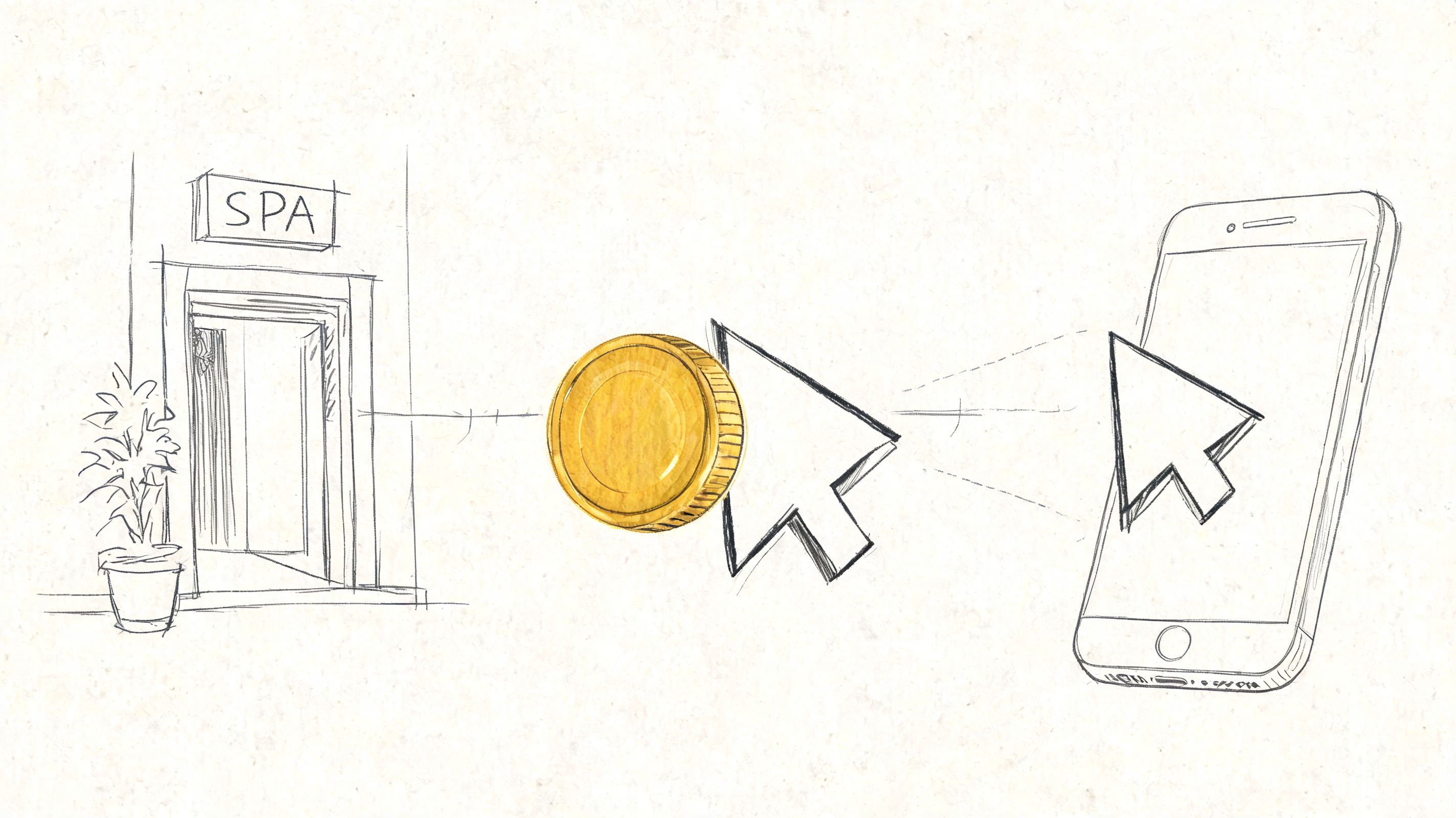
Accessibility affects margin, conversion, and legal exposure
Teams often treat accessibility as a compliance task for legal review near launch. That misses the larger business problem. If a React or Vue booking app blocks users from completing a high-intent action, the site is underperforming before any demand letter arrives.
The failure points are predictable:
- Service selection breaks: custom cards and buttons often lack correct names, roles, or states.
- Scheduling fails: calendar widgets regularly trap keyboard users or expose unusable date controls to screen readers.
- Policy review gets missed: poor focus order can hide cancellation terms, add-on pricing, or membership details.
- Checkout stalls: modal dialogs, inline validation, and third-party payment fields often fail at the last step.
Those defects do not just create friction. They reduce completed bookings, increase support contacts, and push customers to call the front desk or abandon the purchase entirely. For a broader financial view, see how WCAG non-compliance hits your bottom line.
For teams that need a broader design perspective, Kogifi’s guide to accessibility design is useful because it frames accessibility as a product quality issue rather than a narrow compliance checkbox. That framing usually gets design, engineering, and operations into the same discussion faster.
Accessibility changes vendor, budget, and procurement decisions
Spa chains rarely run a booking stack with only in-house code. They rely on scheduling vendors, gift card platforms, chat tools, analytics overlays, payment providers, and franchise content modules. Accessibility risk spreads across that whole stack.
That matters in procurement. It matters in partnership reviews. It also matters when legal asks who approved a customer-critical tool that cannot be used with a keyboard or screen reader.
The budget conversation should reflect that reality. Remediation is often cheaper than ongoing abandonment, manual workarounds, and legal cleanup. Some organizations may also want to review the website accessibility tax credit considerations when planning remediation budgets.
| Business area | What poor accessibility does | What leadership should do |
|---|---|---|
| Direct bookings | Causes drop-off in high-intent booking and checkout flows | Test complete booking journeys with keyboard and screen reader users |
| Legal | Increases ADA and WCAG exposure in core customer tasks | Fix defects in booking, forms, and payment before cosmetic updates |
| Procurement | Weakens vendor defensibility during reviews and RFPs | Require VPATs, test evidence, and remediation commitments from vendors |
| Brand | Undercuts a premium service promise | Remove barriers before spending more on acquisition and redesign campaigns |
A spa brand can spend heavily to acquire demand and still lose the sale on an inaccessible booking widget.
Why Modern Booking Platforms Fail The SPA Problem
Most new booking sites are single page applications, or SPAs. React and Vue make them feel fast because the browser doesn’t fully reload a new page every time the user moves forward. Instead, the app swaps content inside the current page.
That’s good for perceived speed. It’s risky for accessibility.
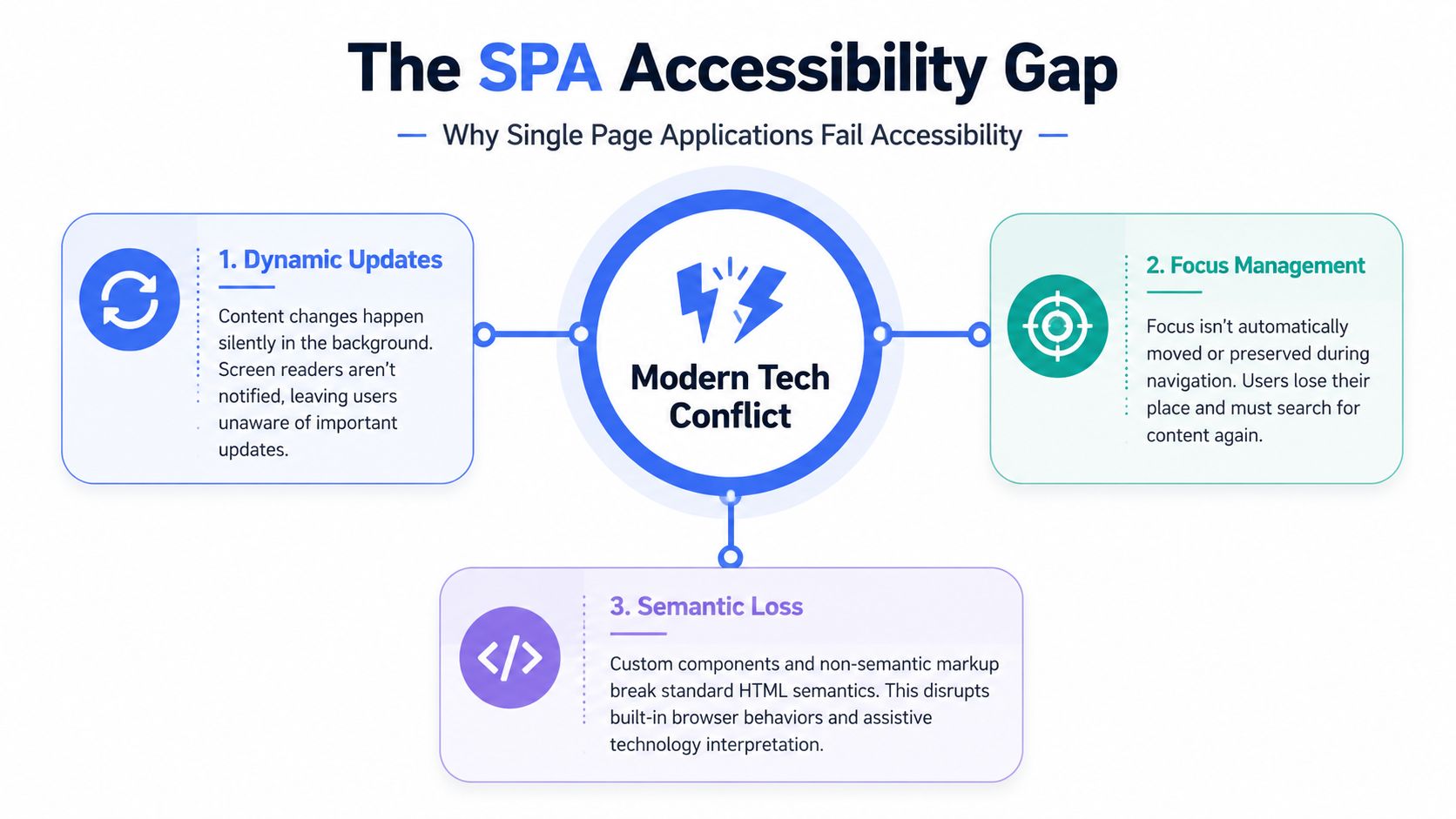
In a traditional multi-page site, assistive technologies get strong signals that a new page loaded. In a SPA, those signals often never happen unless developers add them intentionally. The route changes visually, but the screen reader may stay where it was. The user hears stale content, not the new booking step.
A technical explanation matters here because leadership teams often assume automated tooling or framework defaults handle the problem. They don’t.
Silent route changes break orientation
The clearest documented failure is route change handling. In testing summarized by Atyantik on accessible single page applications, 80-90% of dynamic route changes go unannounced to screen readers without specific intervention. The same source ties these failures to WCAG 4.1.3 Status Messages and notes 25-40% higher abandonment rates in similar eCommerce flows.
That pattern maps directly to booking systems. A user selects “Deep Tissue Massage,” activates “Continue,” sees the next panel visually, but the assistive technology doesn’t announce the new context. The user doesn’t know whether the app moved to therapist selection, date selection, or a validation error state.
The fix usually requires two things working together:
- Focus management: move keyboard focus to the new main heading or another meaningful target after navigation
- ARIA live regions: announce important status changes such as appointment updates, cart changes, or booking confirmations
Without both, users are forced to explore the screen manually after every state change.
A useful technical benchmark starts with solid WCAG compliance practices for web applications, but teams shouldn’t confuse standards knowledge with implementation quality. In React and Vue, the defect usually isn’t the framework. It’s the component architecture and the absence of accessibility patterns during development.
A short walkthrough helps illustrate the issue:
Why automated scans miss the hardest failures
Automated tools are useful for catching detectable code issues. They don’t simulate real customer behavior well enough to validate a booking SPA end to end.
They often miss questions like these:
- After a route change, where does focus land
- Does the screen reader announce a newly loaded booking step
- Can a keyboard user escape a modal and return to the correct trigger
- Does a custom dropdown expose the right state when expanded
- Are error messages announced at the right time
If your QA process doesn’t include keyboard-only testing and screen reader testing through the actual booking flow, you’re not testing the product your customers use.
This is why spa accessibility for React and Vue systems usually fails in places the team never sees during ordinary visual QA.
Common React and Vue Patterns That Violate WCAG
The highest-risk failures usually sit inside the core booking path. They aren’t obscure edge cases. They appear in the components users touch first.
The commercial stakes are obvious. The global spa industry was valued at $105 billion in 2022 and is projected to reach $156 billion by 2025 according to Statista’s spa industry overview. If the digital booking path excludes customers, the business limits access to a growing market.
Service selection controls
React and Vue teams often replace native form controls with custom cards, segmented toggles, and clickable divs. Those patterns can look clean while stripping away browser behavior that accessibility depends on.
Common failures include:
- Clickable cards without button semantics: users can click them with a mouse, but keyboard and screen reader users don’t get a proper control.
- Custom dropdowns without state exposure: the UI opens visually, but expanded or collapsed state isn’t announced correctly.
- Missing labels on stylized controls: icons and visual grouping replace explicit names.
If your developers are rebuilding selects, radios, or checkboxes from scratch, basic form semantics disappear. For a practical reference on one frequent issue, review why select elements need accessible labels.
Calendar and time slot widgets
Date and time controls are often the most fragile part of a spa booking flow. They combine grid navigation, changing availability, and sometimes modal presentation.
A calendar widget commonly fails when it:
- Requires a mouse to move between dates
- Doesn’t announce unavailable dates or selected state
- Loads new availability without notifying assistive technology
- Uses low-visibility focus indicators
- Places focus outside the dialog when opened
This creates a practical breakdown. A user may know the spa offers appointments on Thursday but still be unable to select Thursday independently.
Native controls aren’t always perfect, but custom calendar components fail far more often because teams underestimate the amount of interaction logic they need to recreate accessibly.
Forms, modals, and payment steps
Late-stage booking defects are expensive because they block a customer who already intends to purchase. Many React and Vue interfaces introduce layered modals, promo code drawers, accordion summaries, and async validation at this point.
Typical failures include:
- Modal dialogs that don’t trap focus
- Close buttons that aren’t keyboard reachable
- Error messages that appear visually but aren’t announced
- Placeholder text used instead of labels
- Auto-formatting that disrupts typing in payment fields
- Disabled submit buttons with no explanation
These aren’t just WCAG issues on paper. They create support calls, abandoned bookings, and inconsistent checkout behavior across devices.
Here is a practical audit table teams can use during design review and QA.
| UI Component | Common Failure | WCAG Violation | Business Impact |
|---|---|---|---|
| Service cards | Clickable div used as selector with no proper name or role | Name, role, and state aren’t exposed to assistive tech | User can’t confidently choose a treatment |
| Custom dropdown | Expanded state and keyboard behavior are incomplete | Keyboard and programmatic interaction break | Customer can’t select therapist, location, or duration |
| Calendar widget | Date grid isn’t fully keyboard navigable or announced | Operability and status communication fail | Appointment selection stalls |
| Time slot loader | Updated availability appears silently | Status messages aren’t conveyed | User misses available times or thinks nothing changed |
| Modal upsell or gift card panel | Focus escapes behind dialog | Focus order breaks | Checkout becomes confusing or unusable |
| Payment form | Errors aren’t tied to fields or announced | Error identification and recovery are weak | Payment completion drops |
A Prioritized Roadmap for Digital Compliance
Most spa chains don’t need a lecture on accessibility. They need a remediation plan that works inside an active product roadmap.
That plan should be sequenced. Trying to fix everything at once usually produces shallow cleanup, reopened defects, and no usable documentation.
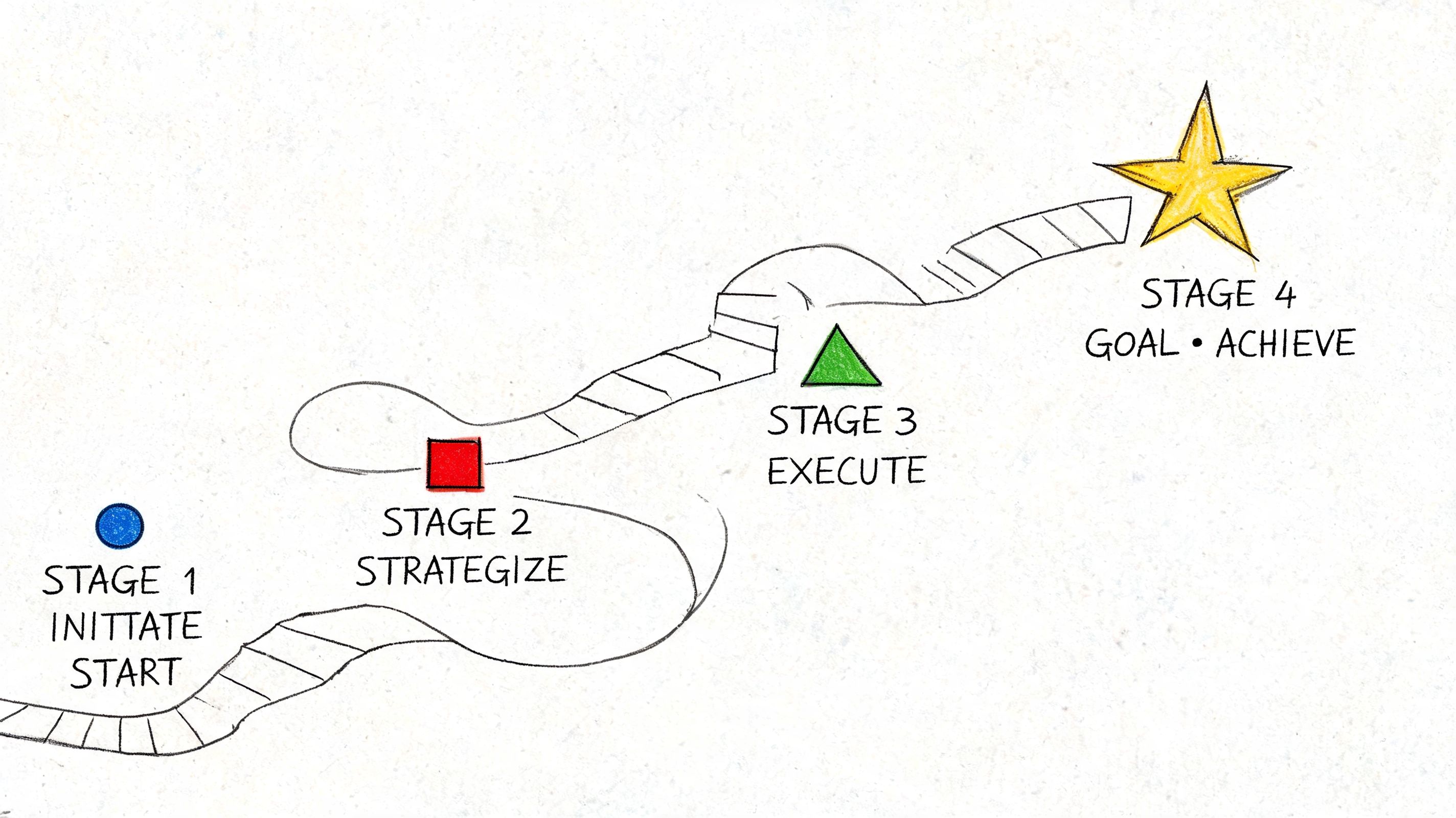
Start with a manual audit
A manual audit establishes the baseline truth. For a SPA booking product, that means testing the actual journey with keyboard navigation and assistive technologies, not just running a scanner across templates.
Include these paths first:
- Book a treatment
- Modify or cancel an appointment
- Buy a gift card
- Create or log into an account
- Complete payment
If your mobile app mirrors the same booking flow, the same principle applies. A dedicated mobile app accessibility audit often reveals defects that web teams assume were already handled.
Fix what blocks revenue and creates legal exposure
Not every issue deserves the same sprint priority. Start with defects that block task completion or create obvious exposure in customer-critical flows.
A useful prioritization model looks like this:
- Critical: booking, payment, login, and account recovery barriers
- High: navigation, form labeling, dialog handling, route announcements
- Moderate: secondary content, preference settings, lower-traffic interactions
- Ongoing: design system cleanup and preventive engineering standards
This isn’t about lowering standards. It’s about removing the biggest barriers first while building a credible remediation record.
Compliance work gets traction when product managers can tie each issue to a blocked customer action, not just a guideline number.
Build verification into release cycles
Once fixes begin, teams need a repeatable release process. Otherwise the same React component gets patched in one flow and reused incorrectly in another.
A workable approach includes:
- Design review: confirm component behavior before development
- Code review: check semantics, focus logic, and announcement patterns
- QA scripts: test with keyboard and screen readers on critical flows
- Retesting: verify fixes after release candidates are built
- Documentation: maintain issue tracking tied to WCAG criteria and user impact
This is also where broader digital experience work intersects with accessibility. Teams modernizing cross-device customer journeys often benefit from related work on creating an accessible mobile environment, especially when web and app patterns share the same design system.
Vetting Third-Party Tools and The Role of AI
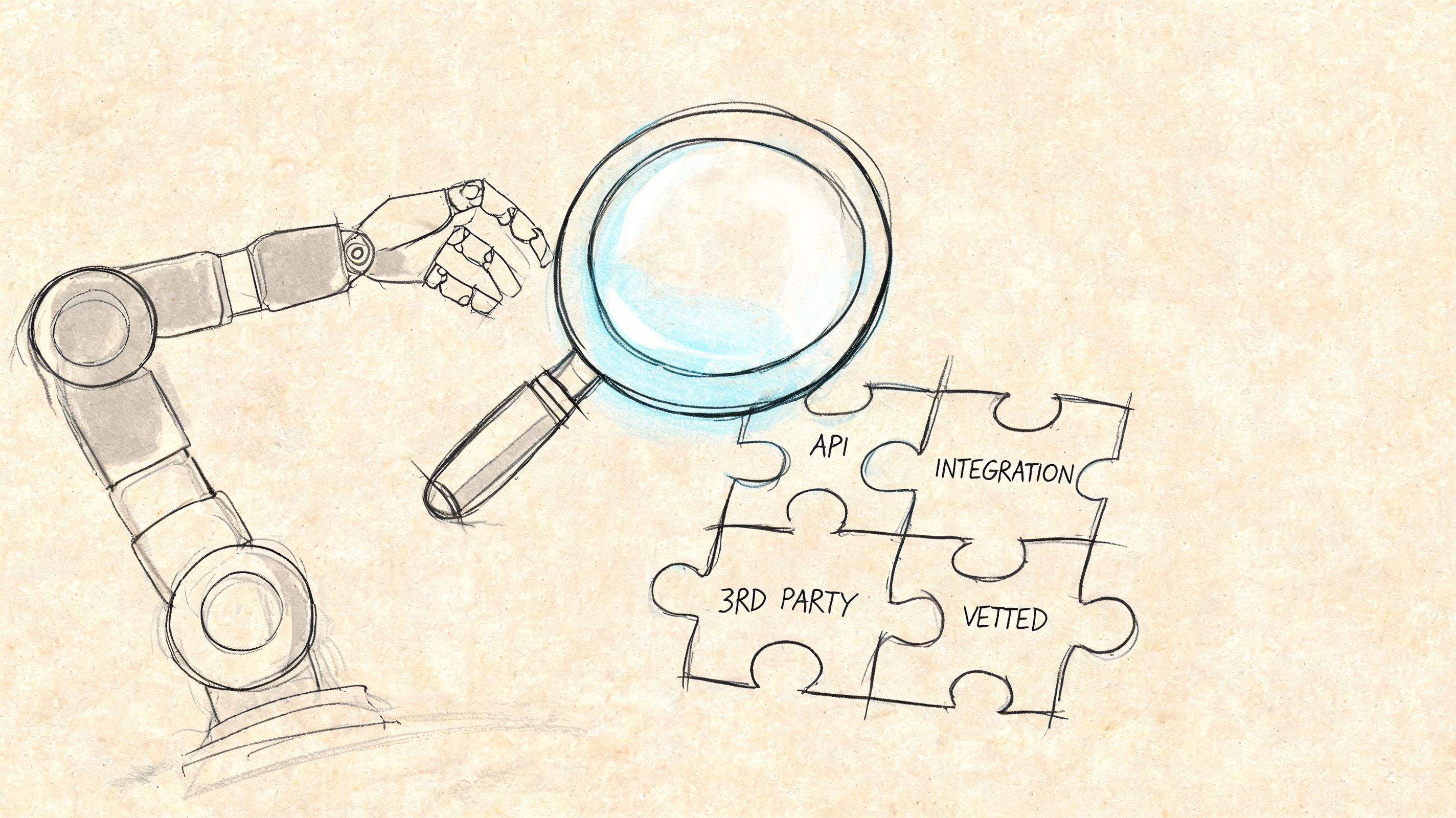
Many spa brands don’t fully control their booking stack. They license booking software, embed payment tools, add chat widgets, and bolt on loyalty features from multiple vendors. That means your accessibility risk often sits inside code your developers didn’t write.
Questions to ask booking vendors
A vendor saying “we support accessibility” isn’t enough. Ask for evidence.
Use a review checklist like this:
- Request a current VPAT or ACR: if they can’t provide one, treat that as a warning sign.
- Ask how they test: keyboard-only testing and assistive technology testing matter more than broad claims about scans.
- Confirm ownership: who fixes accessibility defects in embedded flows, your team or theirs.
- Review update practices: ask whether accessibility regressions are checked in each release.
- Check procurement readiness: compare their responses against practical guidance on ensuring the technologies you’re purchasing are accessible.
Where AI helps and where it does not
AI tools can help developers spot patterns, suggest ARIA usage, and speed up issue triage. They can be useful assistants. They are not reliable judges of actual usability.
AI doesn’t independently confirm whether:
- A screen reader announces your booking state changes correctly
- A calendar is understandable in real use
- Focus returns to the right trigger after a modal closes
- A customer can complete checkout without confusion
For teams exploring the space, a deeper review of AI and accessibility in WCAG workflows is worth reading. The practical takeaway is simple. Use AI to support engineering efficiency, not to replace expert verification.
Frequently Asked Questions About Spa Accessibility
The questions below come up often when teams realize their booking experience may be the weak point.
| Question | Answer |
|---|---|
| Does spa accessibility include websites, or only physical locations | It includes websites and apps when customers rely on them to access services. If booking is central to the business, digital barriers matter. |
| Are automated accessibility tools enough for a React or Vue booking app | No. They help find detectable code issues, but they don’t reliably validate route changes, focus behavior, modal handling, or screen reader usability in booking flows. |
| Do third-party booking vendors remove our risk | No. Vendor software can reduce development effort, but your organization still carries business and legal risk if customers can’t use the service. |
| Should we replace custom components with native HTML controls | Often, yes. Native controls usually provide better baseline accessibility. If you keep custom components, they need careful keyboard, focus, and screen reader support. |
| What operational teams should be involved | Engineering, QA, product, design, legal, procurement, and customer support all have a role. Accessibility defects often surface in support queues before they appear in formal audits. |
| Does accessibility affect scheduling operations too | Yes. The customer booking flow and staff scheduling flow can create related usability problems. Teams evaluating workflow tools may also want a practical guide to managing spa staff schedules so operational efficiency work doesn’t ignore user access. |
If your spa booking site runs on React, Vue, or another modern front end, now is the time to verify whether the experience is usable for keyboard and screen reader users. ADA Compliance Pros helps organizations audit websites, web apps, and digital products against ADA, WCAG, Section 508, EN 301 549, and EAA requirements, with manual testing, prioritized remediation guidance, and defensible VPAT and ACR documentation.