
EAA Compliance: Essential Steps for 2026
If you sell digital products or services into the EU, June 28, 2025 wasn’t a planning milestone. It was the point where accessibility became an operating requirement. A lot of teams still treat the European Accessibility Act like a policy memo. That’s a mistake.
The companies feeling pressure now are usually in the same position. Legal has questions. Product assumes WCAG work done for the U.S. probably covers it. Procurement is asking vendors for documentation nobody has. Engineering wants a list of issues, not another abstract compliance discussion.
That’s the right instinct. Post-2025, EAA compliance is about evidence, governance, and remediation. It isn’t about buying a widget, running a scan, and calling it done.
The Post-2025 Reality of EAA Enforcement
June 28, 2025 has passed. That matters because the EAA is no longer a future-state obligation for many digital products and services. It’s a live compliance issue for companies serving EU consumers, whether those companies sit in Berlin, London, New York, or Toronto.
The first practical shift is mental. Stop asking, “Do we have time to get ready?” Start asking, “What evidence do we have if a regulator, enterprise buyer, or partner asks how we meet accessibility requirements today?”
Practical rule: If your team can’t show an audit trail, remediation plan, accessibility statement, and ownership model, you’re not managing EAA risk. You’re guessing.
Many leadership teams are behind because they treated accessibility as a design quality initiative instead of a regulated operational function. That distinction matters now. After the enforcement date, inaccessible checkout flows, account areas, support journeys, and mobile app experiences are no longer just poor UX. They can create compliance exposure.
The second shift is geographic. This isn’t only an EU-headquartered company problem. If you offer covered services into the EU market, you’re in the conversation. If you need the timeline in plain English, review this European Accessibility Act timeline guide.
What changes after the deadline
A pre-deadline checklist mindset usually produces shallow work. Teams run a scanner, fix a handful of contrast errors, and publish a generic statement. That won’t hold up well when a buyer asks for documentation or when internal audit asks who owns accessibility controls.
What works now is operational discipline:
- Assign ownership: One executive sponsor, one operational owner, and clear product-level accountability.
- Document current status: You need a defensible record of what has been tested, what failed, and what is being fixed.
- Treat accessibility as release-critical: New features shouldn’t reintroduce known barriers.
- Include support functions: Help content, support channels, and service workflows need attention too.
Post-2025, the organizations reducing risk are the ones behaving like accessibility is part of product governance. Because it is.
What Is the EAA and Who Must Comply
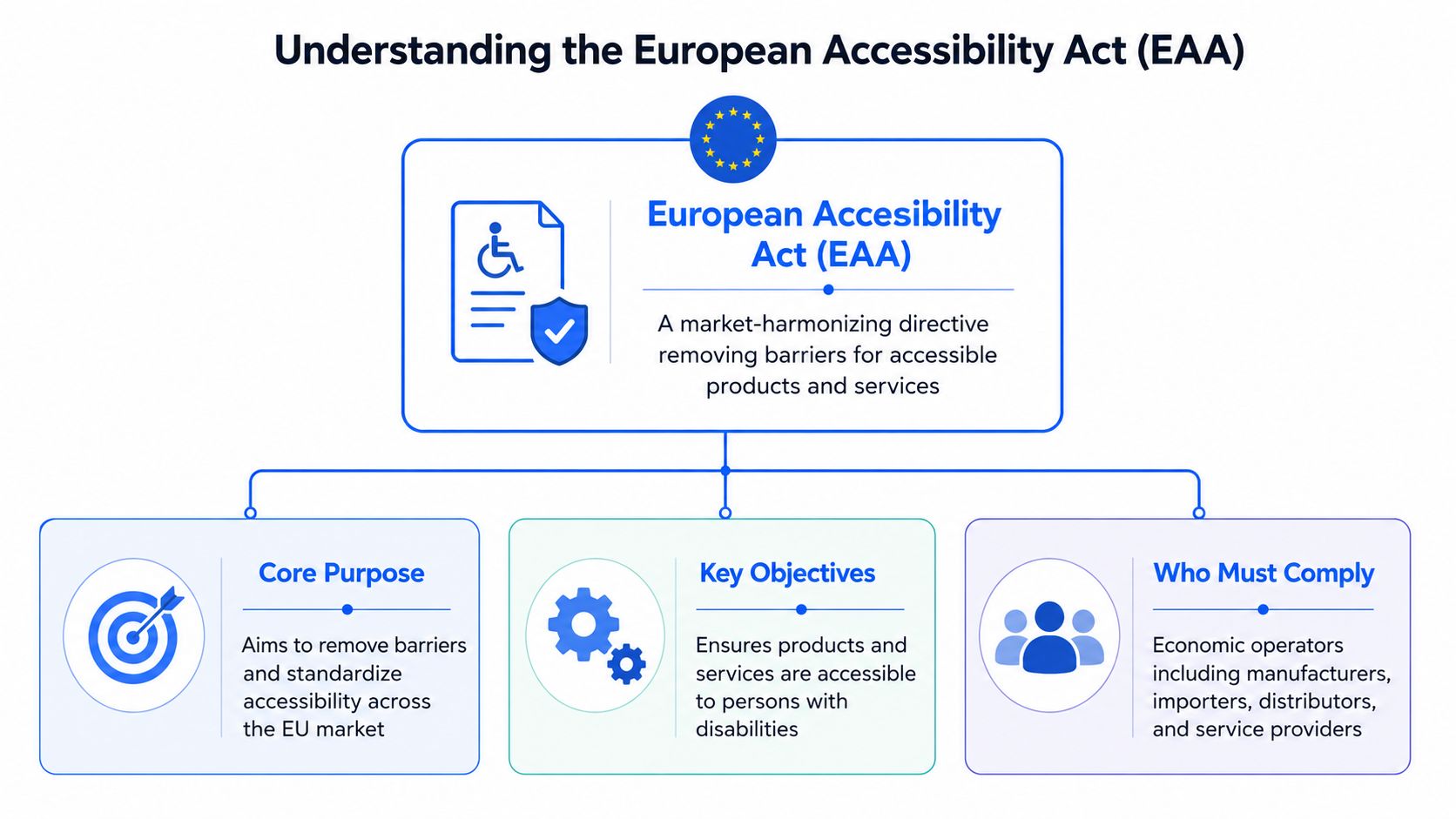
The European Accessibility Act was adopted in 2019 and applies across the 27 EU member states, with mandatory compliance for many digital products and services taking effect on June 28, 2025. A widely cited implementation baseline is WCAG 2.1 AA via EN 301 549, which makes the law especially important for websites, mobile apps, and e-commerce experiences, as summarized by DFIN’s EAA overview.
What the law is really doing
At a business level, the EAA is about market access. It sets accessibility requirements for covered products and services so people with disabilities can use them more independently and consistently across the EU market.
For digital teams, that means the law reaches past brochure websites. Key risk tends to sit inside core user journeys and service delivery points, such as:
- E-commerce flows: Product discovery, cart, checkout, order management, and account features.
- Mobile applications: Consumer-facing apps used for browsing, transactions, support, or account access.
- Digital banking and financial interfaces: Login, authentication, statements, transfers, forms, and support tools.
- Ticketing and transport services: Booking flows, confirmations, self-service tasks, and account management.
- Customer portals and service platforms: Any interface EU consumers use to complete essential actions.
If your product team only audits marketing pages, you’re almost certainly looking in the wrong place.
Who should assume they are in scope
The simplest rule is this: if you sell into or serve EU consumers with covered digital products or services, assume EAA compliance deserves immediate review. Headquarters location doesn’t save you. Market exposure is what matters.
That catches more companies than they expect:
| Organization type | Why EAA review is likely needed |
|---|---|
| U.S. SaaS company serving EU customers | EU-facing service delivery can create compliance obligations |
| E-commerce brand shipping to EU buyers | Consumer shopping and checkout journeys are in scope risk areas |
| Fintech or digital banking provider | High-value regulated journeys often include covered digital services |
| Platform using third-party components | Accessibility gaps in embedded tools still affect the full service |
The wrong question is “Are we based in the EU?” The right question is “Can an EU consumer use our service?”
If your team is also sorting out overlapping U.S. and European obligations, this comparison of EAA vs. ADA vs. WCAG helps clarify which rules apply in which context.
Decoding the Technical Standards EN 301 549 and WCAG
Teams get into trouble here because they treat legal scope, technical standards, and test criteria as the same thing. They are not the same, and your governance model needs to reflect that.
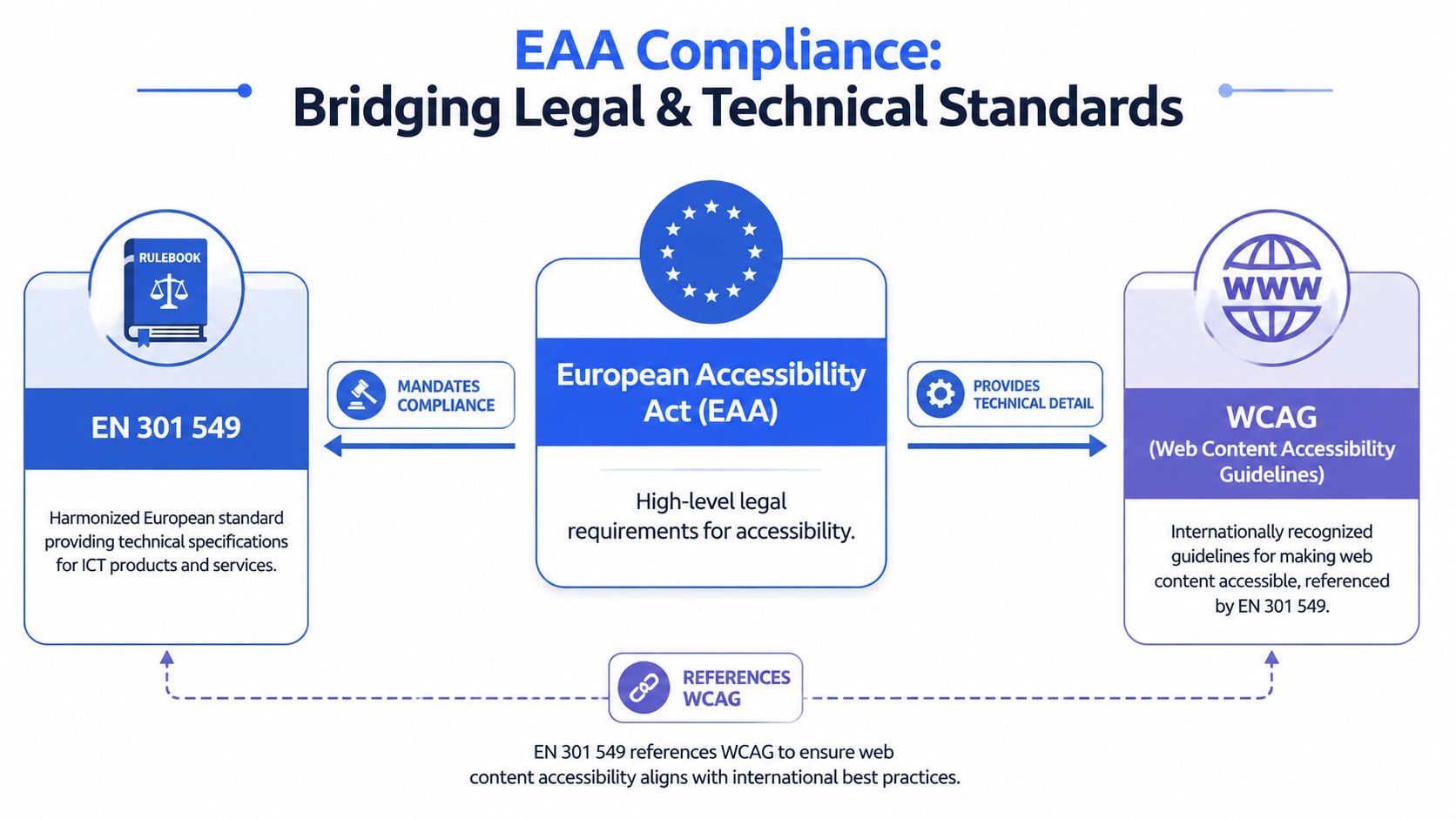
The EAA creates the legal obligation for covered products and services. EN 301 549 gives you the recognized technical framework used to demonstrate accessibility across ICT. WCAG provides many of the detailed success criteria teams use to design, build, and test digital interfaces. Ireland’s National Disability Authority guidance on the EAA explains that relationship and why technical documentation matters as evidence.
Law, standard, and test criteria
Here’s the cleanest way to explain it to executives and delivery teams:
- EAA is the legal obligation. It sets the compliance outcome your organization must meet.
- EN 301 549 is the technical standard. It gives procurement, product, engineering, and compliance teams a common reference point for accessible ICT products and services.
- WCAG is the detailed testing and implementation layer for digital experiences. It tells designers, developers, QA teams, and content owners what needs to work in practice.
That distinction matters more after June 2025. Enforcement is no longer a theoretical deadline problem. If your team says, “We’re fixing WCAG issues,” that is only part of the answer. Regulators, enterprise buyers, and internal audit teams will also ask how you assessed conformance, what evidence you retained, how you govern releases, and whether third-party components were reviewed before launch.
WCAG work matters. WCAG alone does not give you a complete EAA program.
What technical and product teams should do now
Stop making engineers interpret legal text on their own. Translate the requirement into a delivery system your teams can repeat on every release.
Use this operating model:
- Audit against EN 301 549 and WCAG-based requirements. Use the standard your legal, procurement, and product teams can all reference.
- Prioritize by critical user journeys. Checkout, authentication, account access, payments, and support flows carry more business and enforcement risk than low-value content pages.
- Write remediation tickets that can be built. Include the affected component, the failure, the user impact, and clear acceptance criteria.
- Retest after fixes and keep records. Save results, decisions, exceptions, and release evidence. Post-2025 compliance depends on proof, not intent.
- Review vendors and embedded tools against the same standard. If the inaccessible step sits inside a chatbot, payment widget, identity tool, or support plugin, it is still part of your service.
If legal says “EAA” and engineering hears only “alt text,” your compliance program is already off course.
A second failure pattern is trusting design-system intent instead of shipped behavior. An accessible component library does not protect you if the production code introduces keyboard traps, broken focus order, inaccessible modals, weak semantics, or missing screen-reader announcements. This is why mature teams test rendered experiences, not just design files and code snippets.
The other mistake is treating EN 301 549 as something only auditors need. It should shape procurement requirements, definition-of-done criteria, vendor reviews, and release gates. That is the post-2025 shift. Accessibility is no longer a one-time remediation project. It is a control your organization has to run continuously.
If your team needs a more detailed breakdown of how the two standards relate, this guide on EN 301 549 vs. WCAG is the right follow-up.
Legal Obligations and Severe Penalties for Non-Compliance
A compliant website alone won’t solve your problem. EAA compliance is an operational obligation, not a front-end patch.
Your obligations go beyond the website
For digital services, the expected pattern is practical and ongoing: run expert audits against EN 301 549 and WCAG, remediate the highest-impact barriers, publish an accessibility statement with known issues and feedback channels, and keep monitoring and re-testing. Core technical controls include keyboard operability, screen-reader compatibility, clear structure, and proper semantic HTML. EN 301 549 is the reference point rather than a matter of preference: the European Commission’s web accessibility policy confirms that EU accessibility requirements are underpinned by the harmonised European standard EN 301 549, whose web provisions track WCAG Level A and AA.
That still isn’t the whole picture. The EAA also reaches into documentation, support, and real-world service usability. If a customer can technically access your website but can’t understand your help content, can’t use your support channel, or can’t complete a key service independently, your risk remains.
This is why legal and product teams need shared ownership. Product can’t solve accessible support workflows alone. Support can’t publish usable help documentation without content and design standards. Compliance can’t govern what engineering never measures.
The penalty exposure is serious
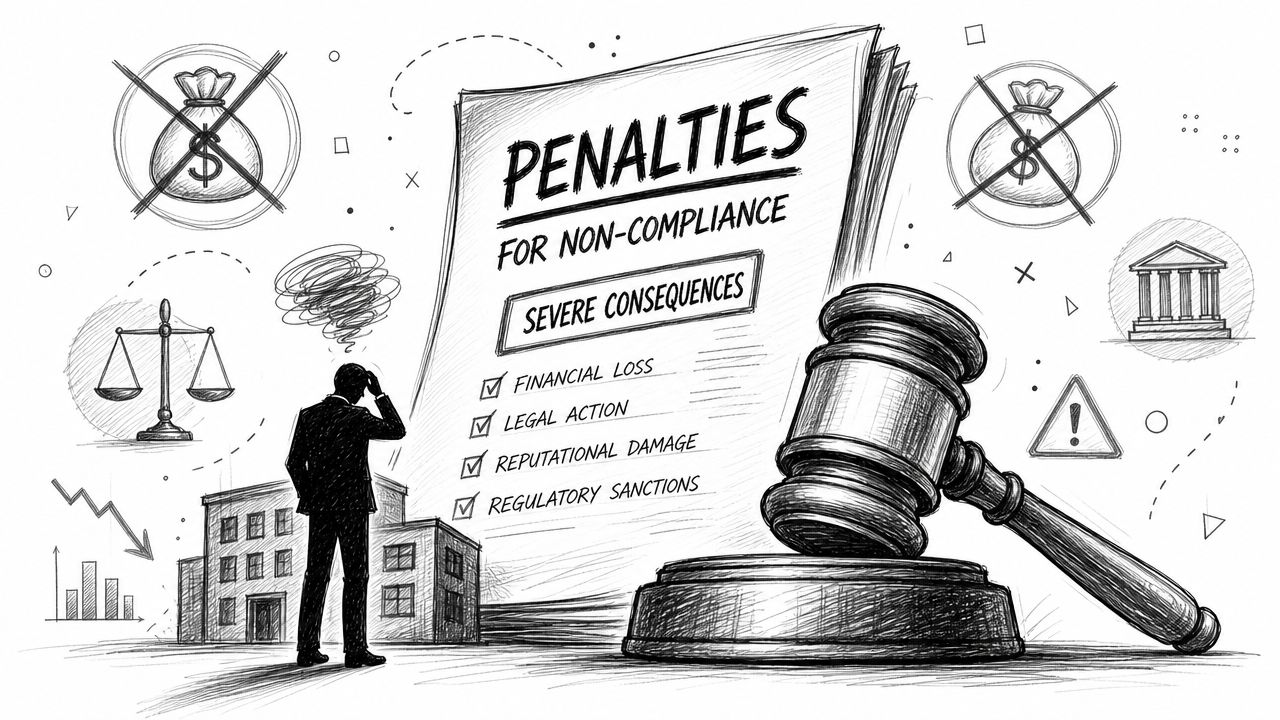
Non-compliance can trigger substantial fines and market access restrictions. Depending on the member state, penalties can reach €500,000, €1,000,000, or even 5% of annual net turnover, with some jurisdictions including potential imprisonment, according to Deque’s country-by-country EAA compliance data.
That should change how leadership frames accessibility budgets. This isn’t a discretionary UX improvement line item. It’s risk management.
For many U.S.-based companies, the easiest comparison is digital accessibility litigation under U.S. law. The legal theories are different, but the business lesson is the same: if inaccessible digital experiences block users from essential transactions, legal exposure grows. This broader pattern is familiar to teams already dealing with ADA compliance lawsuits.
- Financial exposure: Penalties can be material.
- Operational exposure: Corrective actions consume product, legal, and engineering time.
- Commercial exposure: Market access restrictions can disrupt sales into the EU.
- Reputational exposure: Buyers and partners increasingly ask for accessibility proof during diligence.
Treat EAA compliance the same way you treat privacy, security, or financial controls. Give it an owner, a system, and evidence.
Your Practical Roadmap to Achieving EAA Compliance
Most enterprise teams don’t need more awareness. They need a work plan. Use one that creates evidence, reduces user-facing barriers, and survives procurement scrutiny.
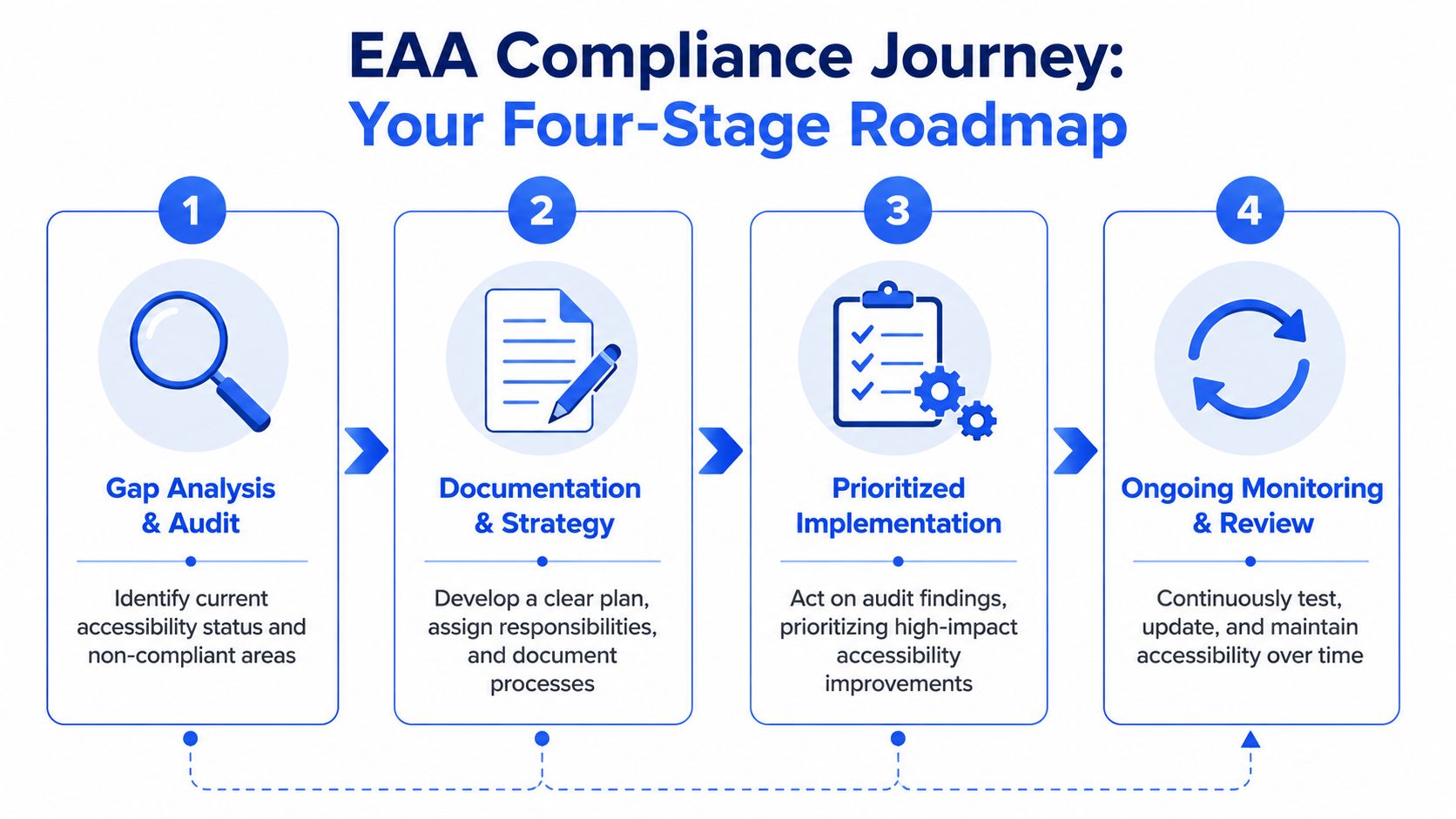
Start with the visual roadmap below, then build your program around it.
Stage one and two audit first and document properly
Stage 1 is gap analysis and expert audit. This comes first because teams are usually wrong about where their actual exposure sits. They fix visible issues and miss flow-breaking problems in authentication, forms, custom components, error handling, or mobile interactions.
A compliant operating model involves expert audits against EN 301 549 and WCAG, remediation of high-impact barriers, publication of an accessibility statement, and continuous monitoring. Treat any vendor promise of full conformance without manual work as a claim that cannot be supported: W3C WAI states plainly that “no tool alone can determine if a site meets accessibility standards” and that knowledgeable human evaluation is required. That matters more under the EAA than elsewhere, because the obligation attaches to the service a customer actually receives, not to a scan report about it.
That means you should do all of the following:
- Use manual testing: Include keyboard-only review, screen-reader testing, zoom and reflow checks, and form behavior validation.
- Test common user journeys: Login, signup, checkout, account management, search, support, and document access.
- Review code patterns: Focus on semantics, focus management, modal behavior, errors, labels, and announcements.
- Capture evidence: Each issue should map to a requirement, an affected component or page, and a remediation recommendation.
One option is a manual audit from ADA Compliance Pros, which covers websites, web apps, and ICT products with WCAG-mapped findings, remediation guidance, and VPAT/ACR-ready documentation. The important point isn’t the vendor name. It’s the methodology. You need hands-on testing, not black-box claims.
Before you spend money on overlays or AI shortcuts, read this analysis of accessibility overlay widget risk.
Stage 2 is documentation and governance. After the audit, create the records your legal, procurement, and product teams will need.
That usually includes:
| Document | Why it matters |
|---|---|
| Audit report | Shows what was tested and what barriers were found |
| Remediation plan | Proves issues were prioritized and assigned |
| Accessibility statement | Gives users transparency, known issues, and a feedback channel |
| ACR or VPAT-style documentation | Supports procurement, vendor review, and enterprise diligence |
A short walkthrough can help align internal stakeholders before remediation begins.
Stage three and four remediate by impact and monitor continuously
Stage 3 is prioritized remediation. Do not send engineering a giant undifferentiated spreadsheet and hope for the best. Prioritize issues based on user impact and business criticality.
A workable remediation order looks like this:
- Blockers in critical paths such as checkout, login, onboarding, account recovery, payments, and service access.
- Failures in shared components such as navigation, dialogs, tabs, forms, accordions, and carousels.
- Content and document issues in support centers, legal notices, product instructions, and downloadable files.
- Lower-impact defects that still matter but don’t break core service completion.
Fix the components that appear everywhere before polishing isolated pages.
Stage 4 is continuous monitoring and re-testing. Accessibility debt comes back fast when teams ship new features, replace third-party tools, or redesign flows without accessible QA. The EAA post-2025 reality is ongoing governance, not a one-time certification mindset.
Build these controls into your operating rhythm:
- Release checks: Accessibility criteria in design review, QA, and definition of done.
- Ownership: Named product and engineering owners for each major experience.
- Re-testing: Verify fixes manually before closure.
- Statement maintenance: Update public disclosures as issues are fixed or new limitations are identified.
If you skip monitoring, today’s compliant state becomes tomorrow’s evidence problem.
EAA Impact on Procurement RFPs and Vendor Vetting
The EAA changes procurement faster than most product teams expect. Once accessibility becomes a legal operating requirement, vendor selection stops being a design preference and starts becoming supply-chain risk control.
Why procurement now owns part of accessibility risk
If your service depends on a third-party chat tool, booking engine, identity flow, document viewer, analytics-based consent interface, or embedded payment experience, that vendor’s accessibility posture affects your own exposure. Customers don’t care which failure belongs to your subcontractor. They experience one service. Regulators and enterprise buyers often look at it the same way.
This has two consequences.
First, RFPs and renewal reviews need sharper accessibility requirements. A vague line asking whether a vendor “supports WCAG” isn’t enough. You need evidence, scope, and testing detail.
Second, legal and procurement teams need to stop treating accessibility documents as boilerplate attachments. A weak accessibility report creates false confidence and delays remediation until after purchase.
Procurement should treat accessibility documentation the way security teams treat penetration testing summaries. Ask what was tested, how it was tested, and who tested it.
What to ask vendors before you buy or renew
Use a tougher screening standard. At minimum, ask vendors for documentation that shows current accessibility status, not marketing promises.
A useful vendor review checklist includes:
- Request an ACR or VPAT-style report: It should identify the product version, test scope, and evaluation basis.
- Ask whether manual testing was performed: If the report reads like an automated scan export, that’s a warning sign.
- Review assistive technology coverage: A credible process usually mentions hands-on validation, not just software detection.
- Check product boundaries: Make sure the report covers the modules, workflows, and user roles you plan to buy.
- Require remediation transparency: Vendors should be able to explain known gaps and planned fixes.
Weak vendor documentation usually has obvious tells:
| Red flag | Why it matters |
|---|---|
| Generic claims of compliance with no scope detail | You can’t tell what was actually evaluated |
| No mention of manual testing | The findings are likely incomplete |
| Only homepage or marketing pages reviewed | Critical application flows may be untouched |
| No known issues listed | That’s usually a credibility problem, not a sign of perfection |
If your procurement team needs a practical intake template, use this accessibility vendor questionnaire.
The bigger point is simple. Under post-2025 EAA conditions, inaccessible vendors create downstream cost. They slow deals, complicate diligence, trigger remediation after launch, and increase contractual friction. Buy with evidence.
EAA Compliance FAQs and Next Steps
Is an overlay enough for EAA compliance
No. Overlay-first and automation-only approaches don’t solve the underlying product issues that create non-conformance. They also don’t replace manual testing, code remediation, accessible support workflows, or ongoing governance.
If a vendor claims they can make you fully compliant without hands-on review, treat that claim as a risk signal, not a solution.
How does the EAA relate to the ADA
They are different legal frameworks with different jurisdictions, but they overlap in practice because both push organizations toward accessible digital experiences. Teams serving both U.S. and EU markets usually need one coordinated accessibility program, not separate disconnected efforts.
For a side-by-side comparison, read EAA vs. ADA vs. WCAG.
What should go into an accessibility statement
At minimum, it should tell users what service is covered, the accessibility standard used for evaluation, known limitations, and how users can report problems or request support. It should also reflect reality. Don’t publish a statement that suggests broad conformance if you haven’t completed a credible review.
This accessibility statement template for ADA and EAA use is a practical starting point.
What to do next
If you’re unsure about your current EAA exposure, don’t start with a widget, a legal memo in isolation, or a generic procurement checkbox. Start with evidence.
That means:
- Audit the actual product or service
- Document the gaps and ownership
- Fix the high-impact barriers first
- Publish and maintain an accurate accessibility statement
- Re-test continuously as the product changes
For most enterprise teams, the fastest path to a defensible position is a professional manual audit tied to remediation and documentation. That’s what turns EAA compliance from a vague legal concern into a managed operating program.
ADA Compliance Pros helps organizations assess websites, web apps, and ICT products against WCAG, EN 301 549, Section 508, and EAA requirements through manual testing, remediation guidance, and procurement-ready documentation. If you need a clear view of current risk, a defensible audit trail, or VPAT/ACR support for EU-facing products, consider starting with a scoped accessibility assessment from ADA Compliance Pros.